# Coingecko - Authentication
**Pages:** 3
---
## Authentication (Public/Demo)
**URL:** llms-txt#authentication-(public/demo)
**Contents:**
- CoinGecko API Authentication Method
- API Key Usage Credits
Source: https://docs.coingecko.com/v3.0.1/reference/authentication
Authentication method for CoinGecko Public API (Demo plan users)
### **Notes**
* Demo API Key is only available for CoinGecko Public Demo API Plan, the root URL for CoinGecko Public Demo API must be `https://api.coingecko.com/api/v3/`.
* ⚠️ You are recommended to store the API key securely in your own backend and use a proxy to insert the key into the request URL.
* The authentication method below is for CoinGecko Public Demo API only. For **paid plan users with Pro-API key**, please refer to [this page](/reference/authentication) instead.
* User Guide: [How to sign up for CoinGecko Demo API and generate an API key?](https://support.coingecko.com/hc/en-us/articles/21880397454233)
* It's highly recommended to use the **Headers method** when making API requests for better security. Using query string parameters can risk exposing your API key.
## CoinGecko API Authentication Method
If this is your first time using the Demo API key, you can supply API Key to the root URL using one of these ways:
1. Header (Recommended): `x-cg-demo-api-key`
2. Query String Parameter: `x_cg_demo_api_key`
| Authentication Method | Example using [Ping](/v3.0.1/reference/ping-server) Endpoint |
| ---------------------- | ------------------------------------------------------------------------------------------ |
| Header (cURL) | `curl -X GET "https://api.coingecko.com/api/v3/ping" -H "x-cg-demo-api-key: YOUR_API_KEY"` |
| Query String Parameter | `https://api.coingecko.com/api/v3/ping?x_cg_demo_api_key=YOUR_API_KEY` |
## API Key Usage Credits
* Each request made to any endpoint counts as a single call (1 call = 1 credit).
* Your monthly credit & rate limit are determined by the paid plan to which you subscribe. For more details, please refer to this [page](https://www.coingecko.com/en/api/pricing).
* To check the API usage, please go to the [developer dashboard](https://www.coingecko.com/en/developers/dashboard) or follow the guide [here](/v3.0.1/reference/setting-up-your-api-key#4-api-usage-report).
---
## Authentication (Pro API)
**URL:** llms-txt#authentication-(pro-api)
**Contents:**
- CoinGecko API Authentication Method
- 🔥 Accessing Onchain DEX data
- API Key Usage Credits
Source: https://docs.coingecko.com/reference/authentication
Authentication method for CoinGecko Pro API (Paid plan subscribers with Pro-API keys)
### **Notes**
* Pro API Key is only available for [CoinGecko API paid plan](https://www.coingecko.com/en/api/pricing) subscribers, the root URL for CoinGecko Pro API must be `https://pro-api.coingecko.com/api/v3/`.
* You are recommended to store the API key securely in your own backend and use a proxy to insert the key into the request URL.
* It's highly recommended to use the Headers method when making API requests for better security. Using query string parameters can risk exposing your API key.
## CoinGecko API Authentication Method
If this is your first time using the Pro API key, you can supply API Key to the root URL using one of these ways:
1. Header (Recommended): `x-cg-pro-api-key`
2. Query String Parameter: `x_cg_pro_api_key`
| Authentication Method | Example using [Ping](/reference/ping-server) Endpoint |
| ---------------------- | --------------------------------------------------------------------------------------------- |
| Header (cURL) | `curl -X GET "https://pro-api.coingecko.com/api/v3/ping" -H "x-cg-pro-api-key: YOUR_API_KEY"` |
| Query String Parameter | `https://pro-api.coingecko.com/api/v3/ping?x_cg_pro_api_key=YOUR_API_KEY` |
## 🔥 Accessing Onchain DEX data
You can now use the Pro-API key (exclusive to any paid plan subscriber) to call onchain DEX data powered by [GeckoTerminal](https://www.geckoterminal.com/).
### **Notes**
* Authentication method for onchain endpoints is exactly same as other endpoints.
* When using the CG Pro API to access onchain DEX data, include the `/onchain` endpoint path in the request.
| Authentication Method | Example using [Simple Token Price](/reference/onchain-simple-price) Endpoint |
| ---------------------- | ----------------------------------------------------------------------------------------------------------------------------------------------------------------------------- |
| Header (cURL) | `curl -X GET "" -H "x-cg-pro-api-key: YOUR_API_KEY"` |
| Query String Parameter | `https://pro-api.coingecko.com/api/v3/onchain/simple/networks/eth/token_price/0xc02aaa39b223fe8d0a0e5c4f27ead9083c756cc2?x_cg_pro_api_key=YOUR_API_KEY` |
## API Key Usage Credits
* Each request made to any endpoint counts as a single call (1 call = 1 credit).
* Each successful API request (Status 200) will deduct 1 credit from your monthly credit allowance.
* Unsuccessful Requests (Status 4xx, 5xx, etc) will not count towards credit deduction.
* Regardless of the HTTP status code returned (including 4xx and 5xx errors), all API requests will count towards your **minute rate limit**.
* Your monthly credit & rate limit are determined by the paid plan to which you subscribe. For more details, please refer to this [page](https://www.coingecko.com/en/api/pricing).
* To check the API usage, please go to the [developer dashboard](https://www.coingecko.com/en/developers/dashboard) or follow the guide [here](/reference/setting-up-your-api-key#4-api-usage-report)
---
## Setting Up Your API Key
**URL:** llms-txt#setting-up-your-api-key
**Contents:**
- 1. Creating a new API Key
- 2. Making API Request
- 3. Edit or Delete API Key
- 4. API Usage Report
- 5. Others
- Call Consumption Alerts
- Overage Option (Beta)
Source: https://docs.coingecko.com/docs/setting-up-your-api-key
👋 **New to CoinGecko API?** Sign up for an account [here](https://www.coingecko.com/en/api/pricing)
## 1. Creating a new API Key
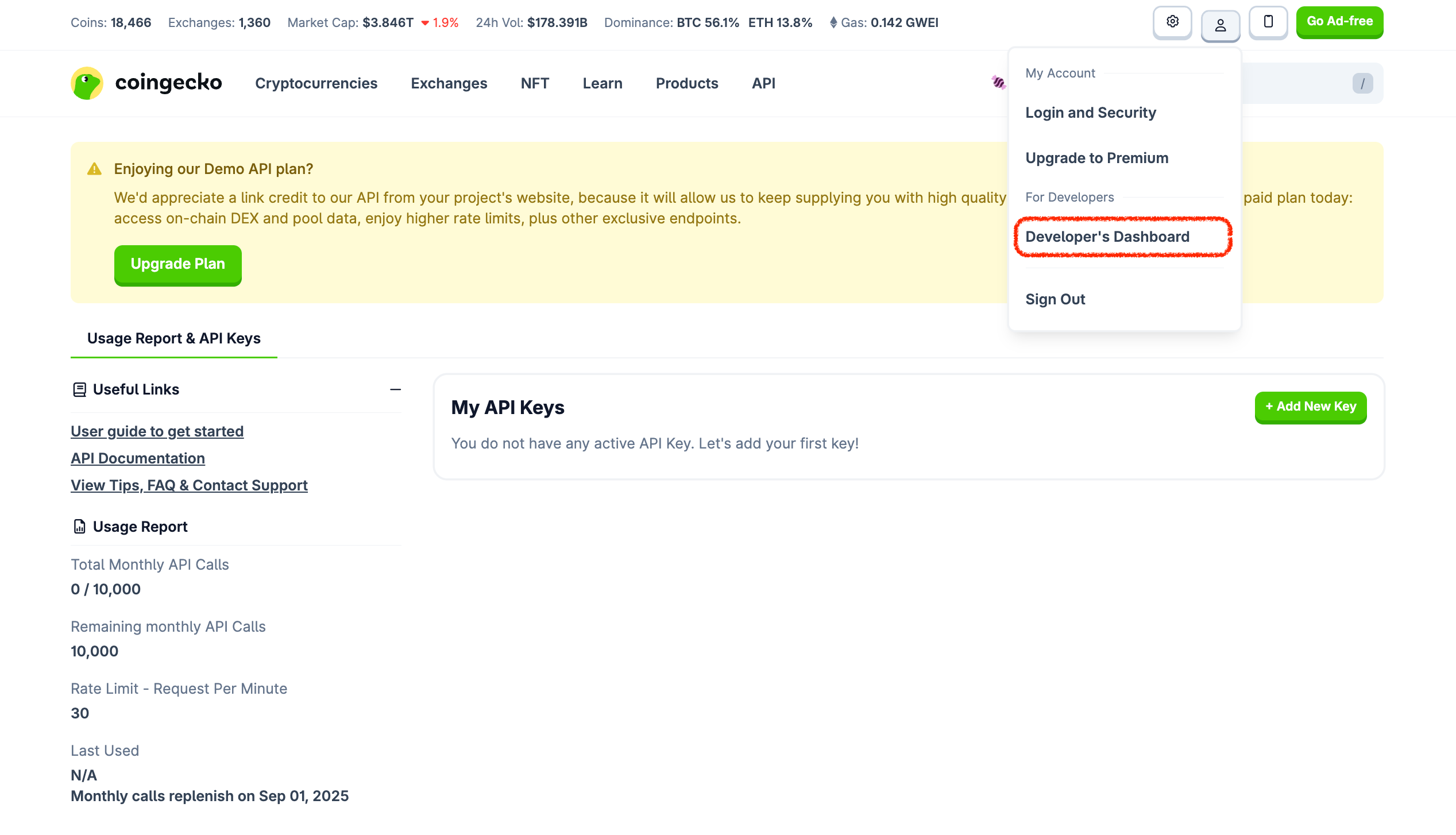
* Once you have signed up and logged in to your CoinGecko account, go to [Developer Dashboard](https://www.coingecko.com/en/developers/dashboard):
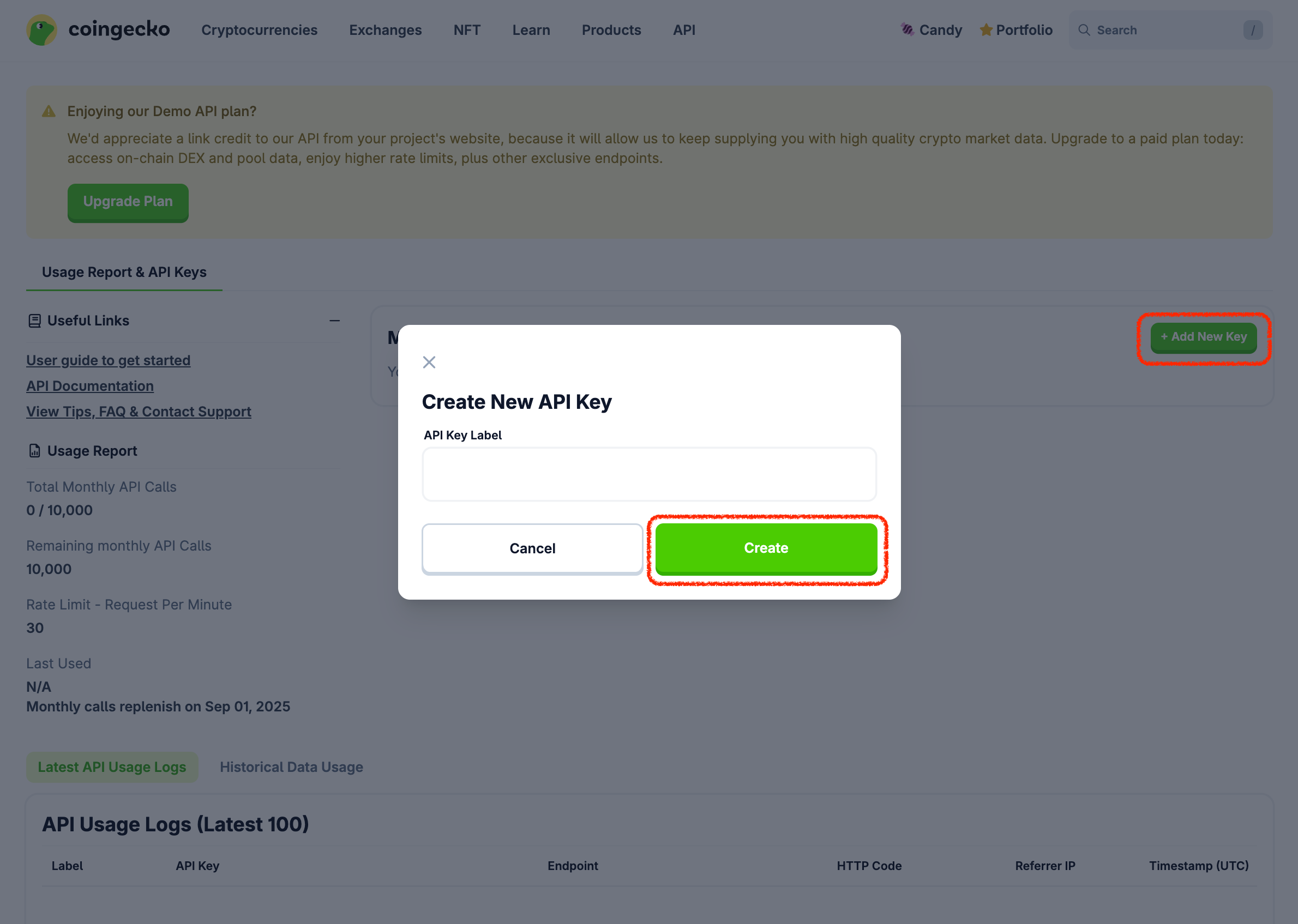
 * Click on **+ Add New Key** button to create a new API key:
 ## 2. Making API Request
* **Root URLs:**
* Pro API: `https://pro-api.coingecko.com/api/v3/`, refer to [Pro API Authentication](/reference/authentication).
* Demo API: `https://api.coingecko.com/api/v3/`, refer to [Demo API Authentication](/v3.0.1/reference/authentication).
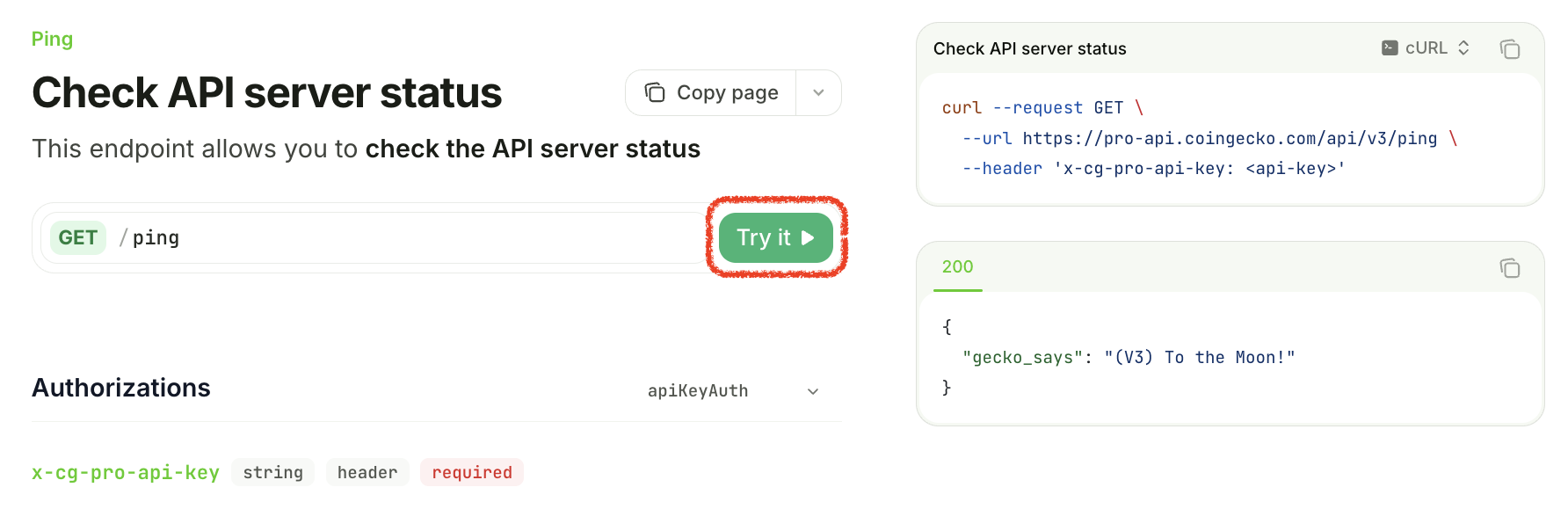
* **Example using the `/ping` endpoint:**
* Pro API: `https://pro-api.coingecko.com/api/v3/ping?x_cg_pro_api_key=YOUR_API_KEY`
* Demo API: `https://api.coingecko.com/api/v3/ping?x_cg_demo_api_key=YOUR_API_KEY`
## 2. Making API Request
* **Root URLs:**
* Pro API: `https://pro-api.coingecko.com/api/v3/`, refer to [Pro API Authentication](/reference/authentication).
* Demo API: `https://api.coingecko.com/api/v3/`, refer to [Demo API Authentication](/v3.0.1/reference/authentication).
* **Example using the `/ping` endpoint:**
* Pro API: `https://pro-api.coingecko.com/api/v3/ping?x_cg_pro_api_key=YOUR_API_KEY`
* Demo API: `https://api.coingecko.com/api/v3/ping?x_cg_demo_api_key=YOUR_API_KEY`
 ## 3. Edit or Delete API Key
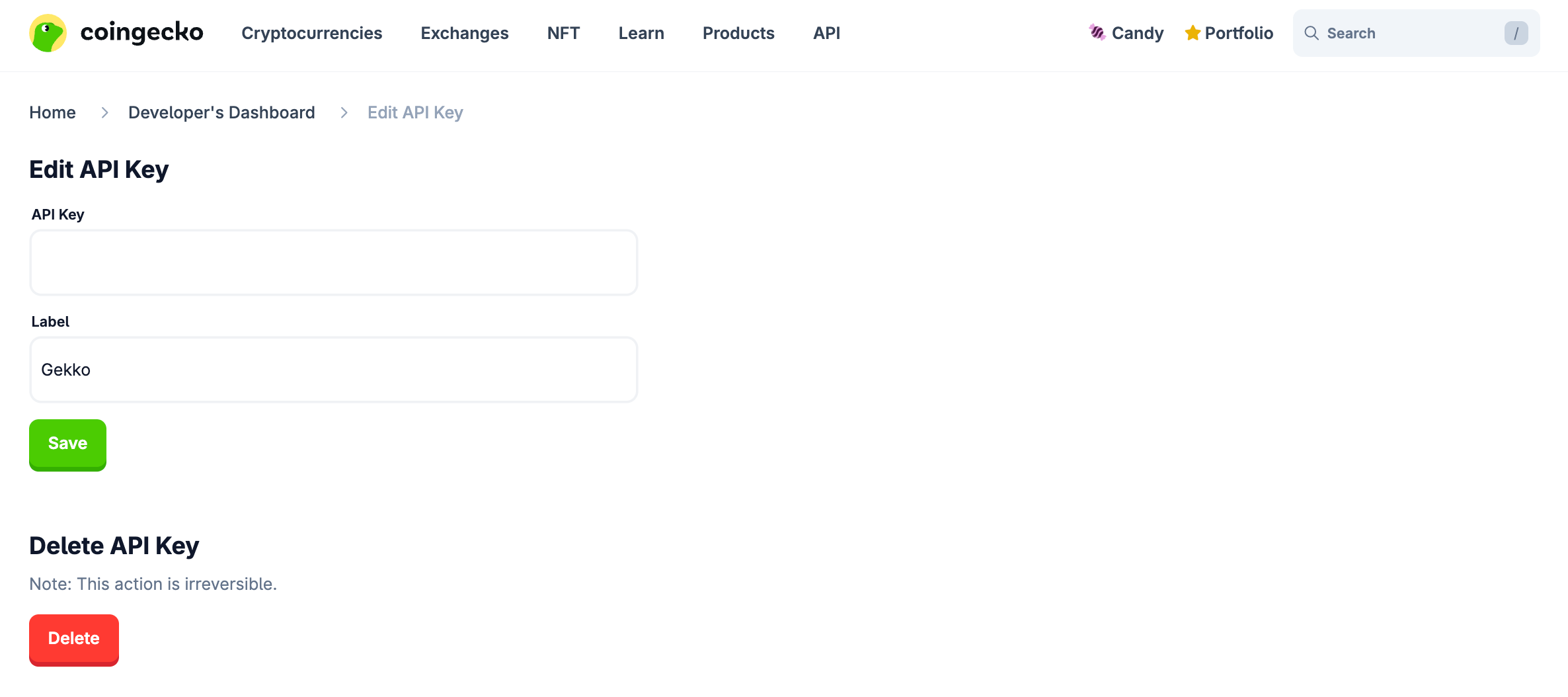
* Go to Developer's Dashboard and click “Edit” button on a specific API Key.
* In case the API Key is compromised, you may delete the API Key by clicking the "Delete" button.
* You may also update the label and save the changes by clicking "Save" button.
## 3. Edit or Delete API Key
* Go to Developer's Dashboard and click “Edit” button on a specific API Key.
* In case the API Key is compromised, you may delete the API Key by clicking the "Delete" button.
* You may also update the label and save the changes by clicking "Save" button.
 ## 4. API Usage Report
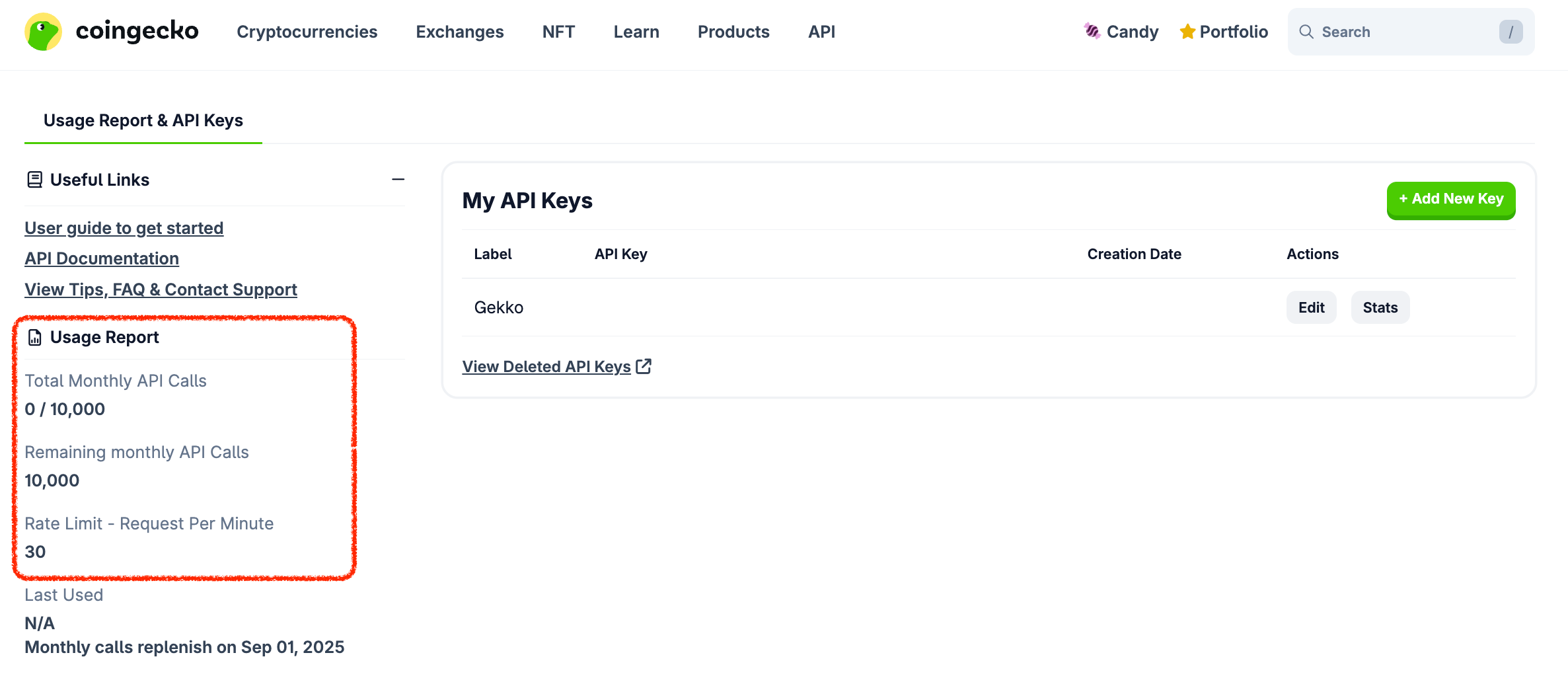
* You can monitor your API usage in the Usage Report section, which provides details such as:
* Total Monthly API Calls.
* Remaining Monthly API Calls.
* Rate Limit (Request Per Minute) — maximum number of API requests allowed in one minute.
* Last Used — the timestamp of the last used instance.
## 4. API Usage Report
* You can monitor your API usage in the Usage Report section, which provides details such as:
* Total Monthly API Calls.
* Remaining Monthly API Calls.
* Rate Limit (Request Per Minute) — maximum number of API requests allowed in one minute.
* Last Used — the timestamp of the last used instance.
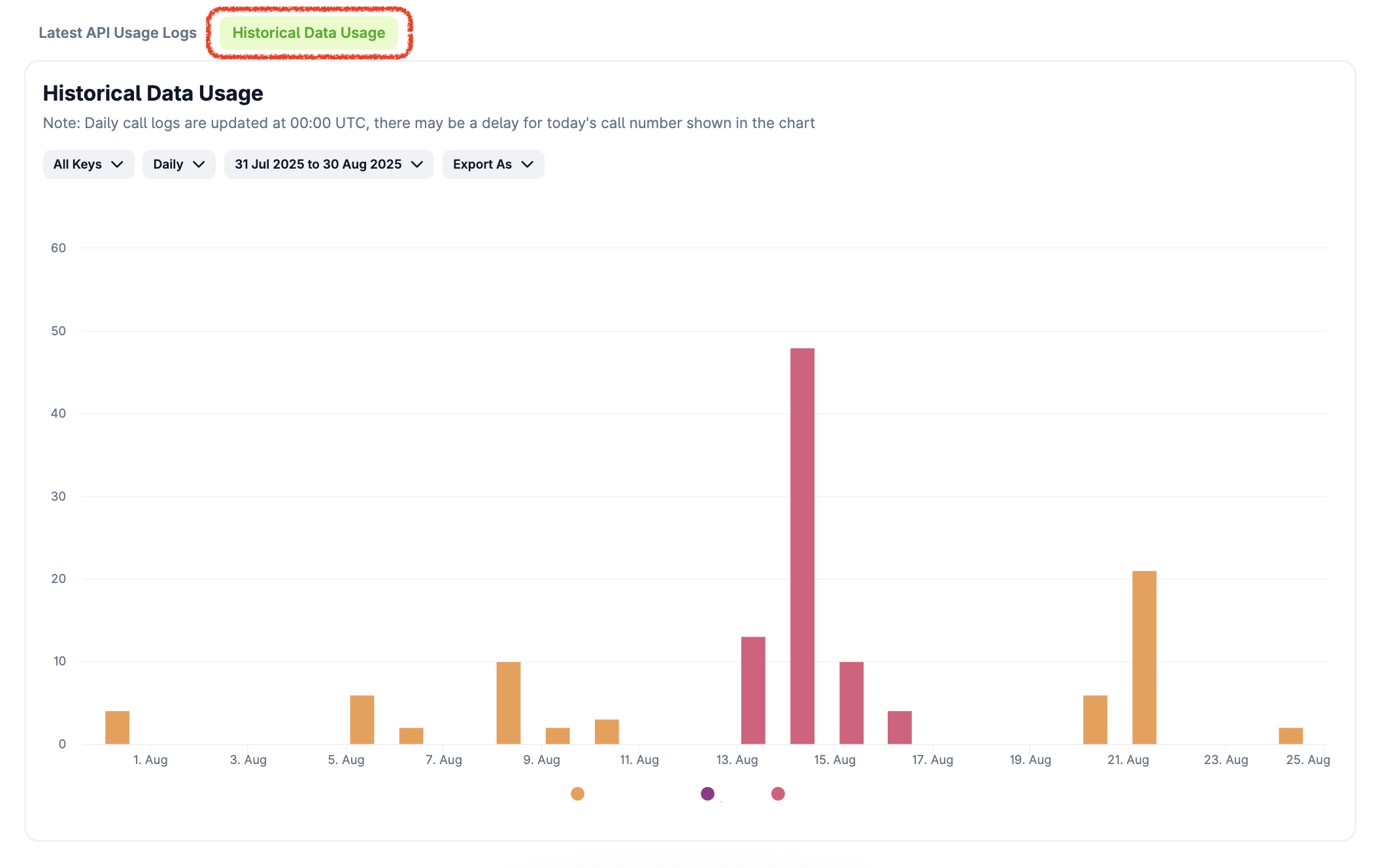
 * You can also check your full historical usage by specifying "API Keys", "timeframe" or "date range". You may export as CSV for more comprehensive view.
 ### Call Consumption Alerts
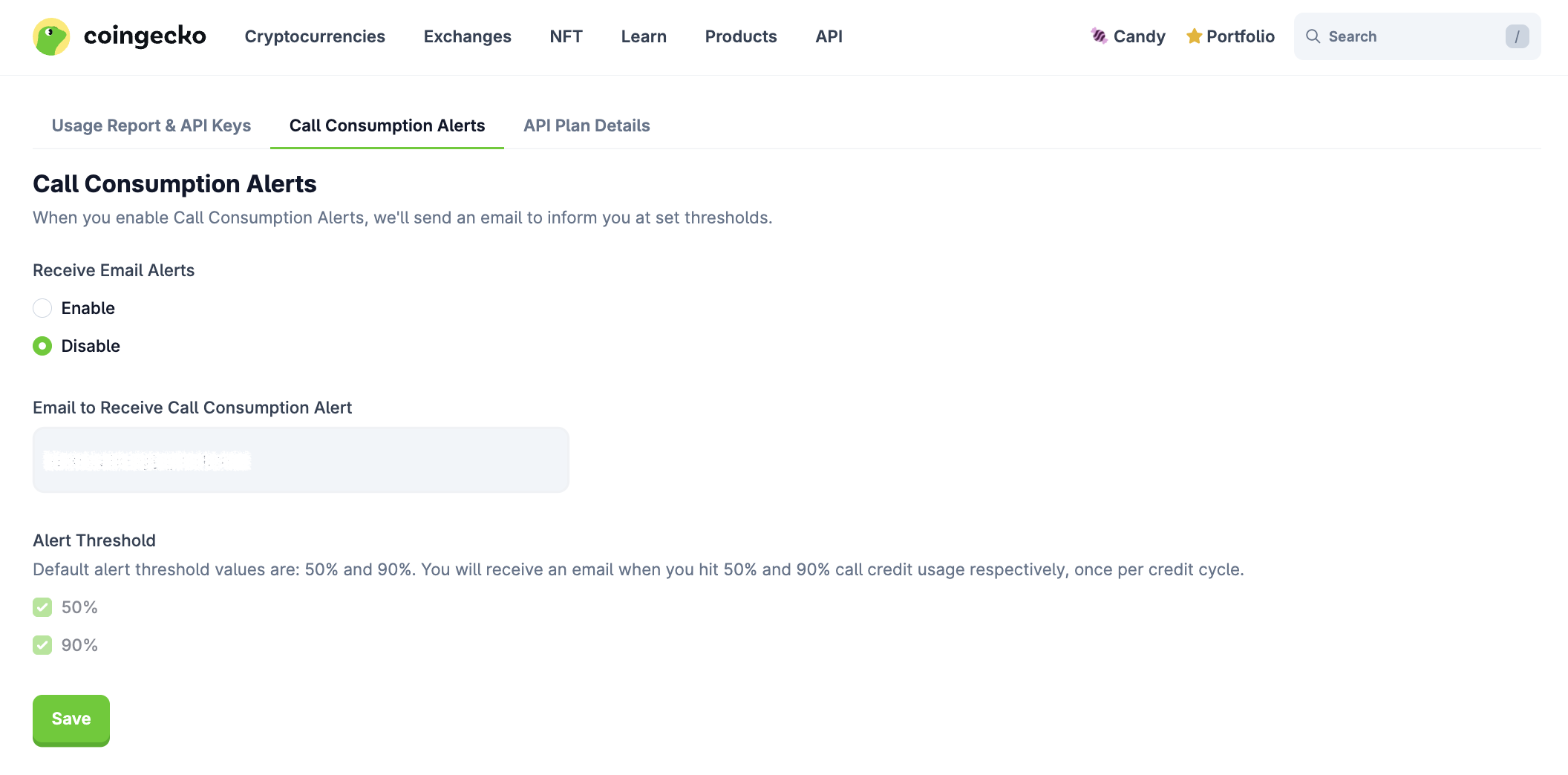
You may enable or disable call consumption alerts in the tab below to receive emails when specific credit usage thresholds are reached.
### Call Consumption Alerts
You may enable or disable call consumption alerts in the tab below to receive emails when specific credit usage thresholds are reached.
 ### Overage Option (Beta)
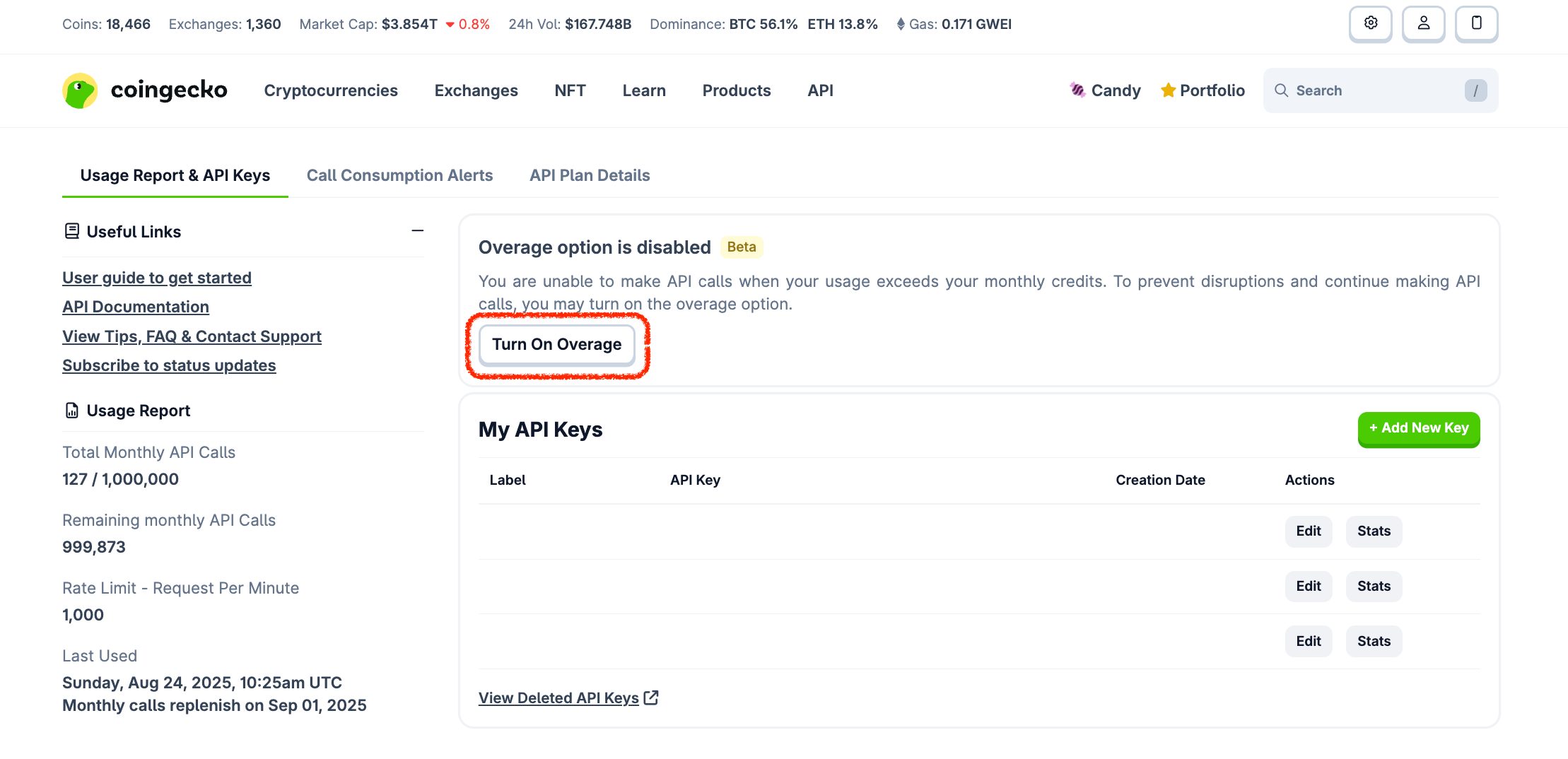
* The overage option enables you to make API calls when your usage exceeds the monthly credits.
* You can activate the overage option by clicking the "Turn On Overage" button, ensuring uninterrupted service and allowing you to continue making API calls or vice versa.
### Overage Option (Beta)
* The overage option enables you to make API calls when your usage exceeds the monthly credits.
* You can activate the overage option by clicking the "Turn On Overage" button, ensuring uninterrupted service and allowing you to continue making API calls or vice versa.
 ---
---