
other.md 166 KB
Coingecko - Other
Pages: 16
Clients
URL: llms-txt#clients
Contents:
- API Swagger JSON (OAS)
- Official CoinGecko API SDK
Source: https://docs.coingecko.com/docs/clients
Explore client resources, including official Swagger JSON and unofficial Python wrapper
API Swagger JSON (OAS)
-
- CoinGecko Pro API — coingecko-pro.json
- GeckoTerminal Onchain API (Pro) — onchain-pro.json
-
- CoinGecko Public/Demo API — coingecko-demo.json
- GeckoTerminal Onchain API (Demo) — onchain-demo.json
Official CoinGecko API SDK
Here are the official API SDKs maintained by us.
Want us to support your favorite programming language? Let us know here!
Not a developer? Fred not, check our no-code tutorial for beginners here: Tutorials (Beginner-friendly)
API Status
URL: llms-txt#api-status
Source: https://docs.coingecko.com/docs/api-status
CoinGecko's API status page provides information on the current status and incident history of CoinGecko API (Public & Pro)
### Tips
- You can view our live updates, and subscribe to updates via Email, Slack and Discord.
- Instead of subscribing to all updates, you may click on 'Select services' to subscribe to either Public or Pro API updates.
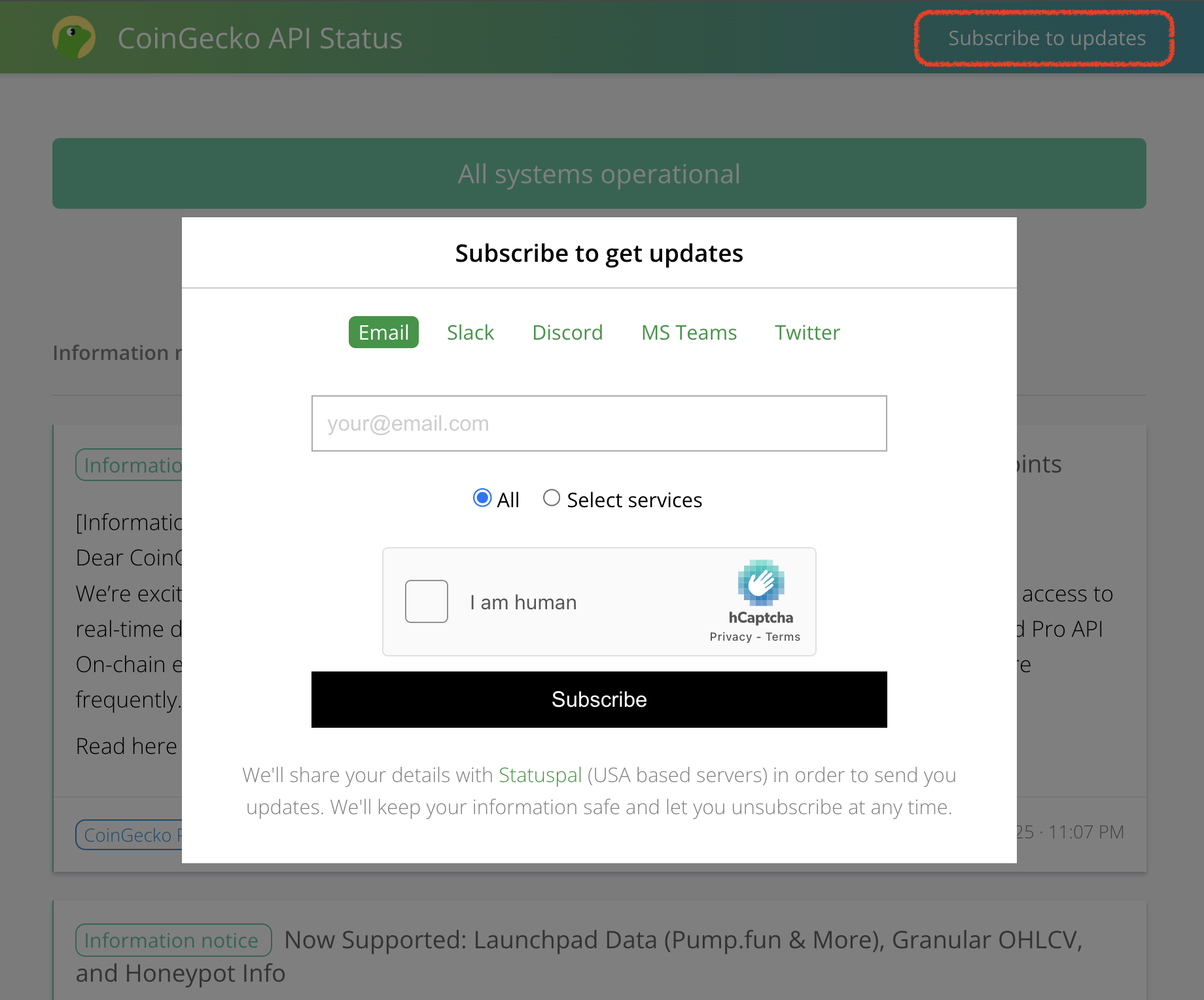
- CoinGecko API Status — https://status.coingecko.com
- Incident & Maintenance History — https://status.coingecko.com/incidents
- Uptime Calendar — https://status.coingecko.com/incidents/uptime-calendar
🚀 Connecting with ChatGPT
URL: llms-txt#🚀-connecting-with-chatgpt
OpenAI ChatGPT have just launched an MCP connector, but requires developer mode toggle turned on.
Open your profile > Connectors > Advanced Settings > Toggle Developer Mode On
In the Connectors modal, choose "Create" and enter the CoinGecko MCP server info
 <img
   src="https://mintcdn.com/coingecko/-YWykcjHRtoo7cBr/images/reference/mcp-open-ai-chatgpt-1.png?fit=max&auto=format&n=-YWykcjHRtoo7cBr&q=85&s=19b9da2451dbb287b3e14bbd1bb1d6c4"
   style={{
  width: "400px", height: "auto"
}}
   data-og-width="921"
   width="921"
   data-og-height="1330"
   height="1330"
   data-path="images/reference/mcp-open-ai-chatgpt-1.png"
   data-optimize="true"
   data-opv="3"
   srcset="https://mintcdn.com/coingecko/-YWykcjHRtoo7cBr/images/reference/mcp-open-ai-chatgpt-1.png?w=280&fit=max&auto=format&n=-YWykcjHRtoo7cBr&q=85&s=1e0e27aefe9eed409e50802d46ccbd96 280w, https://mintcdn.com/coingecko/-YWykcjHRtoo7cBr/images/reference/mcp-open-ai-chatgpt-1.png?w=560&fit=max&auto=format&n=-YWykcjHRtoo7cBr&q=85&s=4fa547e688348c71af6bd7a65018a06b 560w, https://mintcdn.com/coingecko/-YWykcjHRtoo7cBr/images/reference/mcp-open-ai-chatgpt-1.png?w=840&fit=max&auto=format&n=-YWykcjHRtoo7cBr&q=85&s=b58a95c0d11926961008038c5c150a2c 840w, https://mintcdn.com/coingecko/-YWykcjHRtoo7cBr/images/reference/mcp-open-ai-chatgpt-1.png?w=1100&fit=max&auto=format&n=-YWykcjHRtoo7cBr&q=85&s=d9a04921b35edb6034fe498ce69e06c2 1100w, https://mintcdn.com/coingecko/-YWykcjHRtoo7cBr/images/reference/mcp-open-ai-chatgpt-1.png?w=1650&fit=max&auto=format&n=-YWykcjHRtoo7cBr&q=85&s=043bd546e1eadb1d7b20b1cdc44fe5d5 1650w, https://mintcdn.com/coingecko/-YWykcjHRtoo7cBr/images/reference/mcp-open-ai-chatgpt-1.png?w=2500&fit=max&auto=format&n=-YWykcjHRtoo7cBr&q=85&s=deb9413356da4ff107766f1c483d14b8 2500w"
 />
- Before prompting, choose "+" > More > Developer Mode > CoinGecko MCP tool must be turned on
 <img
   src="https://mintcdn.com/coingecko/-YWykcjHRtoo7cBr/images/reference/mcp-open-ai-chatgpt-2.png?fit=max&auto=format&n=-YWykcjHRtoo7cBr&q=85&s=2dbce0217b55c42f75bcf72b1840261c"
   style={{
  width: "500px", height: "auto"
}}
   data-og-width="1604"
   width="1604"
   data-og-height="404"
   height="404"
   data-path="images/reference/mcp-open-ai-chatgpt-2.png"
   data-optimize="true"
   data-opv="3"
   srcset="https://mintcdn.com/coingecko/-YWykcjHRtoo7cBr/images/reference/mcp-open-ai-chatgpt-2.png?w=280&fit=max&auto=format&n=-YWykcjHRtoo7cBr&q=85&s=1164c4b43b3973808b53e78219db4544 280w, https://mintcdn.com/coingecko/-YWykcjHRtoo7cBr/images/reference/mcp-open-ai-chatgpt-2.png?w=560&fit=max&auto=format&n=-YWykcjHRtoo7cBr&q=85&s=57565551346ddc2479ec396c5f03a5ad 560w, https://mintcdn.com/coingecko/-YWykcjHRtoo7cBr/images/reference/mcp-open-ai-chatgpt-2.png?w=840&fit=max&auto=format&n=-YWykcjHRtoo7cBr&q=85&s=9ffd706dd65fc5d64cae76ed5c44c6db 840w, https://mintcdn.com/coingecko/-YWykcjHRtoo7cBr/images/reference/mcp-open-ai-chatgpt-2.png?w=1100&fit=max&auto=format&n=-YWykcjHRtoo7cBr&q=85&s=20e6b62405c7069c6c58d6523a98854b 1100w, https://mintcdn.com/coingecko/-YWykcjHRtoo7cBr/images/reference/mcp-open-ai-chatgpt-2.png?w=1650&fit=max&auto=format&n=-YWykcjHRtoo7cBr&q=85&s=963d3992d6e0d46cfbbc56bd4179c099 1650w, https://mintcdn.com/coingecko/-YWykcjHRtoo7cBr/images/reference/mcp-open-ai-chatgpt-2.png?w=2500&fit=max&auto=format&n=-YWykcjHRtoo7cBr&q=85&s=2eabd675061763732754fc304f7e48e9 2500w"
 />
TypeScript AI Prompts
URL: llms-txt#typescript-ai-prompts
Contents:
- How to Use Our Prompts
- Resources
Source: https://docs.coingecko.com/docs/typescript-ai-prompts
A comprehensive AI prompt to guide coding assistants in correctly implementing the official CoinGecko TypeScript SDK.
How to Use Our Prompts
Integrating these prompts into your workflow is simple. Copy the entire markdown prompt for your chosen language and provide it as context to your AI assistant.
- For Chat Interfaces (Claude, ChatGPT, etc.): Paste the prompt at the beginning of your conversation before asking the AI to write code.
- For Cursor IDE: Add the prompt to your project's
Rulesto enforce the guidelines across all AI interactions. - For GitHub Copilot: Save the prompt to a file (e.g.
coingecko_rules.md) and reference it in your chat with@workspace #coingecko_rules.md. - For Claude Code: Include the prompt in your CLAUDE.md file.
typescript // src/api/client.ts import Coingecko from '@coingecko/coingecko-typescript';
// Initialize a single, reusable client. This should be imported and used application-wide. export const client = new Coingecko({
proAPIKey: process.env.COINGECKO_PRO_API_KEY,
environment: 'pro',
maxRetries: 3, // Rely on the SDK's built-in retry mechanism.
});
// src/main.ts import { client } from './api/client'; import Coingecko from '@coingecko/coingecko-typescript'; // Import the namespace for types
async function getBitcoinPrice(): Promise {
try {
  const params: Coingecko.Simple.PriceGetParams = {
    ids: 'bitcoin',
    vs_currencies: 'usd',
  };
  const priceData = await client.simple.price.get(params);
  return priceData.bitcoin.usd;
} catch (err) {
  if (err instanceof Coingecko.RateLimitError) {
    console.error('Rate limit exceeded. Please try again later.');
  } else if (err instanceof Coingecko.APIError) {
    console.error(
      `An API error occurred: ${err.name} (Status: ${err.status})`
    );
  } else {
    console.error('An unexpected error occurred:', err);
  }
  return null;
}
}
async function main() {
const price = await getBitcoinPrice();
if (price !== null) {
  console.log(`The current price of Bitcoin is: $${price}`);
}
}
main(); typescript // ❌ NO direct HTTP requests with fetch or axios. import axios from 'axios'; const response = await axios.get(
'[https://api.coingecko.com/api/v3/simple/price?ids=bitcoin&vs_currencies=usd](https://api.coingecko.com/api/v3/simple/price?ids=bitcoin&vs_currencies=usd)'
);
// ❌ NO hardcoded API keys. const client = new Coingecko({ proAPIKey: 'CG-abc123xyz789' });
// ❌ NO manual retry loops. The SDK's maxRetries handles this.
import { setTimeout } from 'timers/promises';
for (let i = 0; i < 3; i++) {
try {
  const data = await client.simple.price.get({
    ids: 'bitcoin',
    vs_currencies: 'usd',
  });
  break;
} catch (e) {
  await setTimeout(5000);
}
}
// ❌ NO generic exception handling for API errors. try {
const data = await client.simple.price.get({
  ids: 'bitcoin',
  vs_currencies: 'usd',
});
} catch (e) {
console.log(`An error occurred: ${e}`); // Too broad. Use `instanceof` checks.
} `
- GitHub: github.com/coingecko/coingecko-typescript
- npm: npmjs.com/package/@coingecko/coingecko-typescript
Notice something off or missing? Let us know by opening an Issue here.
Have feedback, a cool idea, or need help? Reach out to soonaik@coingecko[dot]com
Examples:
Example 1 (typescript):
// src/api/client.ts
  import Coingecko from '@coingecko/coingecko-typescript';

  // Initialize a single, reusable client. This should be imported and used application-wide.
  export const client = new Coingecko({
    proAPIKey: process.env.COINGECKO_PRO_API_KEY,
    environment: 'pro',
    maxRetries: 3, // Rely on the SDK's built-in retry mechanism.
  });

  // src/main.ts
  import { client } from './api/client';
  import Coingecko from '@coingecko/coingecko-typescript'; // Import the namespace for types

  async function getBitcoinPrice(): Promise<number | null> {
    try {
      const params: Coingecko.Simple.PriceGetParams = {
        ids: 'bitcoin',
        vs_currencies: 'usd',
      };
      const priceData = await client.simple.price.get(params);
      return priceData.bitcoin.usd;
    } catch (err) {
      if (err instanceof Coingecko.RateLimitError) {
        console.error('Rate limit exceeded. Please try again later.');
      } else if (err instanceof Coingecko.APIError) {
        console.error(
          `An API error occurred: ${err.name} (Status: ${err.status})`
        );
      } else {
        console.error('An unexpected error occurred:', err);
      }
      return null;
    }
  }

  async function main() {
    const price = await getBitcoinPrice();
    if (price !== null) {
      console.log(`The current price of Bitcoin is: $${price}`);
    }
  }

  main();
Example 2 (typescript):
// ❌ NO direct HTTP requests with fetch or axios.
  import axios from 'axios';
  const response = await axios.get(
    '[https://api.coingecko.com/api/v3/simple/price?ids=bitcoin&vs_currencies=usd](https://api.coingecko.com/api/v3/simple/price?ids=bitcoin&vs_currencies=usd)'
  );

  // ❌ NO hardcoded API keys.
  const client = new Coingecko({ proAPIKey: 'CG-abc123xyz789' });

  // ❌ NO manual retry loops. The SDK's `maxRetries` handles this.
  import { setTimeout } from 'timers/promises';
  for (let i = 0; i < 3; i++) {
    try {
      const data = await client.simple.price.get({
        ids: 'bitcoin',
        vs_currencies: 'usd',
      });
      break;
    } catch (e) {
      await setTimeout(5000);
    }
  }

  // ❌ NO generic exception handling for API errors.
  try {
    const data = await client.simple.price.get({
      ids: 'bitcoin',
      vs_currencies: 'usd',
    });
  } catch (e) {
    console.log(`An error occurred: ${e}`); // Too broad. Use `instanceof` checks.
  }
Best Practices
URL: llms-txt#best-practices
Contents:
- User Journey for CoinGecko API Endpoints
- "Discovery/Navigational Endpoints"
- "Supporting Endpoints"
- "Data Endpoints"
- User Journey for Onchain DEX API Endpoints (GeckoTerminal data)
- "Discovery/Navigational Endpoints"
- "Supporting Endpoints"
- "Data Endpoints"
Source: https://docs.coingecko.com/docs/best-practices
Wonder how to use different endpoints together? This is the perfect place for you
User Journey for CoinGecko API Endpoints
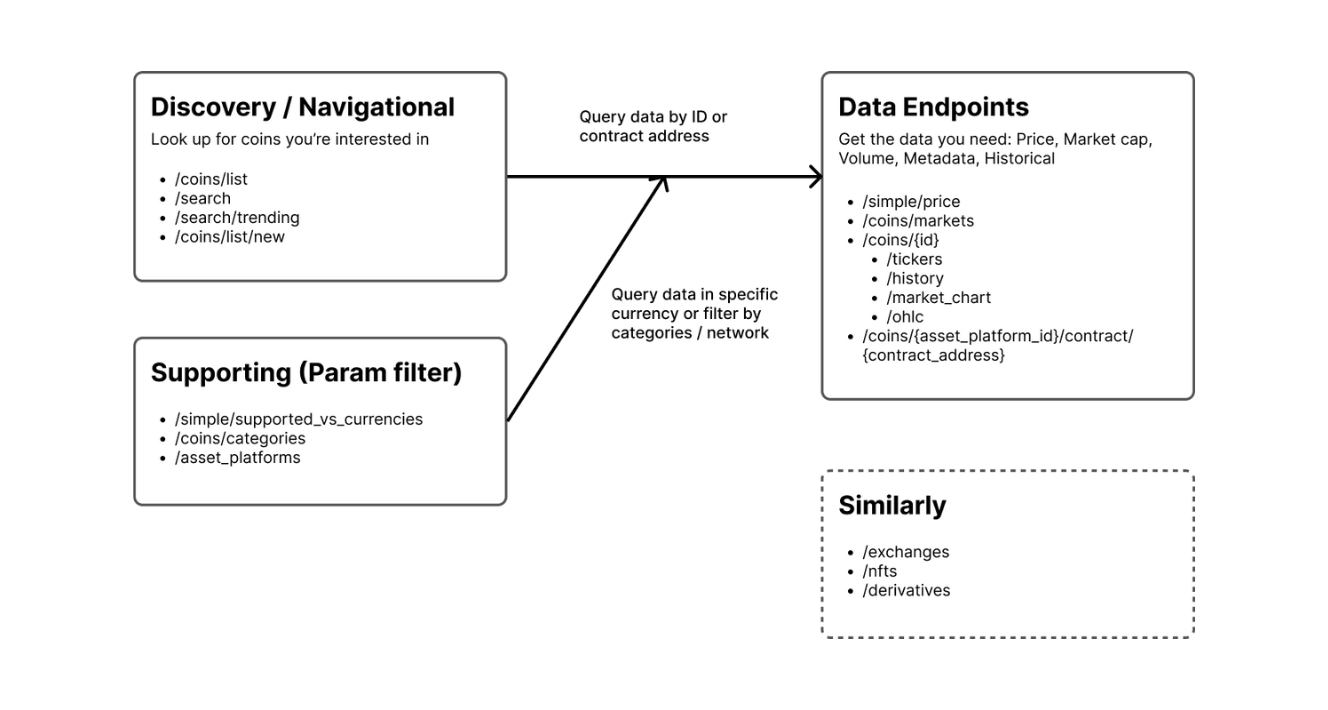
"Discovery/Navigational Endpoints"
- /coins/list — can be used to query all the supported coins on CoinGecko with names, symbols and coin IDs that can be used in other endpoints.
- /search/trending — can be used to query trending search coins, categories and NFTs on CoinGecko.
"Supporting Endpoints"
- /simple/supported_vs_currencies — can be used to query the list of currencies for other endpoints that include parameters like
vs_currencies, allowing to obtain the corresponding data for those currencies. /asset_platforms — can be used to query the list of asset platforms for other endpoints that contain parameters like
idorids(asset platforms), allowing the retrieval of corresponding data for these asset platforms./simple/price — can be used to query the prices of coins using the unique coin IDs that can be obtained from the "Discovery/Navigational Endpoints" mentioned above.
/coins/{id} — can be used to query the coin data using the unique coin IDs that can be obtained from the "Discovery/Navigational Endpoints" mentioned above.
User Journey for Onchain DEX API Endpoints (GeckoTerminal data)
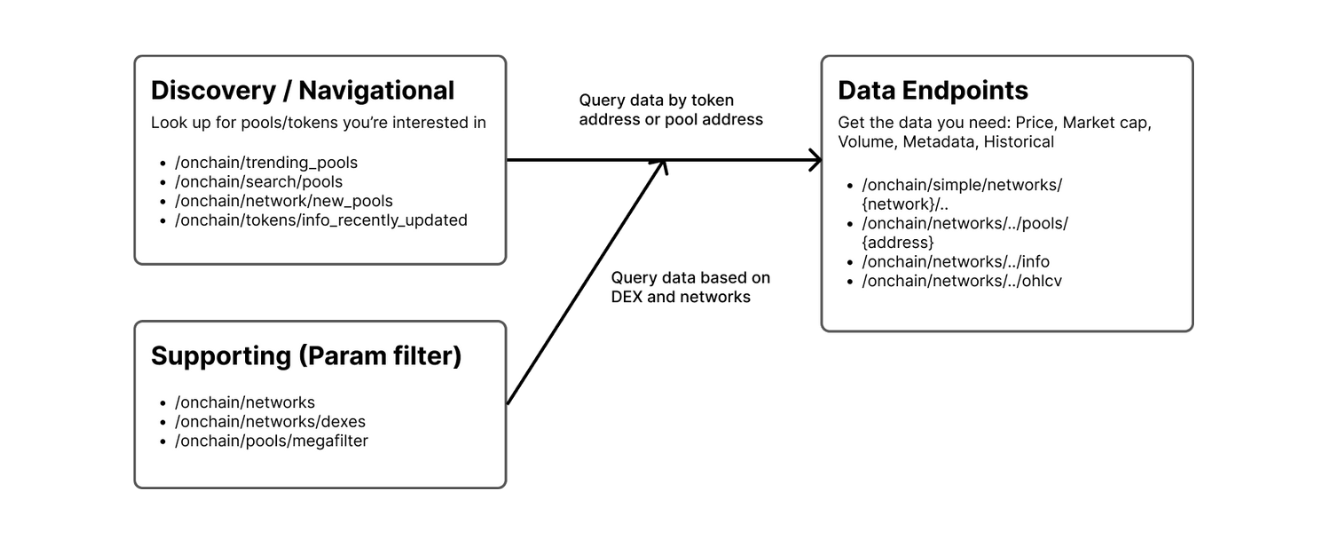
"Discovery/Navigational Endpoints"
- /onchain/trending_pools - can be used to query trending pools across all networks on GeckoTerminal.
- /onchain/search/pools - can be used to search for any pools on GeckoTerminal.
"Supporting Endpoints"
- /onchain/networks-list - can be used to query all the supported networks on GeckoTerminal.
/onchain/networks/{network}/dexes - can be used to query all the supported decentralized exchanges (DEXs/
dexes) on GeckoTerminal based on network id that can be obtained from the endpoint mentioned above./onchain/simple/networks/{network}/token_price/{addresses} - can be used to query any token price using the token address and network id that can be obtained from the "Discovery/Navigational Endpoints" and "Supporting Endpoints" mentioned above.
/onchain/networks/{network}/pools/{address} - can be used to query the data of a specific pool based on the pool address and network id that can be obtained from the "Discovery/Navigational Endpoints" and "Supporting Endpoints" mentioned above.
⚙️ Tips
URL: llms-txt#⚙️-tips
Contents:
- API Key Differences (Demo vs. Pro)
- Dynamic vs. Static Tools
- Using
llms.txt
API Key Differences (Demo vs. Pro)
Choosing between a Demo and Pro key for your MCP server impacts your access to data and tools.
| Feature | Demo (Guide here) | Pro |
|---|---|---|
| Rate Limit | 30 calls/min | Starts at 500 calls/min |
| Monthly Credits | 10,000 | Starts at 500,000 |
| Historical Data | Past 1 year | From 2013 until now |
| MCP Tools | Limited access | Full access, including exclusive tools: - Top Gainers & Losers - NFTs Collection Historical Chart - 🔥 Megafilter for Pools - Pools by Category ID |
🔥 Ready to upgrade? Explore our API plans.
Dynamic vs. Static Tools
When running our CoinGecko MCP server, you can choose how the LLM client discovers tools.
- Static (Default): The AI is given a complete list of tools and their functions upfront. This is faster for specific, known tasks.
- Dynamic: The AI first asks the server for available tools based on a keyword search, then learns how to use them. This is flexible but can be slower.
For a deeper dive, read the official documentation from Stainless.
To help AI models interact with CoinGecko data effectively, we provide an llms.txt file at /llms-full.txt. This file gives models context on how to best query our API, ensuring more accurate and efficient data retrieval. We recommend utilizing this in your integrations.
CoinGecko MCP Server is powered by Stainless ✱
Have feedback, a cool idea, or need help? Reach out to soonaik@coingecko[dot]com or fill in this feedback form.
🚀 Connecting with Claude
URL: llms-txt#🚀-connecting-with-claude
Contents:
- For Claude Free Users (via Claude Desktop)
- For Claude Pro Users
Connecting CoinGecko MCP to Claude is straightforward. The method varies slightly depending on your Claude plan.
For Claude Free Users (via Claude Desktop)
You must use the Claude Desktop app and modify the configuration file.
- Locate
claude_desktop_config.json: Follow the instructions here to find the file on your system. - Add a server config: Copy and paste one of the server configs above that matches your use case.
- Restart Claude Desktop: Close and reopen the app for the changes to take effect.
For Claude Pro Users
You can also follow the same steps as the Free users by modifying the claude_desktop_config.json file.
- In Claude (claude.ai or the Desktop app), click on 'Add connectors' in your chat.
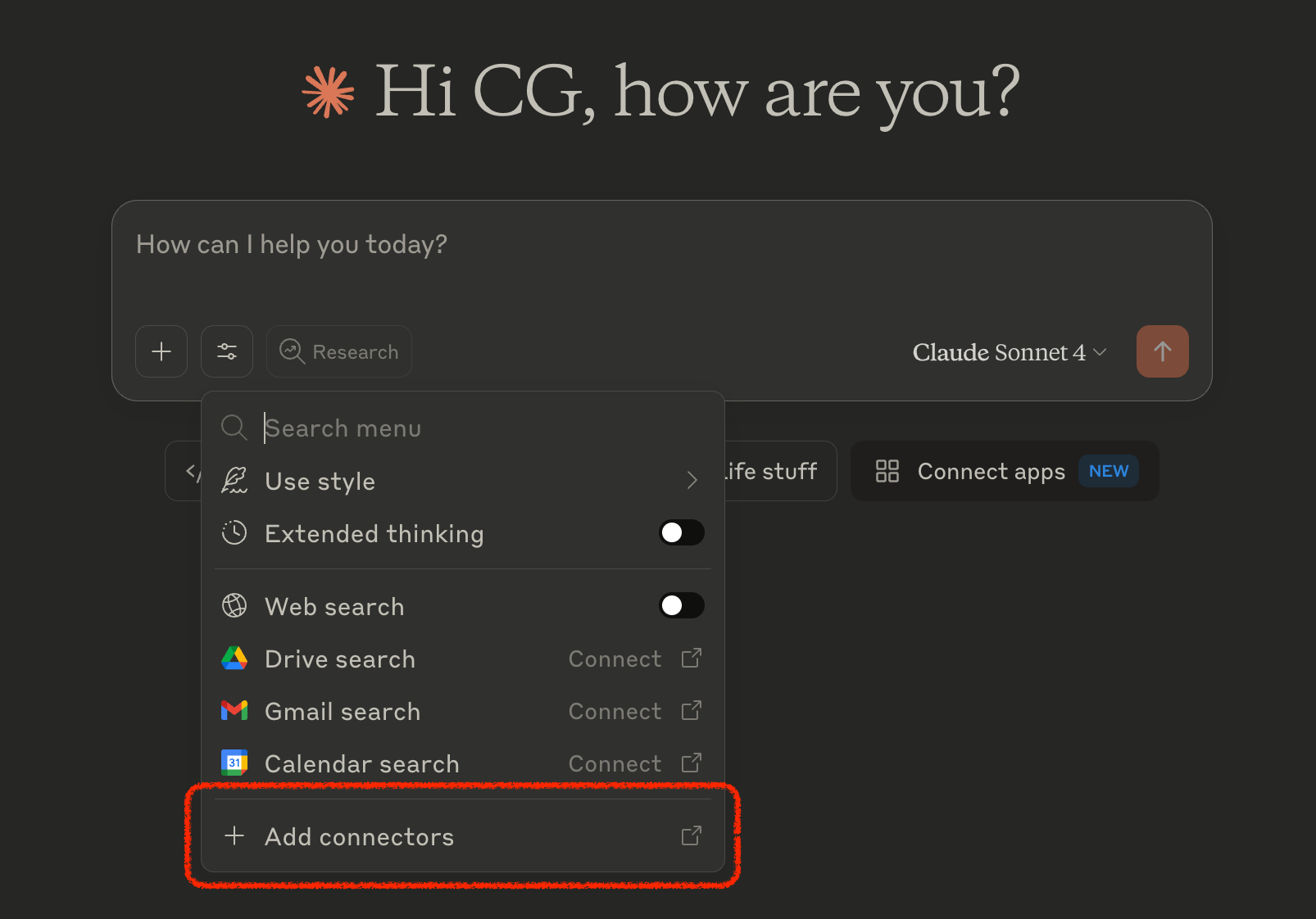
- Click on 'Add custom connector'
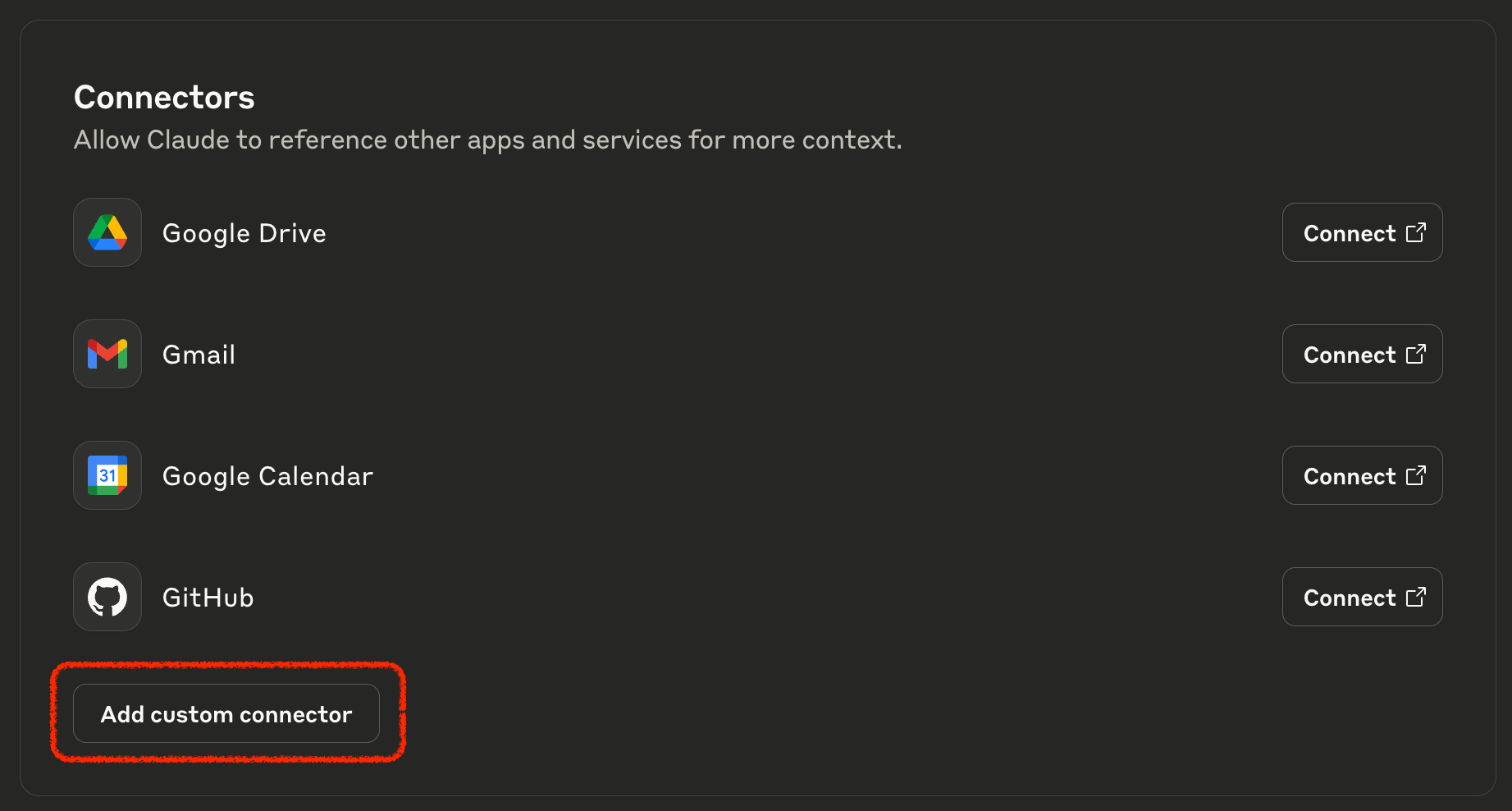
- Remote MCP server URL:
- Keyless access:
https://mcp.api.coingecko.com/mcp- Authenticated access (BYOK):
https://mcp.pro-api.coingecko.com/mcp
- Authenticated access (BYOK):
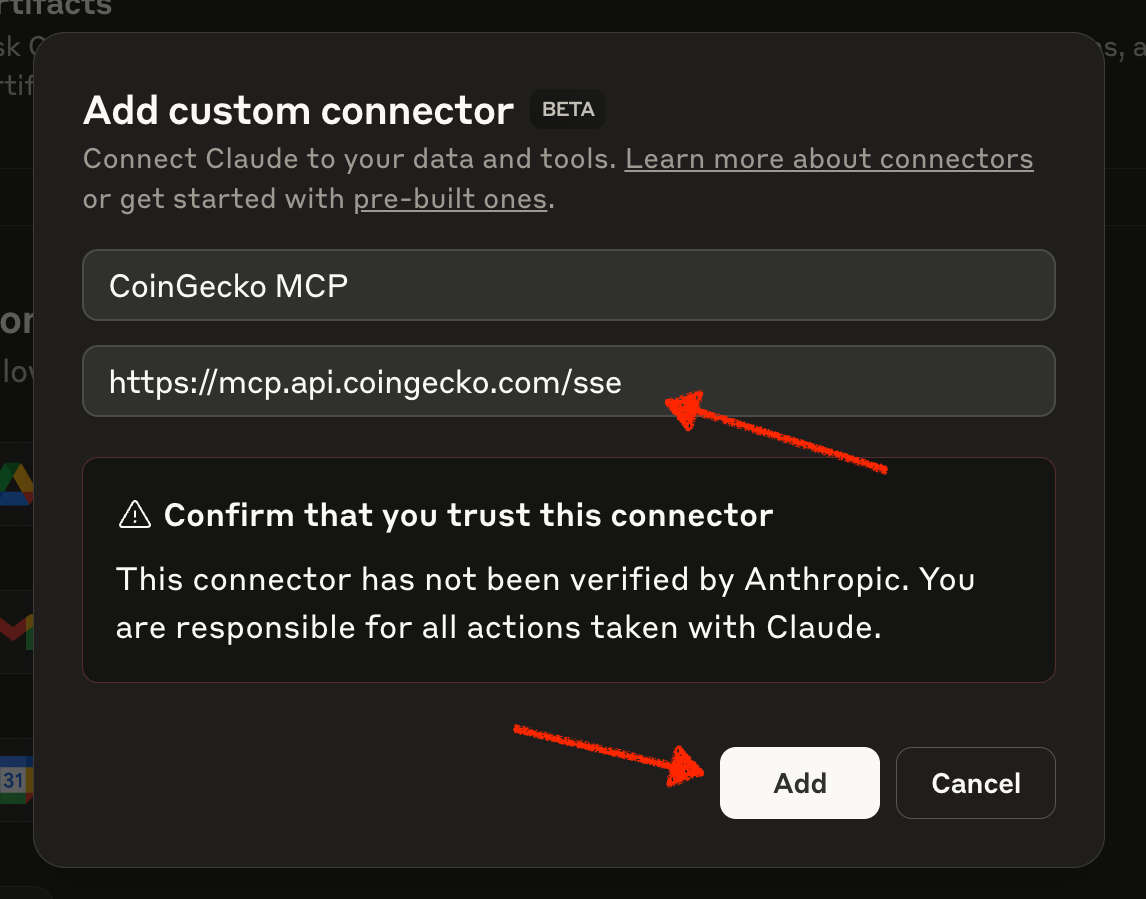
- Click on 'Add', and you're ready to go!
Useful Links
URL: llms-txt#useful-links
Source: https://docs.coingecko.com/docs/useful-links
Some of the useful links to help you navigate while using the CoinGecko API
Pricing Page and Top FAQs
CoinGecko API Status
CoinGecko API ID List
Pro Swagger JSON (OAS)
- CoinGecko Pro API — coingecko-pro.json
- GeckoTerminal Onchain API (Pro) — onchain-pro.json
Public/Demo Swagger JSON (OAS)
- CoinGecko Public/Demo API — coingecko-demo.json
- GeckoTerminal Onchain API (Demo) — onchain-demo.json
Subscribe CoinGecko API newsletter update
CoinGecko Methodologies (Price, Volume, Trust Score, etc.)
Using llms.txt for AI use cases
Attributing CoinGecko Brand
Changelog
URL: llms-txt#changelog
Source: https://docs.coingecko.com/changelog
Product updates and announcements
export const GreenSeparator = () => ( <div style={{
height: '4px',
background: 'linear-gradient(to right, transparent, #4BCC00, transparent)',
margin: '20px 0 60px 0',
border: 'none'
}} /> );
## Websocket is now supported for Self-serve API subscribers
🗓️ October 23, 2025
CoinGecko Websocket (Beta) is now available for paid plan customers (Analyst plan & above)!
For Analyst, Lite, Pro, and Pro+ self-serve customers, you are now eligible to access the following Websocket features, and stream real-time data by utilising your monthly API plan credits:
- Max connections: 10 concurrent socket connections
- Max subscriptions: 100 token or pool data subscription per channel, per socket
- Channel Access: all 4 channels
- Credit charge: 0.1 credit per response returned, deducting from monthly API plan credits
Please visit Websocket for full details, and test out Websocket data streaming. We will gradually improve the Websocket and expand the feature limits. Please share your feedback and suggestion via this survey form, or email soonaik\@coingecko[dot]com .
Notice: Temporary Disruption on MagicEden data for NFT Endpoints
Due to recent updates to MagicEden's API, we are updating our integration. During this period, endpoints for NFT data may be temporarily unavailable or return incomplete information.
More Bonding Curve Support and New Ascending Sort for Megafilter
🗓️ October 4, 2025
Now supported Bonding Curve (non-graduated) Data for More Endpoints
We've added support for bonding curve (e.g. launchpad graduation from PumpFun) data across multiple token endpoints:
- Token Data by Token Address —
/onchain/networks/{network}/tokens/{address}- Tokens Data by Token Addresses —
/onchain/networks/{network}/tokens/multi/{addresses} - Token Info by Token Address —
/onchain/networks/{network}/tokens/{address}/info - Pool Tokens Info by Pool Address —
/onchain/networks/{network}/pools/{pool_address}/info
- Tokens Data by Token Addresses —
Megafilter: Ascending Sort Order for Price Change %
The Megafilter for Pools endpoint now supports ascending sorting for price change percentage:
m5_price_change_percentage_asch1_price_change_percentage_asch6_price_change_percentage_asch24_price_change_percentage_asc
Token OHLCV Endpoint Fix to respect Specified Token Address
We've fixed an issue where the Token OHLCV chart by Token Address endpoint returned data for the base token of the top pool instead of the requested token. It will now always return data for the specified token address.
## SDK Gains Public Treasury Coverage, MCP Adds Exchanges, NFTs, and ISO Support
🗓️ September 25, 2025
Expanded SDK Coverage for Public Treasuries
We're broadening our SDK coverage to make treasury-level insights more powerful and easier to access. Check out what's new below (with functions from our TypeScript SDK)
publicTreasury.getCoinID(coinID, { ...params })\ to query public companies & governments' cryptocurrency holdings by Coin IDpublicTreasury.getEntityID(entityID)\ to query public companies & governments' cryptocurrency holdings by Entity IDentities.getList({ ...params })\ to query all the supported entities on CoinGecko with entities ID, name, symbol, and country
New MCP Tools: Exchanges, NFTs & Multi-Address Queries
We're also surfacing new tools through the MCP to give developers a richer, faster way to query exchanges, NFTs, and onchain activity.
- New tools:
- Exchange coverage with /exchanges/list, /exchanges/, /exchanges//tickers, and /exchanges//volume_chart/range
- NFT markets with /nfts/markets
- Multi-address queries with /onchain/networks//pools/multi/ and /onchain/networks//tokens/multi/
- Retired tools:
- We've removed endpoints such as /coins/list, /onchain/networks/trending_pools, and single-address pool/token queries in favor of more scalable multi-address endpoints
Friendlier Time-related MCP Queries with ISO Support
Time-based queries just got easier. MCP tools now accept ISO date strings (YYYY-MM-DD or YYYY-MM-DDTHH:MM) alongside UNIX timestamps.
For example, when using the Coin Historical Chart Data within Time Range tool, you can now pass ISO date strings directly instead of converting them into UNIX timestamps for your LLM tools.
CoinGecko API Team
New Crypto Treasury Endpoints and Improvements
🗓️ September 19, 2025
- Crypto Treasury Holdings by Coin ID endpoint now supports governments and more coins data as seen on https://www.coingecko.com/en/treasuries/bitcoin
- New endpoints:
- Derivatives Exchange Data by ID endpoint now supports
coin_idandtarget_coin_idto identify coins of ticker pairs.
Multiple Improvements: Bonding Curve Data, Pooled Token Balance, and More.
🗓️ September 12, 2025
🚀 Now Supporting Bonding Curve Data
Bonding curve data (launchpad graduation) is now supported for the followiing endpoints:
More endpoints to support bonding curve data soon.
🚀 Now Supporting Pooled Token Balance Data
The following endpoints now support additional pool token balance data by flagging this parameter include_composition=true :
- Specific Pool Data by Pool Address
- Multiple Pools Data by Pool Addresses
- Token Data by Token Address (requires
include=top_poolsparameter to be flagged together) - Tokens Data by Token Addresses (requires
include=top_poolsparameter to be flagged together)
🚀 Other improvements
Onchain Megafilter endpoint now supports more
sortoptions:m5_price_change_percentage_desch1_price_change_percentage_desch6_price_change_percentage_descfdv_usd_ascfdv_usd_descreserve_in_usd_ascreserve_in_usd_desc- Top Gainers & Losers endpoint now supports additional price change percentage data by flagging
price_change_percentageparameter. The available options are:1h,24h,7d,14d,30d,60d,200d,1y.- Payload example:
Exchange Tickers by ID endpoint now supports to sort tickers based on market cap, by flagging the
orderparameter.- Available options:
market_cap_desc,market_cap_asc
- Available options:
## Improved Update Frequency for selected Pro-API On-chain Endpoints
🗓️ August 18, 2025
[Changes below are applicable to all paid plan subscribers.]
Dear CoinGecko API paid plan subscribers,
We're excited to announce an improvement to our API, aimed at providing you with even faster access to real-time data! Starting 02:00 UTC, September 2, 2025, the edge cache duration for the following endpoints will be reduced from **30s **to 10s, allowing you to retrieve updated data more frequently.
| Endpoints | Effective Date & Time | Current Update Frequency | New Update Frequency | | :----------------------------------------------------------------------------------------------------------- | :-------------------------------------- | :----------------------- | :------------------- | | Token Price by Token Addresses | Tuesday, 02:00 UTC, September 2, 2025 | 30s | 10s | | Token Data by Token Address | Tuesday, 02:00 UTC, September 2, 2025 | 30s | 10s | | Tokens Data by Token Addresses | Tuesday, 02:00 UTC, September 2, 2025 | 30s | 10s | | Specific Pool Data by Pool Address | Wednesday, 02:00 UTC, September 3, 2025 | 30s | 10s | | Multiple Pools Data by Pool Addresses | Wednesday, 02:00 UTC, September 3, 2025 | 30s | 10s | | Pool OHLCV chart by Pool Address | Thursday, 02:00 UTC, September 4, 2025 | 30s | 10s | | Token OHLCV chart by Token Address | Thursday, 02:00 UTC, September 4, 2025 | 30s | 10s | | Past 24 Hour Trades by Pool Address | Thursday, 02:00 UTC, September 4, 2025 | 30s | 10s | | Past 24 Hour Trades by Token Address | Thursday, 02:00 UTC, September 4, 2025 | 30s | 10s |
What This Means for You:
- Fresher Data, Quicker: With a reduced cache time, you'll now have the option to access more up-to-date data, closer to real-time!
- No Extra Credits for Cached Data: If your request hits the cache (now updated every 10 seconds for endpoints above), there will be no additional credits charged - just like before.
Things to Keep in Mind:
- If your request hits our origin server instead of the cache to retrieve the latest data, there may be additional credits used.
- To balance cost and real-time data needs, we recommend reviewing your request frequency. For those who prefer to obtain data without extra credits, consider keeping your request interval at 30 seconds or more to align with the new cache duration.
We're committed to continuously improving your experience and ensuring you get the data you need, as efficiently as possible. If you have any questions or need assistance, feel free to reach out to soonaik@coingecko.com .
CoinGecko API Team
Now Supported: Launchpad Data (Pump.fun & More), Granular OHLCV, and Honeypot Info
🗓️ August 05, 2025
We're excited to announce a major update to our on-chain API endpoints! This release introduces support for popular token launchpads, adds high-frequency OHLCV data, and enhances our honeypot detection capabilities to give you deeper and more timely on-chain insights.
🚀 Now Supporting Launchpad Data (Pump.fun & More!)
In addition to the 1,600+ DEXes already integrated with GeckoTerminal.com, you can now track token data from popular launchpad platforms directly through the CoinGecko API. More launchpads will be supported soon!
New Supported Launchpads:
| Launchpad | network id (API) | dex id (API) | | :---------------------------------------------------------------------------------------------- | :--------------- | :---------------- | | Meteora DBC | solana | meteora-dbc | | Pump.fun | solana | pump-fun | | Raydium Launchpad (LetsBonkFun) | solana | raydium-launchlab | | Boop.fun | solana | boop-fun | | Virtuals (Base) | base | virtuals-base |
Improved endpoints to track launchpad data:
More launchpad-specific data will be supported soon for the endpoints above!
Tips: use megafilter endpoint to retrieve latest launchpad data, by flagging sort=pool_created_at_desc
Request example (Get latest pools on Pump.fun):
[Pro-API Exclusive] More Granular OHLCV Data
On-chain OHLCV endpoints now support higher frequency intervals, down to 1-second granularity.
| Timeframe | Aggregate (Before) | Aggregate (New) | | :-------- | :----------------- | :-------------- | | day | 1 | 1 | | hour | 1, 4, 12 | 1, 4, 12 | | minute | 1, 5, 15 | 1, 5, 15 | | second | n/a | 1, 15, 30 |
Improved Endpoints:
New interval supported:
Example Request (Get the last 100 1-second intervals for a pool on Ethereum):
🍯 Enhanced Honeypot Information
We've expanded our honeypot detection features to provide more comprehensive risk assessment. You can now check if a token is a potential honeypot using the main info endpoints.
Improved Endpoints:
[Pro-API Exclusive] New Filtering Option in Megafilter
Previously, thePools Megafilter endpoint could only show tokens confirmed as not a honeypot (checks=no_honeypot). Now, you can also include tokens where the honeypot status is 'unknown'.
- To use this, set
include_unknown_honeypot_tokens=true.- Important: This parameter only takes effect when
checks=no_honeypotis also specified in the request.
- Important: This parameter only takes effect when
Example Request (Get trending pools that are not confirmed honeypots, including those with an unknown status):
📈 Expanded Pool Data
Endpoint: Pool Tokens Info by Pool Address
By adding include=pool to your request on the pool tokens endpoint, you can now retrieve additional context about the pool itself.
- Base and quote token address
- Sentiment vote percentage (positive and negative)
- Community suspicious reports count
## SOL Currency Is Now Supported for CoinGecko Endpoints
We're excited to announce that you can now obtain real-time and historical price & market data for tokens listed on CoinGecko.com, with the option to return data value in SOL (Solana) currency.
Note: for dates prior to May 2025, 'SOL' historical data is limited to hourly and daily granularity
Improved endpoints:
- Coin Price by IDs
- Coin Price by Token Addresses
- Supported Currencies List
- Top Gainers & Losers
- Coins List with Market Data
- Coin Data by ID
- Coin Historical Data by ID
- Coin Historical Chart Data by ID
- Coin Historical Chart Data within Time Range by ID
- Coin OHLC Chart by ID
- Coin OHLC Chart within Time Range by ID
- Coin Data by Token Address
- Coin Historical Chart Data by Token Address
- Coin Historical Chart Data within Time Range by Token Address
- Trending Search List
- Crypto Global Market Data
Example: price of Bitcoin in Solana, using Coin Price by IDs endpoint.
Example: historical daily price, market cap and volume of Trump in Solana, using Coin Historical Chart Data by ID endpoint.
New Endpoints & Improvements: Historical Token Holders Chart, OHLCV by Token Address, Multi-pool Token Data Support
[Pro-API Exclusive] New Endpoint - Historical Token Holders Chart by Token Address
This new endpoint allows you to get the historical token holders chart based on the provided token contract address on a network.
- Supported chains include: Solana, EVM (Ethereum, Polygon, BNB, Arbitrum, Optimism, Base), Sui, TON, and Ronin.
Check it out now: Historical Token Holders Chart by Token Address
[Pro-API Exclusive] New Endpoint - Token OHLCV chart by Token Address
This endpoint allows you to get the OHLCV chart (Open, High, Low, Close, Volume) of a token based on the provided token address on a network.
- This endpoint will return OHLCV data of the most liquid pool of the specified token. You may use this endpoint Top Pools by Token Address to check the top pools of a token.
Check it out now: Token OHLCV chart by Token Address
Improved Endpoints - Support Multi-pool Token Data
Previously, we only surfaced 1 quote token for pools with more than 2 tokens. With this new improvements, for pools that have 2 or more tokens:
- Extra quote tokens being listed under a new key
relationships.quote_tokens- If
include=quote_tokenis flagged, the extra quote tokens will be also listed underincluded
- If
This improvement is applicable to all onchain pool endpoints that support relationships.quote_token, including but not limited to:
## Upcoming Change Notice: Removal of normalized_volume_btc Data
Notice: Upcoming Change to CoinGecko API Endpoints - Removal ofnormalized_volume_btc Data
Effective Date: 16 June 2025
Affected Endpoints:
Details of the Change:
Please be advised that the normalized_volume_btc data point will be removed from the above-listed API endpoints, effective 16 June 2025. This change is being implemented due to significant recent change to a 3rd party data source provider, which have fundamentally altered how this specific data can be accessed.
Example of Affected Data Structure:
After the effective date, the trade_volume_24h_btc_normalized field will no longer be present in the API responses for these endpoints.
If your applications or integrations currently rely on the trade_volume_24h_btc_normalized data from these CoinGecko API endpoints, please make the necessary adjustments to your code before 16 June 2025 to avoid potential errors or data discrepancies.
New Endpoint & Improvements: On-Chain Trades, Net Buy Volume, and More
[Pro-API Exclusive] New Endpoint - On-chain Trades by Token Address
Previously, the Past 24 Hour Trades by Pool Address endpoint allows you to retrieve the last 300 trades of a specific pool only.
With this new endpoint Past 24 Hour Trades by Token Address, you can now retrieve the last 300 trades across different pools, based on the provided token contract address on a network.
Improved Endpoints - Support Net Buy Volume Data
The following endpoints now support more volume breakdown data:
By flagging include_volume_breakdown=true , you can surface the following data:
- net_buy_volume_usd
- buy_volume_usd
- sell_volume_usd
Improved Endpoint - On-Chain OHLCV endpoint
Pool OHLCV chart by Pool Address endpoint now supports to include empty intervals by flagging include_empty_intervals=true .
- By default, specific timeframe intervals (e.g. minutely) with no recorded swaps are excluded (or skipped) from the response.
- This new parameter option provides the flexibility to get padded data, when there's no trade data.
Improved Endpoints - Support Large Images
The following endpoints now support more size options for coin logo image:
Improved Endpoints - Support Normalized Supply Data
The following endpoints now support normalized_total_supply:
Improved Endpoints - Support Pool 'Name' and 'Fee' Data
The following endpoints now support pool_name and pool_fee:
Improved Endpoints - Support Symbols of DEX Pairs
The following endpoints now allow to flag dex_pair_format=symbol to return DEX pair symbols instead of contract address.
## New Endpoint & Improvements: On-Chain Trending Data, Enhanced Trending Search, and Improved Token Lookup
🗓️ April 25, 2025
[Pro-API Exclusive] New Endpoint - On-chain Trending Search Data
With this new endpoint Trending Search Pools, you can now retrieve the on-chain trending search pools and tokens data, as seen on GeckoTerminal.com .
By default, this endpoint returns the top 4 trending pools data, you may specify the pools parameter to retrieve up to top 10 pools data.
Tips: you may flag include=base_token to retrieve the trending tokens data.
Note: this exclusive endpoint is available for our API paid plan subscribers (Analyst plan & above).
[Pro-API Exclusive] Improved Endpoint - Trending Search List
Paid plan subscribers (Analyst plan & above) can now use Trending Search List endpoint and flag show_max parameter to retrieve more trending coins, NFTs and coin categories on CoinGecko.com.
| Trending Data | Public API (Demo plan) | Paid API (Analyst plan & above) | | :-------------- | :--------------------- | :------------------------------ | | Coins | 15 | 30 | | NFTs | 7 | 10 | | Coin Categories | 6 | 10 |
Improved Endpoints - Support Token Lookup by Symbol and Name
The following endpoints now support token lookup by symbol and name, in addition to the existing API ID support:
Previously, these endpoints only supported token lookup by [API IDs](https://docs.coingecko.com/docs/1-get-data-by-id-or-address#/methods-to-query-price--market-data-of-coins. This enhancement streamlines token data retrieval and eliminates the need for manual coin ID mapping.
| API Ids | Symbol | Name | | :------- | :----- | :------ | | bitcoin | btc | Bitcoin | | tether | usdt | Tether | | usd-coin | usdc | USDC |
Lookup Priority: When multiple lookup parameters are provided, the system applies the following priority order: id (highest) > name > symbol (lowest).
Filtering by Symbol withinclude_tokens
The include_tokensparameter has been added to provide flexibility when filtering by symbol:
include_tokens=top: Returns only the top market cap token for the specified symbol.include_tokens=all: Returns all tokens that share the specified symbol.
Example Request & Data:
| Request Example | Token Data Returned | Remarks |
| :-------------------------------------------------------------------------------------------- | :--------------------------------------------------------------------------------------------------------------- | :----------------------------------------------------------------------------------------------------------------------------------------------------------------------------------------------- |
| pro-api.coingecko.com/api/v3/coins/markets?vs_currency=usd&symbols=btc&include_tokens=top | 1. Bitcoin | When symbols and 'include_tokens=top' is specified, only the top market cap tokens will be returned. |
| pro-api.coingecko.com/api/v3/coins/markets?vs_currency=usd&symbols=btc&include_tokens=all | 1. Bitcoin
2. Osmosis allBTC
3. atcat
4. Meld Bridged BTC (Meld)
5. BlackrockTradingCurrency | When symbols and 'include_tokens=all' is specified, all the coins that share the same symbol will be returned.
All the 5 coins stated in the example have the same symbol 'btc'. |
/coins/markets Endpoint Improvement
We've enhanced the/coins/markets endpoint Coins List with Market Data, by including 'total' and 'per-page' values in the Response Headers.
This addition to the Response Headers enables developers to identify the total number of active coins on coingecko.com and specify the required pagination to retrieve all available data.
Upcoming Change Notice: Removal of twitter_followers Data
🗓️ April 25, 2025
Notice: Upcoming Change to CoinGecko API Endpoints - Removal oftwitter_followers Data
Effective Date: 15 May 2025
Affected Endpoints:
Details of the Change:
Please be advised that the twitter_followers data point within the community_data object will be removed from the above-listed API endpoints, effective 15 May 2025. This change is being implemented due to significant recent changes to the X (formerly Twitter) API, which have fundamentally altered how this specific data can be accessed.
Example of Affected Data Structure:
After the effective date, the twitter_followers field will no longer be present in the API responses for these endpoints.
If your applications or integrations currently rely on the twitter_followers data from these CoinGecko API endpoints, please make the necessary adjustments to your code before 15 May 2025 to avoid potential errors or data discrepancies.
Important Note Regarding Previously Storedtwitter_followers Data:
Please be aware that if you have previously stored twitter_followers data obtained from the CoinGecko API and archived it within your own systems, you are solely responsible for its continued use and any implications thereof.
We appreciate your understanding as we adapt to changes in third-party platforms to maintain the stability and reliability of our API. If you have any questions or require further clarification, please do not hesitate to contact our support team.
## New Endpoint & Multiple Improvements: On-Chain Top Token Holder Address, Security Data, Historical Supply.
🗓️ March 28, 2025
[Pro-API Exclusive] New Endpoint - Top Token Holder Address Data
You can now access the top 50 token holder address data for tokens, as seen on GeckoTerminal.com.
By default, this endpoint returns the top 10 holders data, you can also specify the holders parameter to retrieve up to top 50 holders data.
Network supported:
- EVM: Ethereum, Polygon, BNB, Arbitrum, Optimism, Base
- Solana
- Sui
- TON
- Ronin
👉 Visit the endpoint reference page - Top Token Holders by Token Address to learn more and try it out now!
Note: this exclusive endpoint is available for our API paid plan subscribers (Analyst plan & above).
- The holders data is currently in Beta, with ongoing improvements to data quality, coverage, and update frequency.
- For Solana tokens, the maximum number of retrievable top holders data is 40 instead of 50.
Tips: You may also use the following endpoints to retrieve token holders count and top holders distribution percentage data:
Historical Supply endpoints - Support for Inactive Coins
You may now access historical total and circulating supply data of inactive coins using the following endpoints. To check for list of inactive coins, you may use Coin List (ID Map) endpoint and flag status=inactive.
Note: these endpoints below are exclusive for Enterprise plan customers only.
Improved endpoints:
Onchain Pool Data endpoints - Locked Liquidity
Now support locked_liquidity_percentage data.
Improved endpoints:
Onchain Token Info endpoints - GT Score, Mint Authority, Freeze Authority
The following Token Info endpoints now provide more security related information:
- GeckoTerminal Score Details - Learn more about GT Score here.
- Pool - Combination of pool signals such as honeypot risk, buy/sell tax, proxy contract, liquidity amount, and whether the liquidity is locked.
- Transaction - Total number of transactions and trading volume in the last 24 hours.
- Creation - Age of the pool since creation. The longer, the better it is for the score.
- Info - Submitted social info and metadata to the token.
- Holders - Distribution of tokens among unique addresses.
- Mint Authority
- Freeze Authority
Improved endpoints:
Onchain Simple Token Price endpoint - Market Cap to FDV Fallback
The Onchain Simple Token Price endpoint now supports fallback option for Market Cap to return FDV value, when the Market Cap value is not available.
- If the token's market cap is not verified by the CoinGecko team, the onchain endpoints will return null for its market cap value, even though it has a displayed value on GeckoTerminal, which might not be accurate as it often matches the Fully Diluted Valuation (FDV).
- Market Cap can be verified by and sourced from CoinGecko, and the number may be higher than FDV as it may include Market Cap of tokens issued on other blockchain network.
If you require the Market Cap key (market_cap_usd) to return FDV value (as seen on GeckoTerminal.com) when Market Cap data is unavailable, please specify this parameter marketcap_fdv_fallback=true.
Update Frequency Improvements for selected Pro-API endpoints (March 2025)
🗓️ March 14, 2025
[Changes below are applicable to Analyst/Lite/Pro/Enterprise plan subscribers only.]
Dear CoinGecko API paid plan subscribers,
We're excited to announce an improvement to our API, aimed at providing you with even faster access to real-time data! Starting 02:00 UTC, March 25, 2025, the edge cache duration for the following endpoints will be reduced from 60s to 30s, allowing you to retrieve updated data more frequently.
- Effective from 02:00 UTC, March 25, 2025:
- Trending Pools List
- Trending Pools by Network
- Top Pools by Network
- Top Pools by Dex
- Effective from 02:00 UTC, March 26, 2025:
- Effective from 02:00 UTC, March 27, 2025:
What This Means for You:
- Fresher Data, Quicker: With a reduced cache time, you'll now have the option to access more up-to-date data, closer to real-time!
- No Extra Credits for Cached Data: If your request hits the cache (now updated every 30 seconds for endpoints above), there will be no additional credits charged—just like before.
Things to Keep in Mind:
- If your request hits our origin server instead of the cache to retrieve the latest data, there may be additional credits used.
- To balance cost and real-time data needs, we recommend reviewing your request frequency. For those who prefer to obtain data without extra credits, consider keeping your request interval at 60 seconds or more to align with the new cache duration.
We're committed to continuously improving your experience and ensuring you get the data you need, as efficiently as possible. If you have any questions or need assistance, feel free to reach out to soonaik@coingecko.com .
CoinGecko API Team
Multiple Improvement: Holders data, Pool Stats, Simple Token Price
🗓️ March 14, 2025
Onchain Token Info endpoints - Holders data
Now support the following holder data (Beta):
- holders count
- top holders distribution percentage
Improved endpoints:
Onchain Pool Data endpoints - More Data Support
Now support the following data:
price_change_percentage: m15, m30volume_usd: m15, m30transactions: h6
Improved endpoints:
Onchain Simple Token Price endpoint - Liquidity & Price Change Percentage data
Now supports the following optional parameter to return more data.
include_24hr_price_change(24hr price change percentage)include_total_reverse_in_usd(token liquidity data - total liquidity portion attributable to a specific token across all available pools)
Improved Endpoint:
## New Megafilter Endpoint, 200+ Chains Supported: Hyperliquid, Abstract, Berachain & MOAR!
🗓️ February 27, 2025
Powered by GeckoTerminal, the CoinGecko API now supports on-chain data across 200+ blockchain networks, including the latest additions: Hyperliquid, HyperEVM, Abstract, Berachain, Story, Monad, Unichain, and Soneium.
While we offer the widest on-chain data coverage, we understand that you may have specific needs when slicing and dicing data for your use case. That's why we're introducing Megafilter, an exclusive endpoint available for our API paid plan subscribers (Analyst plan & above).
🔥 What's Megafilter?
This new endpoint provides unmatched flexibility, allowing you to query and filter data exactly the way you want.
🔗 Docs: Megafilter for Pools
👀 What Can You Do?
With the /megafilter endpoint, you can slice and dice on-chain data your way across:
- 200+ blockchain networks, 1,400+ dexes, 6M+ pools, and 5M+ tokens
- Advanced filtering options based on liquidity, FDV, volume, transactions, buy/sell trends, and time range
- Custom sorting, including trending pools (5m), newest pools, or liquidity growth
- Fraud detection filters: Exclude honeypots, check GT Score, verify CG listings, and track social metrics
Here's some quick examples:
- Track fresh pools on Uniswap V4 & Aerodrome with liquidity above \$1,000
- Discover trending DEX pools across Solana, Base, and other chains with a high GT Score.
- Filter out risky pools with built-in honeypot protection & fraud checks
- Customize data retrieval based on your strategy: time-based, volume-based, or trend-driven
🚀 API Docs: Megafilter for Pools\ 🔗 Live Filtering on GeckoTerminal
Update Frequency Improvements for selected Pro-API endpoints
🗓️ February 14, 2025
[Changes below are applicable to Analyst/Lite/Pro/Enterprise plan subscribers only.]
Dear CoinGecko API paid plan subscribers,
We're excited to announce an improvement to our API, aimed at providing you with even faster access to real-time data! Starting 02:00 UTC, February 24, 2025, the edge cache duration for the following endpoints will be reduced to 30s, allowing you to retrieve updated data more frequently.
| Endpoints | Effective Date & Time | Current Update Frequency | New Update Frequency | | :-------------------------------------------------------------------------------------------------------- | :--------------------------------------------------------------- | :----------------------- | :------------------- | | Onchain /networks/../tokens/ | 02:00 UTC, February 24, 2025 | 60s | 30s | | Onchain /networks/../tokens/multi/ | 06:00 UTC, February 24, 2025 | 60s | 30s | | Onchain /networks/../pools/../ohlcv | 02:00 UTC, February 25, 2025 - Enterprise plan subscribers only | 60s | 30s | | Onchain /networks/../pools/../ohlcv | 02:00 UTC, February 26, 2025 - Analyst/Lite/Pro plan subscribers | 60s | 30s |
What This Means for You:
- Fresher Data, Quicker: With a reduced cache time, you'll now have the option to access more up-to-date data, closer to real-time!
- No Extra Credits for Cached Data: If your request hits the cache (now updated every 30 seconds for endpoints above), there will be no additional credits charged—just like before.
Things to Keep in Mind:
- If your request hits our origin server instead of the cache to retrieve the latest data, there may be additional credits used.
- To balance cost and real-time data needs, we recommend reviewing your request frequency. For those who prefer to obtain data without extra credits, consider keeping your request interval at 60 seconds or more to align with the new cache duration.
We're committed to continuously improving your experience and ensuring you get the data you need, as efficiently as possible. If you have any questions or need assistance, feel free to reach out to soonaik@coingecko.com .
CoinGecko API Team
Enhanced Onchain Metadata, Increased Max Address Limit for Multi Endpoints, Improved Exchange Tickers Sorting
🗓️ February 09, 2025
Onchain Metadata: Improved Coverage
Previously: Payload may return 'missing.png' for image_url for tokens that do not have image data.
Now: Coverage of metadata (images, websites, description, socials) is now improved for tokens on Solana, Ton, Base, and Sui networks. For tokens that do not contain image data, 'null' value will be returned for image_url.
Improved endpoints with image data:
- Trending Pools List
- Trending Pools by Network
- Specific Pool Data by Pool Address
- Multiple Pools Data by Pool Addresses
- Top Pools by Network
- Top Pools by Dex
- New Pools by Network
- New Pools List
- Search Pools
- Top Pools by Token Address
- Token Data by Token Address
- Tokens Data by Token Addresses
- Token Info by Token Address
- Pool Tokens Info by Pool Address
- Most Recently Updated Tokens List
Improved endpoints with metadata (images, websites, description, socials):
Note: Metadata may be sourced on-chain and is not vetted by the CoinGecko team. If you wish to get metadata reviewed by CoinGecko team, you may use the following endpoints:
Improved Max Address Limit for onchain /multi endpoints
Previously: Onchain /multi endpoints support up to 30 token or pool contract addresses per request.
Now: Onchain /multi endpoints support up to 50 token or pool contract addresses per request.
Improved endpoints:
Note: this new max address input limit is exclusive for paid plan subscribers (Analyst plan & above) only.
Improved Data Consistency for Exchange Tickers by ID
For Exchange Tickers by ID endpoint, the order is sorted by trust_score_desc by default.
- Sometimes duplicate or missing data may occur due to paginated cached response, especially when a ticker's rank changes between 2 paginated requests, e.g. it might shift from Page 2 to Page 1, vice versa.
- We've added a new
orderoption: base_target, which will sort the tickers by base symbol, then target symbol, in lexicographical order, i.e.0->9, thena->Z.
- We've added a new
Example: flagging ?order=base_target
This sorting method ensures stable pagination, reducing issues where cached responses may cause duplicate or missing tickers across pages.
## Multiple Improvements: Onchain Pools Page Limit, Trades Token Filter
🗓️ January 27, 2025
Onchain Pools Data: Supports more than 10 pages of data
Previously: There was a limitation of a maximum of 10 pages for accessing pools data in the related endpoints.
Now: All paid plan subscribers (Analyst & above) can access more than 10 pages of pools data for the endpoints below.
Improved Endpoints:
Onchain Trades: Added Token Filter
Endpoint: Past 24 Hour Trades by Pool Address
Previously: There was no way to filter trades data by base or quote token.
Now: A new optional parameter has been added to allow filtering by base or quote token of a pool.
- Parameter:
token- Value options:
basequote{token_address}
Multiple Improvements: Onchain Token Price, NFT Market Cap
🗓️ January 24, 2025
Onchain Simple Token Price: Added Market Cap and 24h Volume Data
Endpoint: Token Price by Token Addresses
- You can now flag
include_market_cap=trueandinclude_24hr_vol=trueto retrieve market cap and 24h trading volume data. e.g.
NFT Data: Added 'Market Cap Rank'
You can now obtain the market_cap_rank data of NFT collections via the following endpoints:
Removal of Unsupported Categories
🗓️ January 23, 2025
Upcoming Removal of Unsupported Categories from CoinGecko and CoinGecko API
We are announcing the removal of certain categories from CoinGecko and CoinGecko API. These categories will no longer be supported across all API endpoints starting February 12, 2025.
| No | Category Name | Category ID | | :- | :--------------------- | :------------------ | | 1 | US Election 2020 | us-election-2020 | | 2 | Governance | governance | | 3 | Cryptocurrency | cryptocurrency | | 4 | Technology and Science | technology-science | | 5 | Presale Meme | presale-meme-coins | | 6 | Business Platform | business-platform | | 7 | Number | number | | 8 | Structured Product | structured-products | | 9 | Investment | investment | | 10 | Niftex Shards | niftex-shards | | 11 | Ethereum POW IOU | ethereum-pow-iou | | 12 | Mirrored Assets | mirrored-assets | | 13 | Remittance | remittance | | 14 | Protocol | protocol | | 15 | Unicly Ecosystem | utokens | | 16 | Finance and Banking | finance-banking | | 17 | Eth 2.0 Staking | eth-2-0-staking |
Reason for Removal
Many of these categories no longer have associated coins. Some categories are outdated and no longer relevant in the crypto space. The changes align with updated category topology standards to maintain data accuracy and relevance.
API responses for the /coins/markets endpoint will no longer support data of the categories above. Any requests specifying these categories will return an error.
Ensure applications using the /coins/markets endpoint are not querying these removed categories. Please update any code or documentation referencing these categories to prevent errors.
Extended Historical Data for Onchain OHLCV Endpoint
🗓️ January 15, 2025
We've improved the Pool OHLCV Chart by Pool Address endpoint to provide access to a much broader range of historical data.
- Previous Behavior: Users could only query data for the past 6 months from today.
- New Behavior: Users can now access data from September 2021 to the present, depending on the pool's tracking start date on GeckoTerminal.
- Each API request is limited to a 6-month date range, but users can query older data by using the before_timestamp parameter.
Note: access to data beyond the past 6 months is only available to Paid Plan subscribers (Analyst plan & above).
No changes are required for existing integrations. However, users who need data beyond the past 6 months should adjust their queries to use the before_timestamp parameter to fetch additional data.
Update to Total Supply of POW Coins
🗓️ January 15, 2025
What's Changing?
We are updating the definition of Total Supply for PoW (Proof-of-Work) coins to reflect the actual number of mined coins rather than the maximum supply. This change ensures consistency and accuracy in representing the supply data.
- Previous Behavior:
- Total Supply: Displayed as the maximum possible supply (e.g., Bitcoin: 21,000,000).
- New Behavior:
- Total Supply: Now reflects the actual number of mined coins.\ For example: Bitcoin: ~19,500,000 (as of January 2025).
This update will also affect historical Total Supply data for consistency. This change applies to all affected PoW coins, including Bitcoin, Bitcoin Cash, Litecoin, Ethereum Classic, and more.
Affected endpoints that contain "total_supply" data:
- Current Data
Bitcoin: Updated on Jan 14, 2025
Other PoW Coins: Scheduled for Jan 22, 2025
- Bitcoin Cash
- Litecoin
- Ethereum Classic
- Bitcoin SV
- Zcash
- eCash
- Dash
- Verus Coin
- Ravencoin
- Kadena
- Decred
- Flux (Zelcash)
- DigiByte
- Quantum Resistant Ledger
- Komodo
- Groestlcoin
- Firo
- Litecoin Cash
- LuckyCoin
- Enecuum
- Wownero
- Radiant
- Tidecoin
- Handshake
- Neoxa
- Vertcoin
- Feathercoin
- Bitcore
- Phoenixcoin
- BitcoinZ
- Hush
- DigitalNote
- EquityPay
- Evadore
- Swap
- DeVault
- AXE
- Iridium
- X-Cash
- Bolivarcoin
- uPlexa
- WorldCoin (WDC)
Improved Update Frequency for selected Pro-API endpoints
🗓️ January 13, 2025
[Changes below are applicable to Analyst/Lite/Pro/Enterprise plan subscribers only.]
The edge cache duration for the following endpoints are now reduced to 20-30s, allowing you to retrieve updated data more frequently.
| Endpoints | Previous Update Frequency | Current Update Frequency | | :-------------------------------------------------------------------------------------------------------- | :------------------------ | :----------------------- | | CoinGecko /simple/price | 30s | 20s | | CoinGecko /simple/token_price | 30s | 20s | | Onchain /simple/networks/../token_price | 60s | 30s | | Onchain /networks/../pools/../trades | 60s | 30s | | Onchain /networks/../pools/.. | 60s | 30s | | Onchain /networks/../pools/multi/.. | 60s | 30s |
What This Means for You:
- Fresher Data, Quicker: With a reduced cache time, you'll now have the option to access more up-to-date data, closer to real-time!
- No Extra Credits for Cached Data: If your request hits the cache (now updated every 20-30 seconds for endpoints above), there will be no additional credits charged—just like before.
Things to Keep in Mind:
- If your request hits our origin server instead of the cache to retrieve the latest data, there may be additional credits used.
- To balance cost and real-time data needs, we recommend reviewing your request frequency. For those who prefer fresher data without extra credits, consider keeping your request interval at 30 seconds or more to align with the new cache duration.
We're committed to continuously improving your experience and ensuring you get the data you need, as efficiently as possible. If you have any questions or need assistance, feel free to reach out to soonaik@coingecko.com .
CoinGecko API Team
Improved 5-minutely data for Historical Chart Data endpoints
🗓️ January 09, 2025
For the following 4 historical chart endpoints, the data of the last 48 hours from now is no longer excluded.
Note: The 5-minutely and hourly interval params are exclusively available to Enterprise plan subscribers, bypassing auto-granularity:
interval=5m: 5-minutely historical data, supports up to any 10 days date range per request.interval=hourly: hourly historical data, supports up to any 100 days date range per request.- Data availability:
interval=5m: Available from 9 February 2018 onwardsinterval=hourly: Available from 30 Jan 2018 onwards
For non-Enterprise plan subscribers who would like to get hourly data, please leave the interval params empty for auto granularity:
- 1 day from current time = 5-minutely data
- 1 day from any time (except current time) = hourly data
- 2 - 90 days from any time = hourly data
- above 90 days from any time = daily data (00:00 UTC)
## Added: Onchain Categories Data, CG data improvements
🗓️ December 24, 2024
NEW: Onchain Categories : Get Categories on GeckoTerminal.com
This new Categories List endpoint allows you to query all the categories supported on GeckoTerminal.com such as 'Pump Fun' and 'Animal'.
- This endpoint is exclusively available for Analyst/Lite/Pro/Enterprise plan subscribers only.
NEW: Onchain Catergory Pools: Get Pools of a specific Category
This new Pools by Category ID endpoint allows you to query all the pools of a specific category on GeckoTerminal.com.
- This endpoint is exclusively available for Analyst/Lite/Pro/Enterprise plan subscribers only.
- You can also obtain tokens of a specific category, by flagging
include=base_token
- You can also obtain tokens of a specific category, by flagging
Onchain Token Info: Added Categories Data
You can now obtain the categories of a token via the following endpoints:
Onchain New Pools Data: Bug Fixed
Previously, this /networks/new_pools endpoint omitted new pools that are created within the last 24 hours.
It now returns all newly created pools in the last 48 hours.
CoinGecko Exchange Data: Added support of inactive exchange id
You now query the the list of id of delisted exchanges with Exchanges List (ID Map) endpoint, by flagging status=inactive
Tips: you may query to get historical volume delisted exchanges for via the following endpoints:
CoinGecko Historical Chart Data: Faster Last UTC Day (00:00) Data Update
For Coin Historical Chart Data by ID endpoint, the last completed UTC day (00:00) data is now available 10 minutes after midnight on the next UTC day (00:10).
Previously, the last completed UTC day (00:00) was only made available 35 minutes after midnight.
[Updated: Q4 2024] CoinGecko Asset Issuance Standardisation Initiative Updates
🗓️ December 17, 2024
As part of our commitment to improving data quality and enhancing the consistency of asset information, we are rolling out an asset standardization initiative at CoinGecko.
What is asset standardization?\ Standardization involves refining how we classify and display assets. By systematically organizing asset listings into more precise categories - such as native, bridged, or wrapped tokens each following specific naming conventions, we aim to eliminate confusion and enhance data reliability.
What changes should I expect?\ The most notable change is that non-native token contracts previously grouped under native asset listings will now be assigned their own distinct pages.
For example, a bridged version of USDT that might have been aggregated under the original, native USDT page, will now be featured on a dedicated page specifically for that bridged variant.
Additionally, there may be varying levels of changes in various aggregated data points of the standardized assets, including trading volume, supply, market cap rankings, etc., due to misplaced contracts being transitioned away from the original page to accurately reflect their true metrics.
Focus for Q3 2024 [Completed ✅]
**For full list of FAQs and updated infomation, please refer here
What's New in Q4 2024? 👈
Building on Q3's achievements, we're expanding the scope of Standardization to include four additional Coins this quarter, selected based on their significance and impact on the DeFi ecosystem.
Tips and FAQs for API users
1. How does this affect my current API setup?
The following CoinGecko API endpoints will be impacted, with full details tracked in this spreadsheet. We encourage you to make the necessary adjustments and enable edit notifications on the Google Sheets, to receive real-time updates when non-native token contracts have been successfully standardized.
/simple/price
- /simple/token_price/id
/coins/markets
- /coins/id
- /coins/id/tickers
- /coins/id/history
- /coins/id/market_chart
- /coins/id/market_chart/range
- /coins/id/ohlc
- /coins/id/ohlc/range
- /coins/id/circulating_supply_chart
- /coins/id/circulating_supply_chart/range
- /coins/id/total_supply_chart
- /coins/id/total_supply_chart/range
/coins/id/contract/contract_address
- /coins/id/contract/contract_address/market_chart
- /coins/id/contract/contract_address/market_chart/range
/exchanges/id/tickers
- /exchanges/id/volume_chart
- /exchanges/id/volume_chart/range
2. Do I have to make changes to my API?
No changes are necessary if you do not need data for non-native token contracts that will be separated away from the native tokens.
3. What will happen to the coins that are separated into a new coin page?
Historical data for new non-native or bridged assets will only be available from the date of asset page creation (i.e. stnadardized). To access historical data prior to the asset standardization, we recommend retrieving data from the original native assets.
4. How do I identify the list of coins that will be separated?
For a finalised list of token contracts and API IDs that have been separated from its native asset page and listed individually, please refer to this Google Sheets
You may also identify the list of bridged coins via API: you may also use /categories/list endpoint to look for bridged categories such as:
- bridged-usdc
- bridged-wbtc
- bridged-weth
Then you may use /coins/market endpoint to retrieve the list of coins
Enhancing Your Access to Even Fresher Data!
🗓️ December 16, 2024
[Changes below are applicable to Analyst/Lite/Pro/Enterprise plan subscribers only.]
Dear CoinGecko API paid plan subscribers,
We're excited to announce an improvement to our API, aimed at providing you with even faster access to real-time data! Starting 02:00 UTC, January 13, 2025, the edge cache duration for the following endpoints will be reduced to 20-30s, allowing you to retrieve updated data more frequently.
| Endpoints | Current Update Frequency | New Update Frequency | | :-------------------------------------------------------------------------------------------------------- | :----------------------- | :------------------- | | CoinGecko /simple/price | 30s | 20s | | CoinGecko /simple/token_price | 30s | 20s | | Onchain /simple/networks/../token_price | 60s | 30s | | Onchain /networks/../pools/../trades | 60s | 30s | | Onchain /networks/../pools/.. | 60s | 30s | | Onchain /networks/../pools/multi/.. | 60s | 30s |
What This Means for You:
- Fresher Data, Quicker: With a reduced cache time, you'll now have the option to access more up-to-date data, closer to real-time!
- No Extra Credits for Cached Data: If your request hits the cache (now updated every 20-30 seconds for endpoints above), there will be no additional credits charged—just like before.
Things to Keep in Mind:
- If your request hits our origin server instead of the cache to retrieve the latest data, there may be additional credits used.
- To balance cost and real-time data needs, we recommend reviewing your request frequency. For those who prefer fresher data without extra credits, consider keeping your request interval at 30 seconds or more to align with the new cache duration.
We're committed to continuously improving your experience and ensuring you get the data you need, as efficiently as possible. If you have any questions or need assistance, feel free to reach out to soonaik@coingecko.com .
CoinGecko API Team
Multiple Improvements: Onchain Trending Pools, CG New Currencies Support, Snapshot, Exchange Info
🗓️ December 15, 2024
Onchain Trending Pools: Added Support to Filter by Duration
You can now query trending pools with the following endpoints, and filter them by different duration: 5m, 1h, 6h, 24h, using duration parameter. e.g. duration=5m
- Trending Pools List: query all the trending pools across all networks on GeckoTerminal
- Trending Pools by Network: query the trending pools based on the provided network
CG Coin Prices: Added Support for New Fiat Currencies
You can now query coin prices in the 13 new currencies for the following 3 endpoints:
- Coin Price by IDs: query latest price in selected currencies, by coin id
- Coin Price by Token Addresses: query latest price in selected currencies, by token address
- BTC-to-Currency Exchange Rates: query BTC exchange rates with other currencies
New supported currencies:
- Colombia | COP
- Kenya | KES
- Romania | RON
- Dominican Republic | DOP
- Costa Rica | CRC
- Honduras | HNL
- Zambia | ZMW
- El Salvador | SVC
- Bosnia and Herzegovina | BAM
- Peru | PEN
- Guatemala | GTQ
- Lebanon | LBP
- Armenian Dram | AMD
CG Coin Info: Included Snapshot URL
Coin Data by ID now includes Snapshot link, e.g.
CG Exchange Info: Included Number of Coins and Pairs
https://docs.coingecko.com/reference/exchanges-id now includes "coins" and "pairs", e.g.
## Multiple Improvements: Onchain Simple Price, Onchain Recently Updated Info, NFT Collection Data
🗓️ October 09, 2024
Onchain: Simple Price - Increased Token Address Limit from 30 to 100
Token Price by Token Addresses now allows to input up to 100 contract addresses, instead of 30.
- You may now retrieve data of up to 100 token prices of a specific network, in one single request.
- Available exclusively to Pro API paid plan subscribers.
Onchain: Recently Updated Info - Added Filter by Network
Most Recently Updated Token List now allows to filter by blockchain network, by flagging the network parameter. e.g. network=eth.
- You can use the
networkparameter to retrieve the 100 most recently updated token info of a specific network.- View list of supported network via Supported Networks List endpoint.
NFT Collection Data - Included Banner Image
NFTs Collection Data by ID now provides banner image of a NFT collection.
View banner image example on: https://www.coingecko.com/en/nft/pudgy-penguins

## Multiple Improvements: Global Market Chart, Asset Platforms, Coin Categories, Historical Supply Chart
🗓️ September 26, 2024
Global Market Chart - Improved Daily Data Update
Previously, for Global Market Cap Chart Data endpoint , the daily data is returned at 23:00 UTC. We've made improvement to return daily data at 00:00 UTC.
The last completed UTC day (00:00) is available 5 minutes after midnight on the next UTC day (00:05). The cache will always expire at 00:05 UTC. If you wish to get the latest daily data (00:00 UTC), you can make request at 00:05 UTC or later.
Asset Platforms - Included Images of Blockchain Network Logos
Asset Platforms List (ID Map) now provides the logos of blockchain networks.
Coins Categories - Included Ids of Top 3 Coins
Coins Categories List with Market Data now provides coins id of the top 3 coins of a category.
Circulating Supply Chart and Total Supply Chart - Fixed '0' data issue
For the following Enterprise-plan exclusive endpoints below, there was a bug that returned wrong '0' value in the payload. This is fixed and will no longer return wrong '0' value in the payload.
Improvement of update frequency for OHLC endpoints
🗓️ September 04, 2024
The cache & update frequency of the following endpoints have been improved from every 30 minutes to every 15 minutes:
## Included new fields - NFT data
🗓️ August 18, 2024
We've added 'user_favorites_count', and 'ath' (all-time-high) related data to the following NFT endpoints:
Example of responses:
## Introduced /coins/id/ohlc/range endpoint
We've introduced a new endpoint /coins//ohlc/range.
This endpoint allows you to get the OHLC chart (Open, High, Low, Close) of a coin within a range of timestamp based on particular coin id.
Please note that this endpoint is available exclusively for paid plan subscribers only.
Added interval hourly params to /coins/id/ohlc
We've expanded functionality to include support for the interval=hourly parameter within the /coins//ohlc endpoint.
Users can use this parameter to retrieve OHLC (Open/High/Low/Close) data on a hourly interval for up to 90 days of the date range.
Example of endpoint request:
https://pro-api.coingecko.com/api/v3/coins/bitcoin/ohlc?vs_currency=usd&days=1&interval=hourly&x_cg_pro_api_key=YOUR_API_KEY
## Added support for inactive coins in /coins/list and historical data endpoints
🗓️ April 30, 2024
We've now enhanced the /coins/list endpoint to include inactive coins
- You may access the inactive coins by specifying
status=inactivein your query- Example of endpoint request:\
https://pro-api.coingecko.com/api/v3/coins/list?include_platform=false&status=inactive&x_cg_pro_api_key=YOUR_API_KEY
- Example of endpoint request:\
Additionally, historical data for inactive coins can be queried using their IDs in the following endpoints:
Please note that these features are available exclusively for paid plan subscribers only
## Introduced /key endpoint
🗓️ March 27, 2024
We've introduced a new endpoint /key for conveniently monitoring your account's API usage, including rate limits and remaining credits.
Example of responses:
## Multiple Improvements (Onchain/GT)
🗓️ February 28, 2024
- image_url is now returned in the token response for pools and tokens endpoints:
Example of responses:
- We've added sorting parameters such as order=
h24_volume_usd_descand order=h24_tx_count_descfor /pools endpoints- The 'token' parameter within the /ohlcv endpoint can now accept a token address, provided it exists in the queried pool, to return OHLCV data\
Example of endpoint request (token=0xc02aaa39b223fe8d0a0e5c4f27ead9083c756cc2):\
https://pro-api.coingecko.com/api/v3/onchain/networks/eth/pools/0x06da0fd433c1a5d7a4faa01111c044910a184553/ohlcv/day?token=0xc02aaa39b223fe8d0a0e5c4f27ead9083c756cc2&x_cg_pro_api_key=YOUR_API_KEY - /ohlcv endpoint now includes the base and target token metadata in the response\ Example of responses:
- The 'token' parameter within the /ohlcv endpoint can now accept a token address, provided it exists in the queried pool, to return OHLCV data\
Example of endpoint request (token=0xc02aaa39b223fe8d0a0e5c4f27ead9083c756cc2):\
Introduced /networks/network/trending_pools endpoint (Onchain/GT)
🗓️ February 19, 2024
Trending Pools endpoint, /networks//trending_pools is now available to fetch a list of pools that are trending as seen on GeckoTerminal based on web visits and on-chain activities.
Introduced /search/pools endpoint (Onchain/GT)
🗓️ February 19, 2024
Added new endpoint to search for pools /search/pools based on keywords passed into query.
## Included new field for /coins/id endpoint
🗓️ January 18, 2024
We've included a new field "whitepaper" under "links" section for /coins/ endpoint
Example of responses:
## Deprecated response fields for /coins/id
🗓️ December 13, 2023
The following data is now deprecated for /coins/ endpoint:
- coingecko_rank
- coingecko_score
- developer_score
- community_score
- liquidity_score
- public_interest_score
- public_interest_stats
- alexa_rank
- bing_matches
Introduced new historical total supply endpoints
🗓️ December 12, 2023
We've introduced Historical Total Supply data to Enterprise plan subscribers via these 2 exclusive endpoints:
- /coins//total_supply_chart : get historical total supply of a coin, by number of days away from now.
- /coins//total_supply_chart/range : get historical total supply of a coin, within a range of timestamp.
Included more trending coins
🗓️ December 07, 2023
We've expanded the capabilities of the /search/trending endpoint.
It now supports up to 15 trending coins, a significant increase from the previous limit of 7.
Improvement on pool data (Onchain/GT)
🗓️ December 03, 2023
Pool data now returns transaction stats for the last 1 hour. Unique buyers and sellers in the last 1 hour and 24 hours are now returned in the response
## Multiple Improvements
🗓️ November 21, 2023
The web_slug data is now available in the following endpoints.
This addition allows users to accurately link to a CoinGecko coin page using www.coingecko.com/en/.
Example of responses:
For the /asset_platforms endpoint, we've introduced the native_coin_id data. This enables users to obtain the coin ID of different blockchain networks or asset platforms that may not have a contract address to look up
Example of responses:
Introduced /simple/networks/network/token_price/addresses endpoint (Onchain/GT)
🗓️ November 10, 2023
Inspired by CoinGecko API most popular endpoint, we have launched the /simple/networks//token_price/, simple endpoint. Simply pass in addresses of any tokens on supported blockchain and get price data for it
Introduced /networks/network/pools/pool_address/trades endpoint (Onchain/GT)
🗓️ November 08, 2023
You can now get the latest 300 trades in the past 24 hours of a given pool from this endpoint /networks//pools//trades. You may optionally filter by trade size as well. You can now build your own telegram bot alert!
## Introduced new endpoints (Onchain/GT)
🗓️ October 23, 2023
You can now fetch token information such as name, image, social links, and description via these endpoints:
- To fetch information of tokens inside a pool, use /networks//pools//info
- To fetch information of a specific token use /networks//tokens//info
- If you like to get token information of the most recently updated tokens, use /tokens/info_recently_updated
## Included new fields (Onchain/GT)
🗓️ September 11, 2023
Pool response data now returns price in the base and quote token of the pool base_token_price_quote_token and quote_token_price_base_token for your convenience without the need to do additional calculation to derive these values
Introduced new endpoints (Onchain/GT)
🗓️ September 06, 2023
Added new endpoints to allow querying multiple pools and tokens in a single API call. /networks/network/pools/multi/addresses and /networks/network/tokens/multi/addresses
## Included new fields (Onchain/GT)
- More data added to the Pool response such as FDV, market cap (from CoinGecko if available), price change percentage, volume, number of buy/sell transactions
- More data added when querying for token such as FDV, volume, market cap, and the top 3 pools
Introduced precision params for other endpoints
The uses of 'precision' parameter allows to specify price data in full or 0-18 decimals, and previously was only made available for /simple/price and /simple/token_price/ endpoints.
This parameter is now supported for more endpoints as listed below:
Multiple Improvements
We've made enhancements to the /search/trending and /coins/asset_platform_id/contract/contract_address endpoints:
- Top 5 trending NFT data (based on high trading volume in the last 24 hours) is now included in the /search/trending endpoint
- Near Protocol contract address (e.g. wrap.near) is now supported for /coins//contract/ endpoint
## Multiple Improvements (Onchain/GT)
- Token metadata such as name, symbol, and CoinGecko ID are now returned in the responses for pools endpoints. Users will need to pass in this attribute include=base_token, quote_token
- CoinGecko asset platform ID added to the response for /networks endpoint
Added interval daily params to /coins/id/ohlc
The /coins//ohlc endpoint now supports the "interval=daily" parameter for Paid Plan Subscribers
Users can use this parameter to retrieve OHLC (Open/High/Low/Close) data on a daily interval for up to 180 days of date range.
## Included new fields
🗓️ April 26, 2023
We've added 'watchlist_portfolio_users' field to /coins/ endpoint responses.
This refers to number of users who added the coin into a watchlist or portfolio.
Example of responses:
Increased Rate Limit (Onchain/GT)
🗓️ April 19, 2023
We've increased the rate limit of Public Plan from 10 calls per minute to 30 calls per minute
Multiple Improvements (Onchain/GT)
🗓️ April 18, 2023
- base_token_native_currency and quote_token_native_currency added to the pools endpoint response. This allows you to obtain price in the network's native currency in addition to in USD
- reserve_in_usd added to the pools endpoint response. This returns the total liquidity/reserve of the pool in USD
- pool_created_at added to the pools endpoint response
Example of responses for /networks//pools/ :
- /networks//new_pools endpoint added to query new pools discovered for a network
- /networks/new_pools endpoint added to query new pools discovered across all networks
Included new fields
🗓️ April 03, 2023
We've added "symbol" field to these NFT endpoints responses:
Example of responses:
## Included new fields
🗓️ March 27, 2023
We've added "links" field (e.g. homepage, twitter, discord) to these NFT endpoints responses:
Example of responses:
Introduced /coins/top_gainer_losers endpoint
🗓️ March 23, 2023
We've added /coins/top_gainers_losers endpoint exclusively for Paid Plan Subscribers.
Users can now get the top 30 coins with largest price gain and loss by a specific time duration with this endpoint.
Improved OHLCV endpoint (Onchain/GT)
🗓️ March 23, 2023
/networks//pools//ohlcv/ now returns more granularity day, hour, minute and multiple aggregates
## Multiple Improvements
🗓️ February 23, 2023
We've made some updates to the /coins/categories and /simple/token_price/id endpoints:
- Market cap and volume data for 'ecosystem' categories in the /coins/categories endpoint will now return 'null' until further notice. The CoinGecko team is actively working on improvements to provide more accurate data. If you have any feedback or suggestions, please reach out via api@coingecko.com.
- Previously, the /simple/token_price/ endpoint was unable to return data for some Solana coins. This issue has been resolved, and users can now expect accurate data for Solana coins from this endpoint.
Introduced /exchange/id/volume_chart/range endpoint
🗓️ February 15, 2023
We've introduced the /exchange//volume_chart/range endpoint for Paid Plan Subscribers.
This exclusive feature allows users to query full historical volume data of an exchange.
## Introduced /coins/list/new endpoint
🗓️ January 09, 2023
We've introduced the /coins/list/new endpoint for Paid Plan Subscribers.
This exclusive feature allows users to query the latest 200 coins on CoinGecko.
Examples:
Example 1 (unknown):
### Megafilter: Ascending Sort Order for Price Change %

  The [Megafilter for Pools](/reference/pools-megafilter) endpoint now supports ascending sorting for price change percentage:

  * `m5_price_change_percentage_asc`
  * `h1_price_change_percentage_asc`
  * `h6_price_change_percentage_asc`
  * `h24_price_change_percentage_asc`

  ### Token OHLCV Endpoint Fix to respect Specified Token Address

  We've fixed an issue where the [Token OHLCV chart by Token Address](/reference/token-ohlcv-token-address) endpoint returned data for the base token of the top pool instead of the requested token. It will now always return data for the specified token address.
</Update>

<Update label="September 2025">
  ## SDK Gains Public Treasury Coverage, MCP Adds Exchanges, NFTs, and ISO Support

  🗓️ **September 25, 2025**

  ### Expanded SDK Coverage for Public Treasuries

  We're broadening our SDK coverage to make treasury-level insights more powerful and easier to access. Check out what's new below (with functions from [our TypeScript SDK](https://github.com/coingecko/coingecko-typescript))

  * [`publicTreasury.getCoinID(coinID, { ...params })`](https://github.com/coingecko/coingecko-typescript/blob/main/api.md#publictreasury) \
    to query public companies & governments' cryptocurrency holdings by Coin ID
  * [`publicTreasury.getEntityID(entityID)`](https://github.com/coingecko/coingecko-typescript/blob/main/api.md#publictreasury) \
    to query public companies & governments' cryptocurrency holdings by Entity ID
  * [`entities.getList({ ...params })`](https://github.com/coingecko/coingecko-typescript/blob/main/api.md#entities) \
    to query all the supported entities on CoinGecko with entities ID, name, symbol, and country

  ### New MCP Tools: Exchanges, NFTs & Multi-Address Queries

  We're also surfacing new tools through the MCP to give developers a richer, faster way to query exchanges, NFTs, and onchain activity.

  * New tools:
    * Exchange coverage with [/exchanges/list](reference/exchanges-list), [/exchanges/](reference/exchanges-id), [/exchanges//tickers](reference/exchanges-id-tickers), and [/exchanges//volume\_chart/range](reference/exchanges-id-volume-chart-range)
    * NFT markets with [/nfts/markets](reference/nfts-markets)
    * Multi-address queries with [/onchain/networks//pools/multi/](reference/pools-addresses) and [/onchain/networks//tokens/multi/](reference/tokens-data-contract-addresses)
  * Retired tools:
    * We've removed endpoints such as [/coins/list](reference/coins-list), [/onchain/networks/trending\_pools](reference/trending-pools-network), and single-address pool/token queries in favor of more scalable multi-address endpoints

  ### Friendlier Time-related MCP Queries with ISO Support

  Time-based queries just got easier. MCP tools now accept **ISO date strings** (`YYYY-MM-DD` or `YYYY-MM-DDTHH:MM`) alongside UNIX timestamps.

  For example, when using the [Coin Historical Chart Data within Time Range](reference/coins-id-market-chart-range) tool, you can now pass ISO date strings directly instead of converting them into UNIX timestamps for your LLM tools.

  **CoinGecko API Team**

  <GreenSeparator />

  ## New Crypto Treasury Endpoints and Improvements

  🗓️ **September 19, 2025**

  1. [Crypto Treasury Holdings by Coin ID](https://docs.coingecko.com/reference/companies-public-treasury) endpoint now supports governments and more coins data as seen on [https://www.coingecko.com/en/treasuries/bitcoin](https://www.coingecko.com/en/treasuries/bitcoin)
  2. **New endpoints:**
     1. [Crypto Treasury Holdings by Entity ID](https://docs.coingecko.com/reference/public-treasury-entity)
     2. [Entities List (ID Map)](https://docs.coingecko.com/reference/entities-list)
  3. [Derivatives Exchange Data by ID](https://docs.coingecko.com/reference/derivatives-exchanges-id) endpoint now supports `coin_id` and `target_coin_id` to identify coins of ticker pairs.
Example 2 (unknown):
<GreenSeparator />

  ## Multiple Improvements: Bonding Curve Data, Pooled Token Balance, and More.

  🗓️ **September 12, 2025**

  ### 🚀 Now Supporting Bonding Curve Data

  Bonding curve data (launchpad graduation) is now supported for the followiing endpoints:

  * [Specific Pool Data by Pool Address](https://docs.coingecko.com/reference/pool-address)
  * [Multiple Pools Data by Pool Addresses](https://docs.coingecko.com/reference/pools-addresses)

  **Payload example:**
Example 3 (unknown):
More endpoints to support bonding curve data soon.

  ### 🚀 Now Supporting Pooled Token Balance Data

  The following endpoints now support additional pool token balance data by flagging this parameter `include_composition=true` :

  * [Specific Pool Data by Pool Address](https://docs.coingecko.com/reference/pool-address)
  * [Multiple Pools Data by Pool Addresses](https://docs.coingecko.com/reference/pools-addresses)
  * [Token Data by Token Address](https://docs.coingecko.com/reference/token-data-contract-address) (requires `include=top_pools` parameter to be flagged together)
  * [Tokens Data by Token Addresses](https://docs.coingecko.com/reference/tokens-data-contract-addresses) (requires `include=top_pools` parameter to be flagged together)

  **Payload example:**
Example 4 (unknown):
### 🚀 Other improvements

  1. [Onchain Megafilter](https://docs.coingecko.com/reference/pools-megafilter) endpoint now supports more `sort` options:
     * `m5_price_change_percentage_desc`
     * `h1_price_change_percentage_desc`
     * `h6_price_change_percentage_desc`
     * `fdv_usd_asc`
     * `fdv_usd_desc`
     * `reserve_in_usd_asc`
     * `reserve_in_usd_desc`
  2. [Top Gainers & Losers](https://docs.coingecko.com/reference/coins-top-gainers-losers) endpoint now supports additional price change percentage data by flagging `price_change_percentage` parameter. The available options are: `1h,24h,7d,14d,30d,60d,200d,1y`.
     * Payload example:
Building with AI
URL: llms-txt#building-with-ai
Contents:
- Using
llms.txt - CoinGecko MCP Server
- Tools for Your Workflow
Source: https://docs.coingecko.com/docs/building-with-ai
Quick tips to empower your AI applications with CoinGecko API, and leverage our AI capabilities to help you build better and easier.
CoinGecko provides a powerful suite of AI-native tools to help you integrate real-time, historical, and onchain market data into your applications. Whether you're building a sophisticated trading bot, a market analysis tool, or a simple portfolio tracker, our AI toolkit is here to accelerate your development.
To help AI models interact with CoinGecko data effectively, we provide an llms.txt file at /llms-full.txt. This file gives models context on how to best query our API, ensuring more accurate and efficient data retrieval. We recommend utilizing this in your integrations of MCP and AI applications.
CoinGecko MCP Server
The MCP (Model-Context-Protocol) Server is your gateway for connecting AI agents and large language models, like Claude and Gemini, directly to CoinGecko's live data streams. It's ideal for building conversational applications that can perform complex, real-time crypto analysis and answer user queries with up-to-the-minute information. Learn how to connect your AI agent by checking out CoinGecko MCP Server
Tools for Your Workflow
We've integrated AI assistance directly into our documentation to help you find answers and ship faster.
- Use the 'Copy page' button to copy endpoint-specific markdown prompts. You can take these prompts to your favorite LLM chat interface to explore use cases or generate boilerplate code.
- Stuck on a problem? Click the 'AI Support' button anywhere in our docs to chat with our AI Assistant. It's trained to resolve your inquiries instantly.
Python AI Prompts
URL: llms-txt#python-ai-prompts
Contents:
- How to Use Our Prompts
- Resources
Source: https://docs.coingecko.com/docs/python-ai-prompts
A comprehensive AI prompt to guide coding assistants in correctly implementing the official CoinGecko Python SDK for reliable API integration.
How to Use Our Prompts
Integrating these prompts into your workflow is simple. Copy the entire markdown prompt for your chosen language and provide it as context to your AI assistant.
- For Chat Interfaces (Claude, ChatGPT, etc.): Paste the prompt at the beginning of your conversation before asking the AI to write code.
- For Cursor IDE: Add the prompt to your project's
Rulesto enforce the guidelines across all AI interactions. - For GitHub Copilot: Save the prompt to a file (e.g.
coingecko_rules.md) and reference it in your chat with@workspace #coingecko_rules.md. - For Claude Code: Include the prompt in your CLAUDE.md file.
python # src/api/client.py import os from coingecko_sdk import Coingecko, AsyncCoingecko
Initialize a single, reusable client. This should be imported and used application-wide.
client = Coingecko(
  pro_api_key=os.environ.get("COINGECKO_PRO_API_KEY"),
  environment="pro",
  max_retries=3, # Rely on the SDK's built-in retry mechanism.
)
Optional: Initialize a single async client for concurrent applications.
async_client = AsyncCoingecko(
  pro_api_key=os.environ.get("COINGECKO_PRO_API_KEY"),
  environment="pro",
  max_retries=3,
)
src/main.py
from api.client import client from coingecko_sdk import RateLimitError, APIError
def get_bitcoin_price():
  try:
      price_data = client.simple.price.get(
          ids="bitcoin",
          vs_currencies="usd",
      )
      # Access data using Pydantic models or dictionary keys
      return price_data['bitcoin'].usd
  except RateLimitError:
      print("Rate limit exceeded. Please try again later.")
      return None
  except APIError as e:
      print(f"An API error occurred: {e}")
      return None
if name == "main":
  price = get_bitcoin_price()
  if price:
      print(f"The current price of Bitcoin is: ${price}")
python # ❌ NO direct HTTP requests. import requests response = requests.get('https://api.coingecko.com/api/v3/simple/price?ids=bitcoin&vs_currencies=usd')
❌ NO use of the outdated pycoingecko library.
from pycoingecko import CoinGeckoAPI cg = CoinGeckoAPI()
❌ NO hardcoded API keys.
client = Coingecko(pro_api_key='CG-abc123xyz789')
❌ NO manual retry loops. The SDK's max_retries handles this.
import time for i in range(3):
  try:
      data = client.simple.price.get(ids='bitcoin', vs_currencies='usd')
      break
  except:
      time.sleep(5)
❌ NO generic exception handling for API errors.
try:
data = client.simple.price.get(ids='bitcoin', vs_currencies='usd')
except Exception as e:
print(f"An error occurred: {e}")
`
Notice something off or missing? Let us know by opening an Issue here.
Have feedback, a cool idea, or need help? Reach out to soonaik@coingecko[dot]com
Examples:
Example 1 (python):
# src/api/client.py
  import os
  from coingecko_sdk import Coingecko, AsyncCoingecko

  # Initialize a single, reusable client. This should be imported and used application-wide.
  client = Coingecko(
      pro_api_key=os.environ.get("COINGECKO_PRO_API_KEY"),
      environment="pro",
      max_retries=3, # Rely on the SDK's built-in retry mechanism.
  )

  # Optional: Initialize a single async client for concurrent applications.
  async_client = AsyncCoingecko(
      pro_api_key=os.environ.get("COINGECKO_PRO_API_KEY"),
      environment="pro",
      max_retries=3,
  )

  # src/main.py
  from api.client import client
  from coingecko_sdk import RateLimitError, APIError

  def get_bitcoin_price():
      try:
          price_data = client.simple.price.get(
              ids="bitcoin",
              vs_currencies="usd",
          )
          # Access data using Pydantic models or dictionary keys
          return price_data['bitcoin'].usd
      except RateLimitError:
          print("Rate limit exceeded. Please try again later.")
          return None
      except APIError as e:
          print(f"An API error occurred: {e}")
          return None

  if __name__ == "__main__":
      price = get_bitcoin_price()
      if price:
          print(f"The current price of Bitcoin is: ${price}")
Example 2 (python):
# ❌ NO direct HTTP requests.
  import requests
  response = requests.get('[https://api.coingecko.com/api/v3/simple/price?ids=bitcoin&vs_currencies=usd](https://api.coingecko.com/api/v3/simple/price?ids=bitcoin&vs_currencies=usd)')

  # ❌ NO use of the outdated `pycoingecko` library.
  from pycoingecko import CoinGeckoAPI
  cg = CoinGeckoAPI()

  # ❌ NO hardcoded API keys.
  client = Coingecko(pro_api_key='CG-abc123xyz789')

  # ❌ NO manual retry loops. The SDK's `max_retries` handles this.
  import time
  for i in range(3):
      try:
          data = client.simple.price.get(ids='bitcoin', vs_currencies='usd')
          break
      except:
          time.sleep(5)

  # ❌ NO generic exception handling for API errors.
  try:
      data = client.simple.price.get(ids='bitcoin', vs_currencies='usd')
  except Exception as e:
      print(f"An error occurred: {e}")
Common Errors & Rate Limit
URL: llms-txt#common-errors-&-rate-limit
Contents:
- Common Errors
- Rate Limit
Source: https://docs.coingecko.com/docs/common-errors-rate-limit
The server responds to a user’s request by issuing status codes when the request is made to the server. Kindly refer to the table below to further understand the status codes when indicating the success or failure of an API call.
| Status Codes | Description |
|---|---|
400 (Bad Request) |
This is due to an invalid request and the server could not process the user's request |
401 (Unauthorized) |
This is due to the lack of valid authentication credentials for the requested resource by the user |
403 (Forbidden) |
This is likely indicating that your access is blocked by our server, and we're unable to authorize your request |
408 (Timeout) |
This error indicates that our server did not receive your complete request within our allowed time frame. This is usually caused by a slow network connection on your end or network latency. Please check your connection and try sending the request again. |
429 (Too many requests) |
This is likely indicating that the rate limit has reached. The user should reduce the number of calls made, or consider scaling their service plan that has much higher rate limits and call credits |
500 (Internal Server Error) |
This is a generic error response indicating that the server has encountered an unexpected issue that prevented it from fulfilling the request |
503 (Service Unavailable) |
The service is currently unavailable. Please check the API status and updates on https://status.coingecko.com |
1020 (Access Denied) |
This is due to violation of CDN firewall rule |
10005 |
You may not have access to this endpoint. e.g. 'This request is limited Pro API subscribers'. You may wanna subscribe to a paid plan here |
10002 (Missing API Key) |
API Key Missing. Please make sure you're using the right authentication method. For Pro API, ensure you pass in x_cg_pro_api_key parameter with a Pro Key.For Demo API, ensure you pass in x_cg_demo_api_key parameter with a Demo Key. |
10010 (Invalid API Key) |
You have provided incorrect API key credentials. If you are using Pro API key, please change your root URL from api.coingecko.com to pro-api.coingecko.com |
10011 (Invalid API Key) |
You have provided incorrect API key credentials. If you are using Demo API key, please change your root URL from pro-api.coingecko.com to api.coingecko.com |
| CORS error | Occurs when the server doesn't return the CORS headers required. You may learn more and attempt the recommended solutions here |
### Notes
If you're using the Public API with Google Sheet and got hit with error, this is due to the IP sharing among Google Sheet users, and we have no control over this.
- If you need reliable performance, please register for a demo account or subscribe to a paid plan that comes with dedicated infra (API key) to prevent rate limit issues.
- For more details, please go to the page here.
For Public API user (Demo plan), the rate limit is ~30 calls per minutes and it varies depending on the traffic size.
If you're Pro API user (any paid plan), the rate limit is depending on the paid plan that you're subscribed to.
Regardless of the HTTP status code returned (including 4xx and 5xx errors), all API requests will count towards your minute rate limit.
2. Get Historical Data
URL: llms-txt#2.-get-historical-data
Source: https://docs.coingecko.com/docs/2-get-historical-data
### Tips
- Most of the historical data are returned and queried using UNIX Timestamp.
- If you are not familiar with UNIX Timestamp, you may use tool like epochconverter.com to convert between UNIX Timestamp and human readable date.
- You may use either coin ID or contract address to get the historical data.
There are five different endpoints to get historical data of a coin:
| Endpoint | Description |
|---|---|
| /coins/{id}/history | Get the historical data (price, market cap, 24hrs volume, etc.) at a given date for a coin based on a particular coin ID. |
| /coins/{id}/market_chart | Get the historical chart data of a coin including time in UNIX, price, market cap and 24hrs volume based on particular coin ID. |
| /coins/{id}/market_chart/range | Get the historical chart data of a coin within certain time range in UNIX along with price, market cap and 24hrs volume based on particular coin ID. |
| /coins/{id}/contract/{contract_address}/market_chart | Get the historical chart data of a coin including time in UNIX, price, market cap and 24hrs volume based on token contract address. |
| /coins/{id}/contract/{contract_address}/market_chart/range | Get the historical chart data of a coin within certain time range in UNIX along with price, market cap and 24hrs volume based on token contract address. |
### Notes
The data granularity (interval) for /market_chart and /market_chart/range endpoints is automatic and based on the date range:
- 1 day from current time = 5-minutely data
- 1 day from anytime (except from current time) = hourly data
- 2-90 days from current time or anytime = hourly data
- above 90 days from current time or anytime = daily data (00:00 UTC)
AI Prompts
URL: llms-txt#ai-prompts
Contents:
- How to Use Our Prompts
- Available Prompts
- Best Practices
Source: https://docs.coingecko.com/docs/ai-prompts
CoinGecko API AI prompt library
Accelerate your development with CoinGecko's curated AI prompts. These prompts are designed to guide AI-powered coding assistants in correctly implementing our official API SDKs (libraries), helping you spend less time debugging and more time building.
How to Use Our Prompts
Integrating these prompts into your workflow is simple. Copy the entire markdown prompt for your chosen language and provide it as context to your AI assistant.
- For Chat Interfaces (Claude, ChatGPT, etc.): Paste the prompt at the beginning of your conversation before asking the AI to write code.
- For Cursor IDE: Add the prompt to your project's
Rulesto enforce the guidelines across all AI interactions. - For GitHub Copilot: Save the prompt to a file (e.g.
coingecko_rules.md) and reference it in your chat with@workspace #coingecko_rules.md.
Select the prompt that matches your project's tech stack.
- 🐍 Python: A complete guide for implementing the CoinGecko API using our official coingecko-sdk.
- 🟦 TypeScript: The definitive prompt for integrating the CoinGecko API with our official @coingecko/coingecko-typescript package.
To get the most out of our AI prompts, keep these tips in mind:
- Be Specific: After providing the main prompt, give the AI a clear, specific task (e.g. "Write a function to fetch the price of Bitcoin and Ethereum in EUR").
- Customize: Feel free to modify the prompts to fit your project's unique requirements or coding standards.
- Version Control: Store your customized prompts in your repository to ensure your entire team benefits from consistent AI-generated code.
- Always Review: Treat AI-generated code as a starting point. Always review it for security, performance, and correctness.
10-mins Tutorial Guide
URL: llms-txt#10-mins-tutorial-guide
Source: https://docs.coingecko.com/docs/10-mins-tutorial-guide
New to CoinGecko API? Fret not. Whether you're a programmer or someone with zero coding experience, we've got you covered!
If you are not a developer and prefer to learn only specific tutorials on Google Sheet/Excel, feel free to check 👶 Tutorials (Beginner-friendly)
| Tutorial Steps | Description |
|---|---|
| 1. Get data by ID or Address | Learn how to use different endpoints by obtaining Coin ID and token's contract address at first. |
| 2. Get Historical Data | Learn how to get historical data of a coin by using different historical endpoints. |
| 3. Get Exchanges & NFT Data | Learn how to query exchanges and NFT data by accessing different endpoints. |
| 4. Get On-chain Data | Learn how to use /onchain GT endpoints to query onchain data. |
Endpoint Showcase
URL: llms-txt#endpoint-showcase
Contents:
- CoinGecko
- GeckoTerminal
Source: https://docs.coingecko.com/docs/endpoint-showcase
Discover how CoinGecko API is used at CoinGecko.com and GeckoTerminal.com
Home Page
- /global — Display global crypto data such as number of active cryptocurrencies, exchanges and etc.
- /search/trending — Display trending search coins, NFTs and categories.
- /coins/top_gainers_losers — Display the largest gainers in 24hr.
- /coins/categories — Display all the categories list.
- /coins/markets — Display all the supported coins with market related data.
Coin Page
- /coins/{id} — Display all the coin data including name, price, market related data, website, explorers and etc.
- /simple/price — Display data such as latest coin price, market cap and 24hr trading volume.
- * /coins/{id}/history — Display the historical price data.
- /coins/{id}/market_chart — Display the historical data in line chart.
- /coins/{id}/ohlc — Display the historical data in candlestick chart.
Exchanges Page
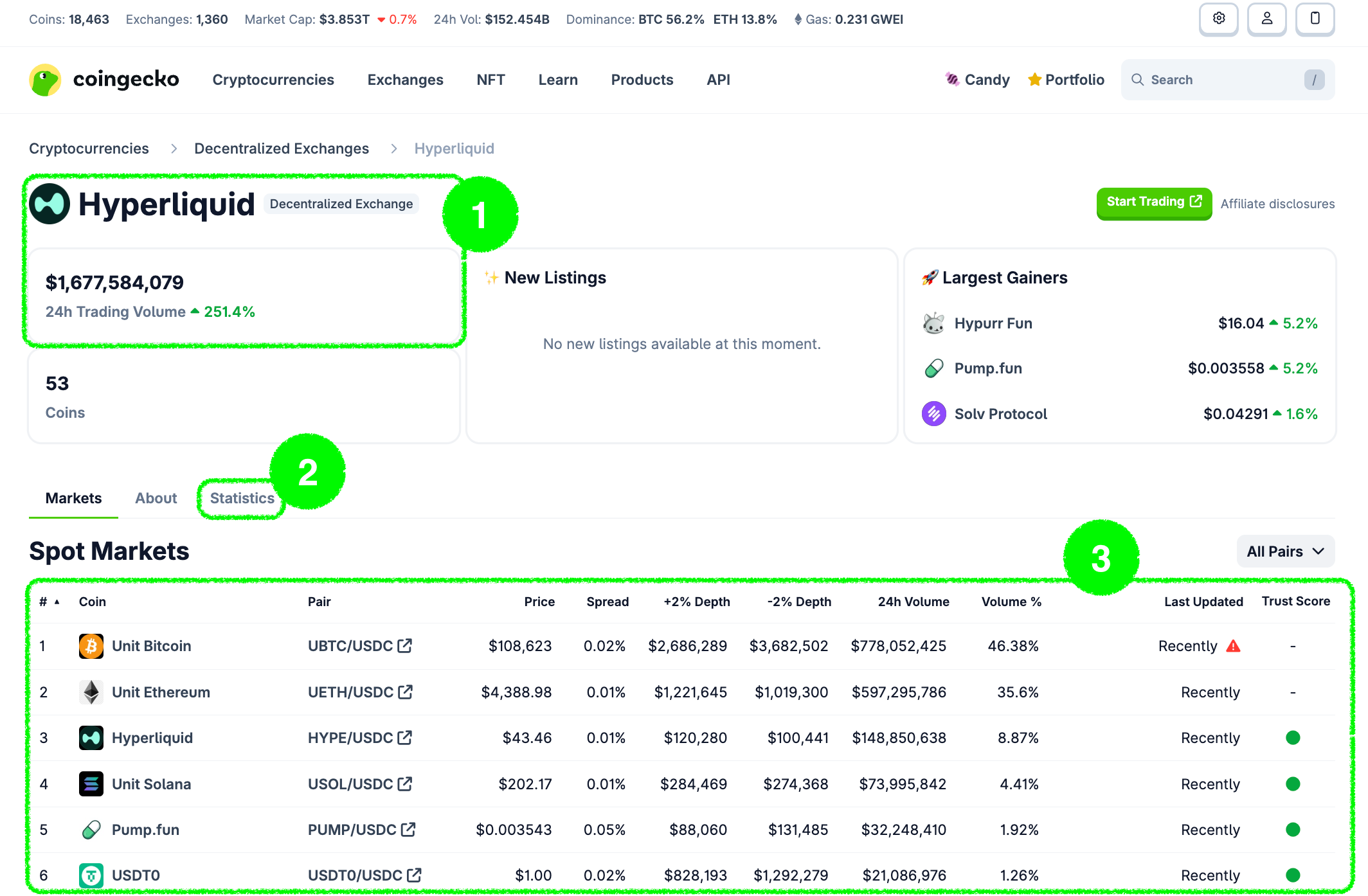
- /exchanges/{id} — Display the exchange information such as name, type, market related data such as trading volume and etc.
- /exchanges/{id}/volume_chart — Display the historical volume chart data.
- /exchanges/{id}/tickers — Display the exchange's tickers.
NFTs Page
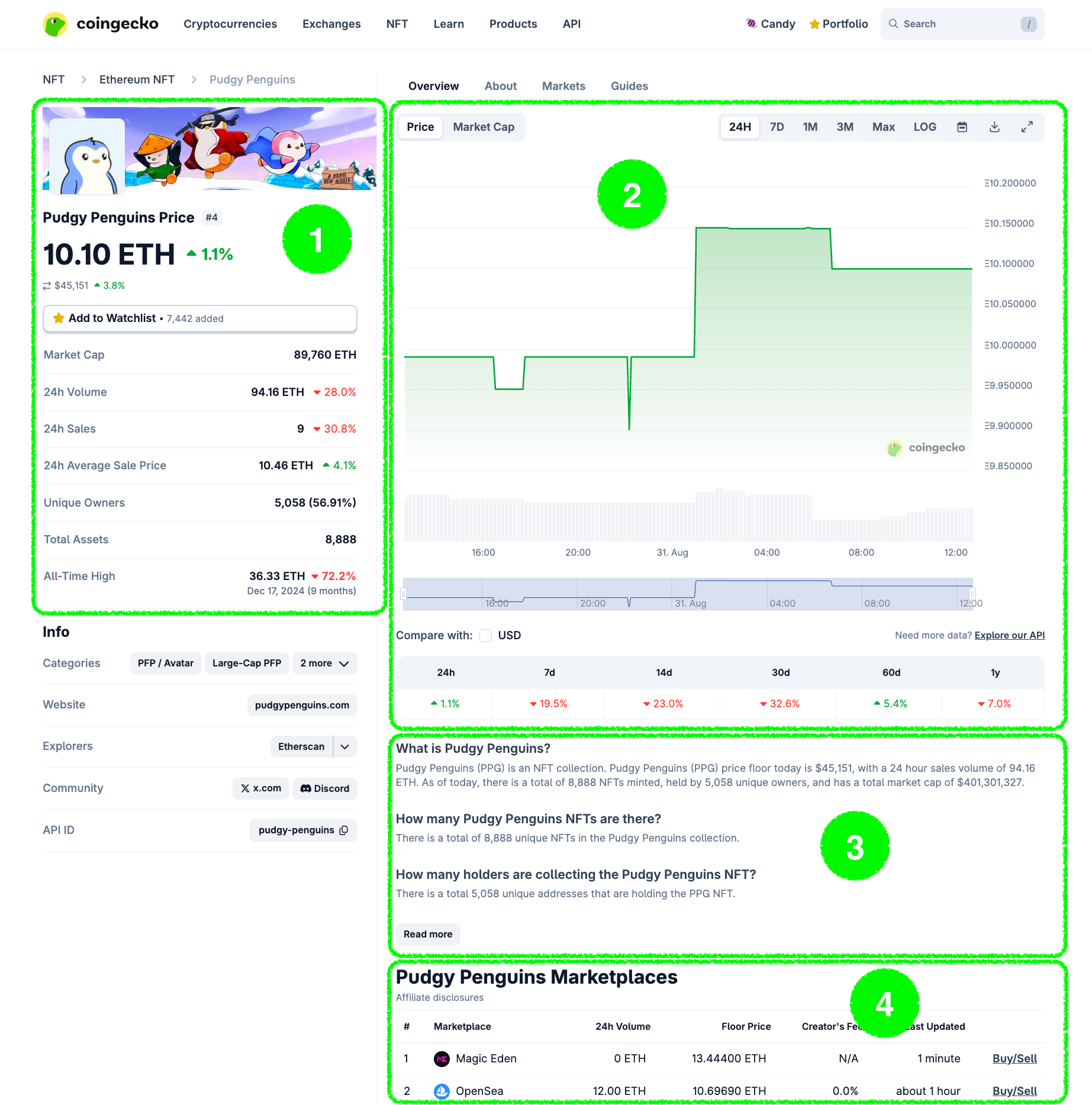
- /nfts/{id} — Display NFT data such as name, contract address, website, market related data such as floor price, market cap, volume and etc.
- /nfts/{id}/market_chart — Display the historical market data in chart.
- /nfts/{id} — Display the description of the NFT collection.
- /nfts/{id}/tickers — Display the tickers of the NFT collection on different NFT marketplace.
Home Page
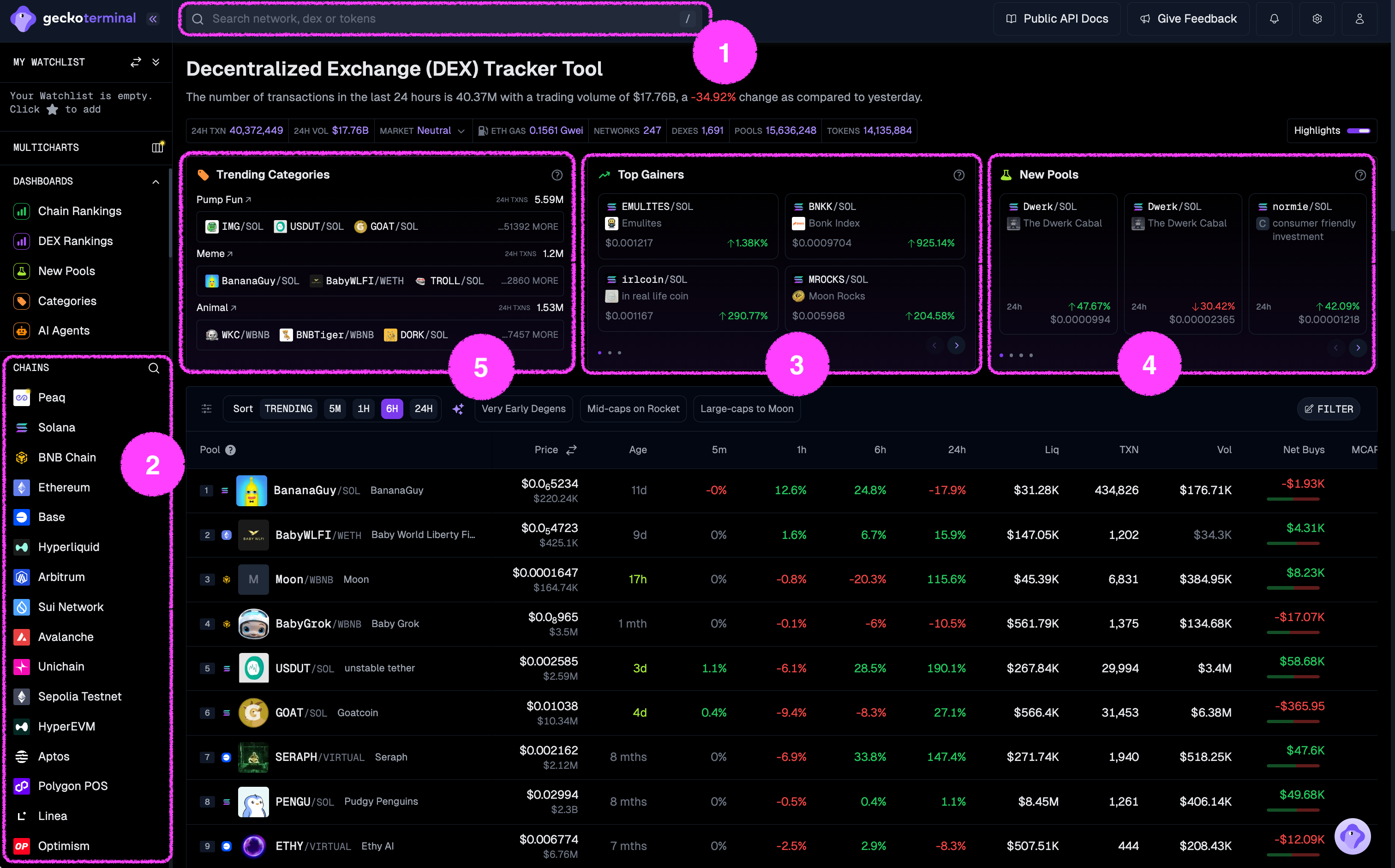
- /onchain/search/pools — Allow users to search for pools on GeckoTerminal.
- /onchain/networks — Display a list of supported networks on GeckoTerminal.
- /onchain/networks/trending_pools — Display a list of trending pools across all networks on GeckoTerminal.
- /onchain/networks/new_pools — Display all the latest pools across all networks on GeckoTerminal.
- /onchain/categories — Display all the onchain categories on GeckoTerminal.
Chain Page
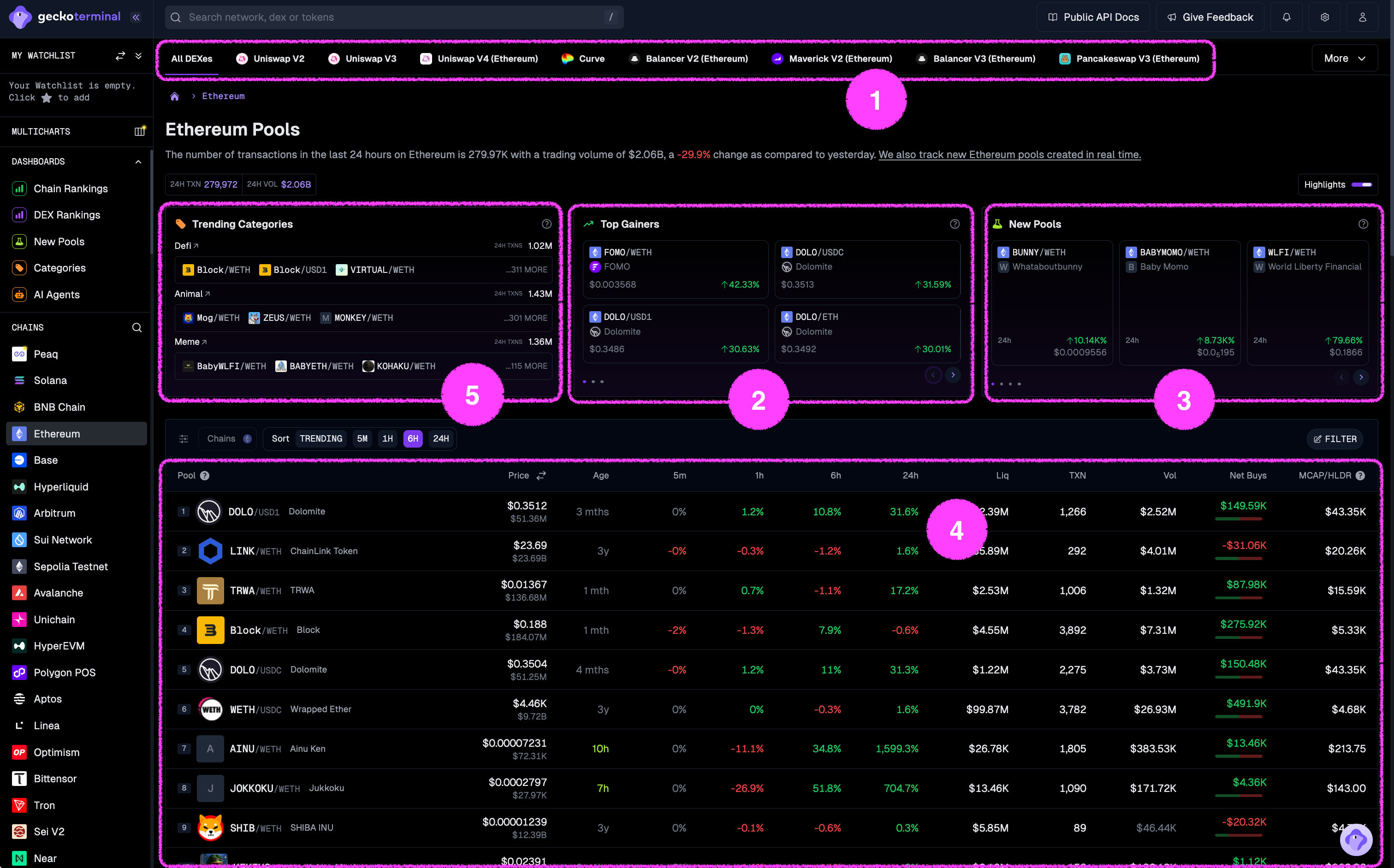
- /onchain/networks/{network}/dexes — Display all the supported dex on a network on GeckoTerminal.
- /onchain/networks/{network}/trending_pools — Display a list of trending pools on a network on GeckoTerminal.
- /onchain/networks/{network}/new_pools — Display a list of new pools on a network on GeckoTerminal.
- /onchain/networks/{network}/pools — Display all the top pools on a network on GeckoTerminal.
- /onchain/categories/{category_id}/pools — Display all the pools under a specific onchain category on GeckoTerminal.
Pool Page
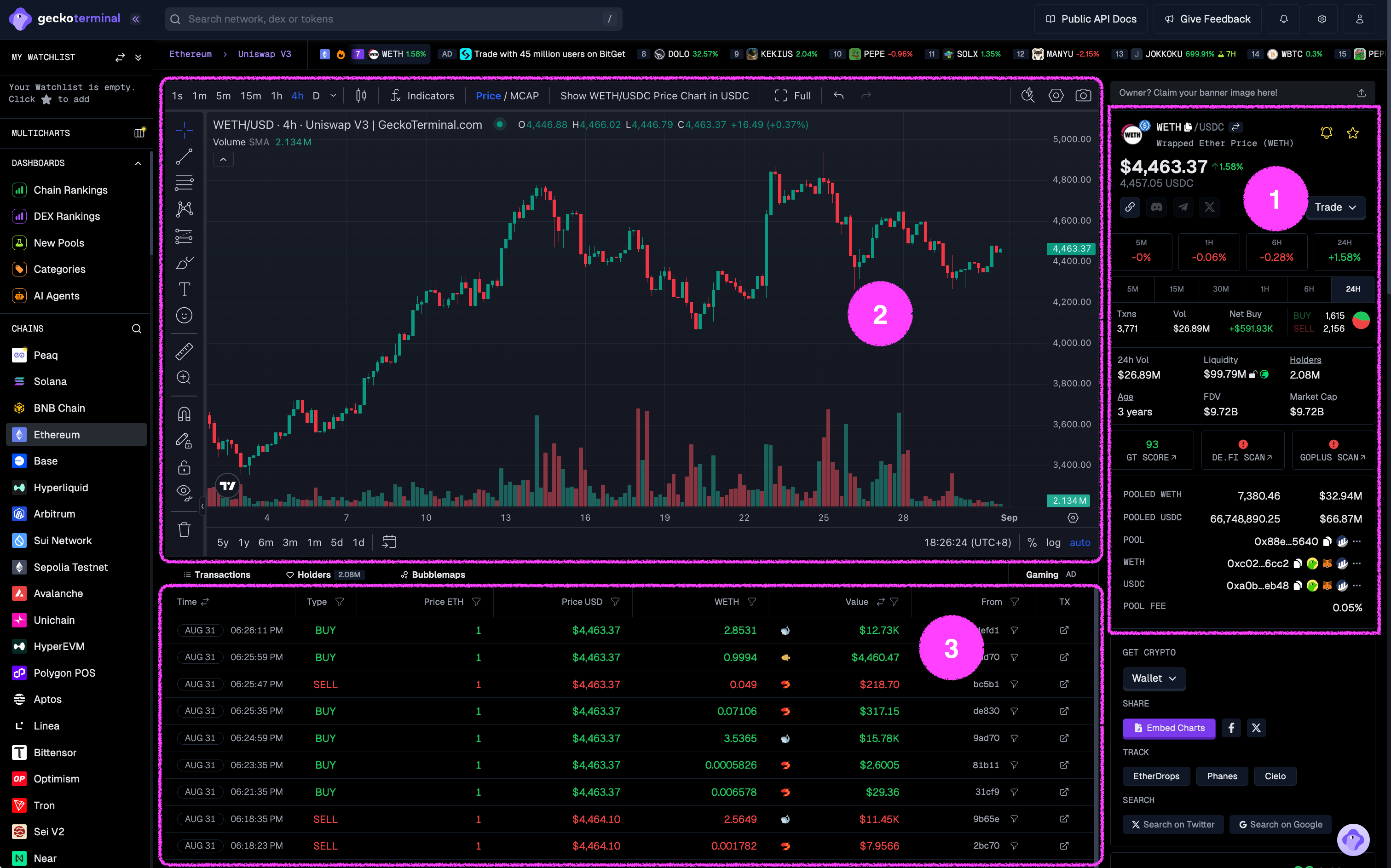
- * /onchain/networks/{network}/pools/{address} — Display pool data such as price, transactions, volume and etc.
- /onchain/networks/{network}/pools/{pool_address}/info — Display pool information such as name, symbol, image URL, description and etc.
- /onchain/networks/{network}/pools/{pool_address}/ohlcv/{timeframe} — Display the OHLCV chart of the pool.
- /onchain/networks/{network}/pools/{pool_address}/trades — Display the trades of the pool in the past 24 hours.
Categories Page
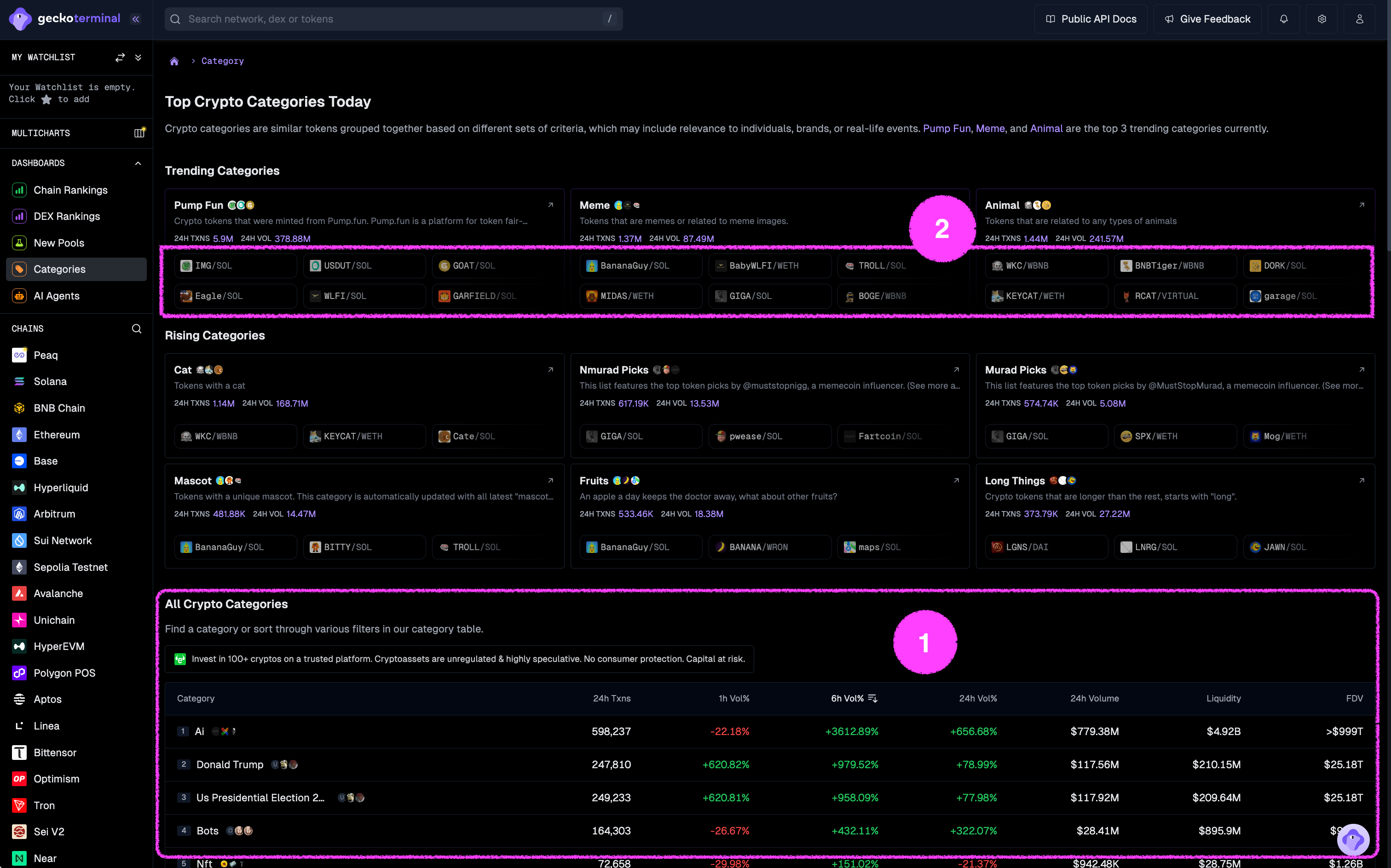
- /onchain/categories — Display list of onchain categories with market data.
- /onchain/categories/{id}/pools — Display list of pools with market data of a specific onchain category.