strategies.md 204 KB
TRANSLATED CONTENT:
Hummingbot - Strategies
Pages: 73
1.20.0 - Hummingbot
URL: https://hummingbot.org/release-notes/1.20.0/
Contents:
- Hummingbot v1.20.0 Release Notes
- Introduction
- Monthly Community Call
- V2 Strategy Framework
- New Dashboard Features
- Hummingbot Library
- Update Cython version to 3.0
- New Chain and DEX Connector: Kujira
- New CEX Connector: Woo X
- New Rate Oracle Source: CoinCap
Released on October 02, 2023
We're thrilled to present Hummingbot version 1.20.0! This latest iteration introduces the V2 strategy framework which enables backtest-able, multi-bot strategies. For developers and advanced users, the Hummingbot Python Library has been rolled out. We've also integrated CoinCap as a new rate oracle source and expanded the list of connectors with Woo X and Kujira.
To update to the latest version, clone the latest hummingbot/deploy-examples repository and use the hummingbot-update.sh script under the /bash_scripts folder or run the following Docker command to pull the latest image:
If you're using the source version, use the ./start command to launch Hummingbot.
Join the Wednesday Oct 4th community call on Discord to learn about the new features in this release and other Hummingbot news.
Here is the recording of the event:
For more community events, check out the Hummingbot Events Calendar.
Hummingbot's V2 Strategy Framework is officially released!
The new V2 Strategy Framework significantly expands Hummingbot's capabilities, allowing users to create modular, backtestable, and sophisticated strategies. Unlike the monolithic V1 strategies, V2 Strategies are designed to be highly adaptable, allowing seamless integration of various components. Whether you're a technical expert or a trading novice, you can easily create, backtest, and deploy strategies via Dashboard.
We're introducing specialized templates for different trading paradigms, starting with Directional and Market Making strategies. These new strategy templates allow users to combine different composable components:
Watch this video for a preview:
Under Active Development
Dashboard is slated for incorporation into official Hummingbot releases before end of this year, but it is still under active development and new features and improvements are being added continuously. We highly encourage user feedback at this stage; feel free to share your thoughts and suggestions on Discord or Github. If you're excited to explore its capabilities, check out the beta.
Additions to Dashboard in the past month include:
We are excited to announce that Hummingbot is now available as a Python library, enabling more flexible usage and customization for developers!
To try it out, install the library into your Python environment with:
After installation is complete, enter your Python shell and run these commands to fetch historical OHLVC candles for BTC-USDT on Binance Futures for the past 30 days into a candles_test.csv file:
This upgrade not only brings in the latest features and bug fixes from Cython:
Modified the environment.yml dependencies to upgrade Cython to the latest 3.0 version (to move out from the alpha version the project is currently depending on).
Upgrading to the latest version allow Hummingbot to include all latest bugfixes. It will also allow the community to add the new functionality included in Cython 3.0 to generate a compiled Cythonized version of a pure Python module by just adding some Cython decorators to classes/functions.
Thanks to aarmoa for this contribution! 🙏
Kujira is a layer 1 ecosystem built on cosmos, blockchain known for its interoperability. Kujira Fin, is a decentralized order book exchange. It uses BOW as the market maker for liquidity. They claim no risk of impermanent loss with low gas fees and maker/taker fees.
See Kujira for the chain docs and Kujira Fin for the exchange connector docs.
Snapshot Proposal: https://snapshot.org/#/hbot-prp.eth/proposal/0x7dbd4a6f3cc7460ca6f56415a57b9727ca7a9227be625efdc4e71dee3d0d0781
Thanks to funttastic and yourtrading-ai for this contribution! 🙏
Launched in 2019, WOO X is a trading platform featuring deep liquidity, low trading costs and powerful tools & analytics. Some of you may also know us from our decentralized swap product WOOFi, which is one of the most-used cross-chain swaps with over half a million unique monthly active wallets.
Snapshot Proposal: https://snapshot.org/#/hbot-prp.eth/proposal/0x46c15f8b9cbbd97ebc8b83340bd748d5f68e84082d24383b91abdc3d8b9168c6
Thanks to waterquarks for this contribution! 🙏
This update introduces the CoinCap rate source to the rate oracle, offering an alternative to CoinGecko with price streaming capabilities.
Users can obtain an API key here.
Thanks to CoinAlpha for this contribution! 🙏
Examples:
Example 1 (unknown):
docker pull hummingbot/hummingbot:latest
Example 2 (unknown):
pip install hummingbot
Example 3 (python):
import asyncio

from hummingbot.data_feed.candles_feed.candles_factory import CandlesFactory, CandlesConfig

async def collect_candles():
    candles = CandlesFactory.get_candle(CandlesConfig(connector="binance_perpetual", trading_pair="BTC-USDT", interval="3m", max_records=1440))
    candles.start()
    while not candles.is_ready:
        print(f"Candles not ready yet! Missing {candles._candles.maxlen - len(candles._candles)}")
        await asyncio.sleep(1)
    df = candles.candles_df
    df.to_csv("candles_test.csv", index=False)

asyncio.run(collect_candles())
Controllers - Hummingbot
URL: https://hummingbot.org/v2-strategies/controllers/
Contents:
- Controllers
- Base Classes
- Directional Trading Controllers
- Market Making Controllers
- Other Controllers
The Controller plays a crucial role within Hummingbot's Strategy V2 framework, serving as the orchestrator of the strategy's overall behavior. It interfaces with the MarketDataProvider, which includes OrderBook, Trades, and Candles, and forwards a series of ExecutorActions to the main strategy. The strategy then evaluates these actions, deciding to execute them based on its overarching rules and guidelines.
Users can now use controllers as sub-strategies allowing them to use multiple controllers in a single script or trade multiple pairs / configs in a single bot.
Currently, the controller base classes available are:
These strategies aim to profit from predicting the market's direction (up or down) and takes positions based on signals indicating the future price movement.
Suitable for strategies that rely on market trends, momentum, or other indicators predicting price movements.
Customizing signal generation (get_signal) allows users to change various analytical models to generate trade signals and determine the conditions under which trades should be executed or stopped.
These strategies provide liquidity by placing buy and sell orders near the current market price, aiming to profit from the spread between these orders.
Customization involves defining how price levels are selected (get_levels_to_execute), how orders are priced and sized (get_price_and_amount), and when orders should be refreshed or stopped early.
User may also adjust the strategy based on market depth, volatility, and other market conditions to optimize spread and order placement.
Cross-Exchange Market Making (XEMM) - Hummingbot
URL: https://hummingbot.org/strategies/cross-exchange-market-making
Contents:
- cross_exchange_market_making
- 📁 Strategy Info
- 📝 Summary
- 🏦 Supported Exchange Types
- 🛠️ Strategy configs
- 📓 Description
- Architecture
- Live Configuration
- Order Creation and Adjustment
- Cancel Order Flow
Also referred to as liquidity mirroring or exchange remarketing, this strategy allows you to make a market (creates buy and sell orders) on the maker exchange, while hedging any filled trades on a second, taker exchange. The strategy attempts places maker orders at spreads that are wider than taker orders by a spread equal to min_profitability.
The description below is a general approximation of this strategy. Please inspect the strategy code in Trading Logic above to understand exactly how it works.
The cross exchange market making strategy performs market making trades between two markets: it emits limit orders to a less liquid, larger spread market; and emits market orders on a more liquid, smaller spread market whenever the limit orders were hit. This, in effect, sends the liquidity from the more liquid market to the less liquid market.
In Hummingbot code and documentation, we usually refer to the less liquid market as the "maker side" - since the cross exchange market making strategy is providing liquidity there. We then refer to the more liquid market as the "taker side" - since the strategy is taking liquidity there.
The startegy currently supports centralized exchanges on the maker side and centralized and decentralized exchanges on the taker side. Decentralized exchanges are accessed through the hummingbot gateway.
The cross exchange market making strategy's code is divided into two major parts:
Order creation and adjustment
Periodically creates and adjusts limit orders on the maker side.
Performs the opposite, hedging trade on the taker side, whenever a maker order has been filled.
The strategy now supports live configuration. That means any changes in configuration by the user are immediately taken into account by the strategy without a need for it to be restarted.
Here's a high-level view of the logical flow of the order creation and adjustment part. The overall logic of order creation and adjustment is pretty involved, but it can be roughly divided to the Cancel Order Flow and the Create Order Flow.
The cross exchange market making strategy regularly refreshes the limit orders it has on the maker side market by regularly cancelling old orders (or waiting for existing order to expire), and creating new limit orders. This process ensures the limit orders it has on the maker side are always of the correct and profitable prices.
The entry point of this logic flow is the c_process_market_pair() function in cross_exchange_market_making.pyx.
The cancel order flow regularly monitors all active limit orders on the maker side, to ensure they are all valid and profitable over time. If any active limit order becomes invalid (e.g. because the asset balance changed) or becomes unprofitable (due to market price changes), then it should cancel such orders.
The active_order_canceling setting changes how the cancel order flow operates. active_order_canceling should be enabled when the maker side is a centralized exchange (e.g. Binance, Coinbase Pro), and it should be disabled when the maker side is a decentralized exchange.
When active_order_canceling is enabled, the cross exchange market making strategy would refresh orders by actively cancelling them regularly. This is optimal for centralized exchanges because it allows the strategy to respond quickly when, for example, market prices have significantly changed. This should not be chosen for decentralized exchanges that charge gas for cancelling orders (such as Radar Relay).
When active_order_canceling is disabled, the cross exchange market making strategy would emit limit orders that automatically expire after a predefined time period. This means the strategy can just wait for them to expire to refresh the maker orders, rather than having to cancel them actively. This is useful for decentralized exchanges because it avoids the potentially very long cancellation delays there, and it also does not cost any gas to wait for order expiration.
It is still possible for the strategy to actively cancel orders with active_order_canceling disabled, via the cancel_order_threshold setting. For example, you can set it to -0.05 such that the strategy would still cancel a limit order on a DEX when it's profitability dropped below -5%. This can be used as a safety switch to guard against sudden and large price changes on decentralized exchanges.
Assuming active order canceling is enabled, the first check the strategy does with each active maker order is whether it is still profitable or not. The current profitability of an order is calculated assuming the order is filled and hedged on the taker market immediately.
If the profit ratio calculated for the maker order is less than the min_profitability setting, then the order is canceled.
The logic of this check can be found in the function c_check_if_still_profitable() in cross_exchange_market_making.pyx.
Otherwise, the strategy will go onto the next check.
The next check afterwards checks whether there's enough asset balance left to satisfy the maker order. If there is not enough balance left on the exchange, the order would be cancelled.
The logic of this check can be found in the function c_check_if_sufficient_balance() in cross_exchange_market_making.pyx.
Otherwise, the strategy will go onto the next check.
Asset prices on both the maker side and taker side are always changing, and thus the optimal prices for the limit orders on the maker side would change over time as well.
The cross exchange market making strategy calculates the optimal pricing from the following factors:
If the price of the active order is different from the optimal price calculated, then the order would be cancelled. Otherwise, the strategy would allow the order to stay.
The logic of this check can be found in the function c_check_if_price_correct() in cross_exchange_market_making.pyx.
After all the active orders on make side have been checked, the strategy will proceed to the create order flow.
After going through the cancel order flow, the cross exchange market making strategy would check and re-create any missing limit orders on the maker side.
The logic inside the create order flow is relatively straightforward. It checks whether there are existing bid and ask orders on the maker side. If any of the orders are missing, it will check whether it is profitable to create one at the moment. If it's profitable to create the missing orders, it will calculate the optimal pricing and size and create those orders.
The logic of the create order flow can be found in the function c_check_and_create_new_orders() in cross_exchange_market_making.pyx.
The cross exchange market making strategy would always immediately hedge any order fills from the maker side, regardless of how profitable the hedge is at the moment. The rationale is, it is more useful to minimize unnecessary exposure to further market risks for the users, than to wait speculatively for a profitable moment to hedge the maker order fill - which may never come.
The logic of the hedging order fill flow can be found in the function c_did_fill_order() and c_check_and_hedge_orders() in cross_exchange_market_making.py.
Decentralized exchanges have several peculiarities compared to centralized exchanges, which must be accounted for if selected on the taker side. For starters, in general interaction with them is less reliable. Unlike in case of centralized exchanges, for example obtaining an asset price from a DEX may occasionally fail. For this reason many operations on a DEX may have to be repeated until they're executed successfully.
Another difference is dependence of transaction fees on currrent gas fees. Therefore taker transaction fees may vary and therefore also position profitability checks performed in the method check_if_still_profitable() may return different results at different times for the same maker positions.
What is cross exchange market making?
Cross Exchange Market Making with Jelle
Use cross-exchange market making (XEMM) strategy to lower risk: The XMM strategy effectively reduces inventory risk. This article talks about how to proceed with XEMM in place.
Cross Exchange Market Making Strategy | Hummingbot Live: In this video, Paulo shows how to optimize a Cross Exchange Market-Making strategy using the Hummingbot app.
Check out Hummingbot Academy for more resources related to this strategy and others!
Strategies - Hummingbot
URL: https://hummingbot.org/strategies/
Contents:
- Strategies
- What is a Hummingbot Strategy?
- Strategies V2
- Strategies V1
- Learn Algo Trading and Market Making
Like a computer program, an algorithmic trading strategy is a set of automated processes that executes repeatedly:
A Hummingbot strategy loads market data directly from centralized and decentralized exchanges, adaptable to the unique features of each trading venue's WebSocket/REST APIs and nodes.
Each clock tick, a strategy loads real-time order book snapshots, user balances, order status and other real-time data from trading pairs on these venues and executes the logic defined in the strategy, parametrized by a pre-defined user configuration.
To run a strategy, a user selects a strategy template, defines its input parameters in a Config File, and starts it with the start command in the Hummingbot client or via the command line with Strategy Autostart.
Starting in 2023, Hummingbot Foundation began to iteratively introduce a new framework, called Strategy V2. The new framework allows you to build powerful, dynamic strategies using Lego-like components. To learn more, check out Architecture.
There are two current ways that Hummingbot strategies can be defined:
Scripts: A simple Python file that contains all strategy logic. We recommend starting with a script if you want a simple way to prototype your strategy.
Controllers: Strategy logic is abstracted into a Controller, which may use Executors and other components for greater modularization. Controllers can be backtested and deployed using Dashboard, and a single loader Script may deploy and manage multiple Controller configurations.
Controllers are designed to add another layer of abstraction and circumvent the limit of Hummingbot to only run one strategy per bot instance. You can think of that as the most powerful and advanced setup that Hummingbot currently provides.
This table may help you decide whether to use a Script or Controller for your strategy:
When it launched in 2019, Hummingbot pioneered the concept of configurable templates for algo trading strategies, such as market making strategies based on the Avellaneda & Stoikov paper.
Initially, these strategies were confined to individual bots, complicating the management and scaling across various scenarios, and they lacked the capability to use historical market data, which forced traders to rely solely on real-time data. Furthermore, technical barriers, such as a deep prerequisite knowledge of foundational classes and Cython, hindered easy access to market data, while limited backtesting tools restricted evaluations against historical data.
Users can access these strategy templates at the Strategies V1 page.
To gain a deeper understanding of Hummingbot strategies along with access to the latest Hummingbot framework updates, check out Botcamp, the official training and certification for Hummingbot.
Operated by the people behind Hummingbot Foundation, Botcamp offers bootcamps and courses that teach you how to design and deploy advanced algo trading and market making strategies using Hummingbot's Strategy V2 framework.
Index - Hummingbot
URL: https://hummingbot.org/v2-strategies/examples/
Contents:
- Index
- Running V2 Strategies
- Directional Strategies
- Bollinger V1
- MACD-BB
- Trend Follower
- Market Making Strategies
- DmanV1
- DmanV2
- DmanV3
The main logic in a V2 strategy is contained in the Controller, which inherits from a base class like Directional or Market Making, that orchestrates various smart components like Candles and Executors to implement the strategy logic.
For users, their primary interface is the V2 Script, a file that defines the configuration parameters and serves as the bridge between the user and the strategy.
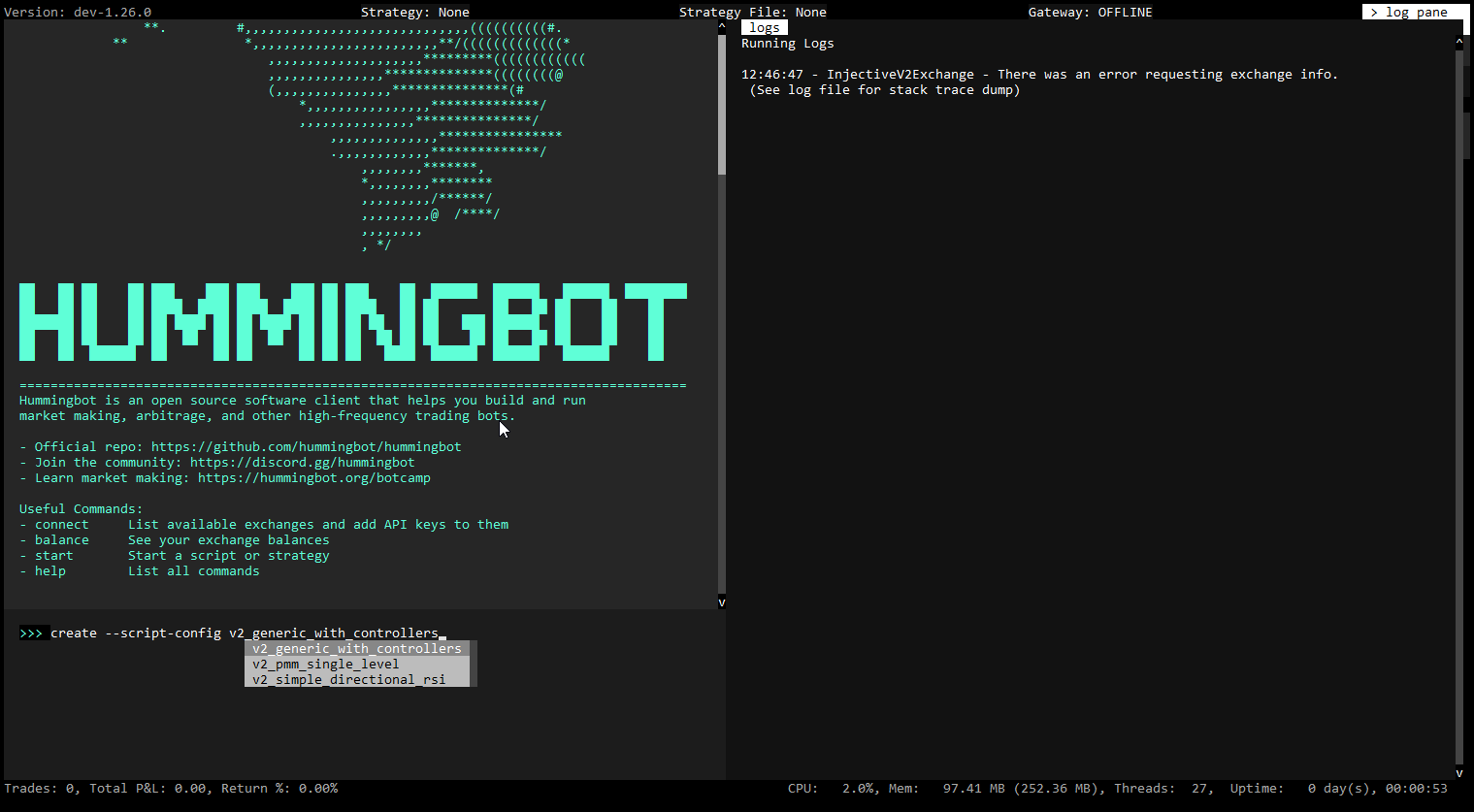
To generate a configuration file for a script, run:
The auto-complete for [SCRIPT_FILE] will only display the scripts in the local /scripts directory that are configurable.
You will be prompted to define the strategy parameters, which are saved in a YAML file in the conf/scripts directory. Afterwards, you can run the script by specifying this config file:
The auto-complete for [SCRIPT_CONFIG_FILE] will display config files in the local /conf/scripts directory.
Directional strategies inherit from the DirectionalTrading strategy base class.
In their controller's get_processed_data function, a directional strategy uses technical indicators derived from Candles to define thresholds which trigger long and short conditions using the signal parameter:
Here are the current V2 directional strategies:
A simple directional strategy using Bollinger Band Percent (BBP). BBP measures an asset's price relative to its upper and lower Bollinger Bands, and this strategy uses the current BBP to construct long/short signals.
Creating a Config File:
User Defined Parameters
Below are the user-defined parameters when the create command is run:
In addition, the script may define other parameters that don't have the prompt_on_new flag.
The screenshot below show what is displayed when the status command is run:
A directional strategy that combines MACD and Bollinger Bands to generate long/short signals. This strategy uses MACD for trend identification and Bollinger Bands for volatility and price level analysis.
Creating a Config File:
User Defined Parameters
Below are the user-defined parameters when the create command is run:
In addition, the script may define other parameters that don't have the prompt_on_new flag.
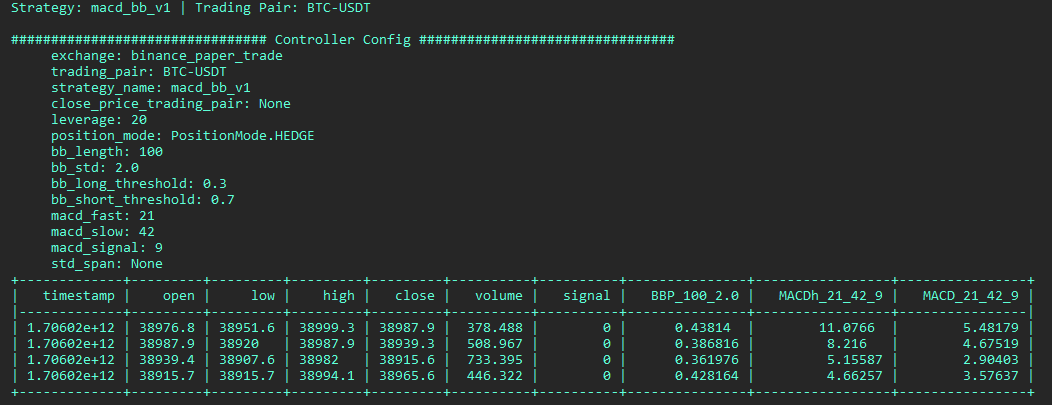
The screenshot below show what is displayed when the status command is run:
A simple trend-following strategy that uses Simple Moving Average (SMA) and Bollinger Bands to construct long/short signals.
Creating a Config File:
User Defined Parameters
Below are the user-defined parameters when the create command is run:
Market making strategies create and manage a set of Position Executors that place orders around a fixed mid price. They inherit from the MarketMaking strategy base class.
Customized market-making script which uses the DMAN v1 controller
Creating a Config File:
User Defined Parameters
Below are the user-defined parameters when the create command is run:
A simple market making strategy that uses Natural Average True Range (NATR) to set spreads dynamically.
Creating a Config File:
User Defined Parameters
Below are the user-defined parameters when the create command is run:
Mean reversion strategy with Grid execution using Bollinger Bands indicator to make spreads dynamic and shift the mid-price.
Creating a Config File:
User Defined Parameters
Below are the user-defined parameters when the create command is run:
In addition, the script may define other advanced parameters that don't have the prompt_on_new flag.
Directional Market Making Strategy utilizing the NATR indicator to dynamically set spreads and shift the mid-price, enhanced with various advanced configurations for more nuanced control.
Creating a Config File:
User Defined Parameters
Below are the user-defined parameters when the create command is run:
In addition, the script may define other advanced parameters that don't have the prompt_on_new flag.
Examples:
Example 1 (unknown):
create --script-config [SCRIPT_FILE]
Example 2 (unknown):
start --script [SCRIPT_FILE] --conf [SCRIPT_CONFIG_FILE]
Example 3 (unknown):
create --script-config v2_bollinger_v1_config
Example 4 (unknown):
start --script v2_bollinger_v1_config.py --conf [SCRIPT_CONFIG_FILE]
Liquidity Mining - Hummingbot
URL: https://hummingbot.org/strategies/liquidity-mining
Contents:
- liquidity_mining
- 📁 Strategy Info
- 📝 Summary
- 🏦 Exchanges supported
- 🛠️ Strategy configs
- 📓 Description
- ℹ️ More Resources
This strategy allows market making across multiple pairs on an exchange on a single Hummingbot instance. This is achieved by enabling users to configure the markets they would like to participate in and other market-making configurations. Volatility-Spread adjustment is another key feature of this strategy, where the spreads are dynamically adjusted based on the volatility of the markets.
Hummingbot Miner Help Center: Check out our latest announcements, campaigns, documentations, handy articles and much more.
Demystifying liquidity mining rewards
Liquidity Mining Explained | For New Users: Learn about Liquidity Mining and how to set up a market-making bot to earn rewards in an exchange.
Key concepts - Hummingbot
URL: https://hummingbot.org/developers/strategies/key-concepts
Contents:
- Key concepts
- Strategy folder
- StrategyBase class
- Market class
- Configuration
- Important commands
- Exposing new strategy to Hummingbot client
- Setting question prompts for strategy parameters
Each strategy is contained in its own folder, with the strategy name as the folder name:
All strategies extend the StrategyBase class. This class allows extraction of logic that would be repetitively written in all strategies otherwise.
The base class also contains methods that are meant to be freshly implemented when new strategies are created.
To assist in the development of custom strategies, there are many overridable functions that respond to various events detected by EventListeners.
The ExchangeBase class contains overridable functions that can help get basic information about an exchange that a strategy is operating on, which can include the balance, prices, and order books for any particular asset traded on the exchange.
Additionally, this strategy leverages the OrderTracker listener object, in order to check if buy/sell orders have been filled or completed, the user has enough balance to place certain orders, and if there are any order cancellations. The HummingbotLogger object is also used to log the specific events when they occur.
Important commands on Hummingbot client:
The strategy name is made known to the client automatically in hummingbot/client/settings.py under STRATEGIES variable. There should also be a template file that contains config variables and its documentation in the hummingbot/templates directory. The naming convention for this yml file is conf_{strategy name}_TEMPLATE.
Strategy parameters can be set in the config_map file. Each parameter (represented as dictionary key) is mapped to a ConfigVar type where developer can specify the name of the parameter, prompts that will be provided to the user, and validator that will check the values entered.
URL: https://hummingbot.org/v2-strategies/diagrams/16.png
Command Line Autostart - Hummingbot
URL: https://hummingbot.org/global-configs/strategy-autostart/
Contents:
- Strategy Autostart
- Docker autostart
- Prerequisites
- How to autostart
- Source autostart
- Prerequisites
- How to autostart
Running any trading bots without manual supervision may incur additional risks. It is imperative that you thoroughly understand and test the strategy and parameters before deploying bots that can trade in an unattended manner.
Hummingbot can automatically start the execution of a previously configured trading strategy upon launch without needing user interaction when provided with pre-existing configuration files. This can be very useful if you wish to deploy already well-tested strategies and configurations to cloud services and have Hummingbot running automatically in the background.
Stop any running containers
Use an IDE like VSCode to edit the docker-compose.yml file.
Edit or add the section that defines the environment variables:
The environment: line
The CONFIG_PASSWORD line: add the Hummingbot password to login
One of CONFIG_FILE_NAME lines: add your script OR strategy config file
Add your SCRIPT_CONFIG file if using a configurable script
The final environment section of the YAML file should look something like this:
Afterwards, save the file.
You can auto-start either a Script or a Strategy:
Scripts are Python files that contain all strategy logic. If you define a .py file as CONFIG_FILE_NAME, Hummingbot assumes it's a script file and looks for the .py file in the hummingbot_files/scripts directory.
Strategies are configurable strategy templates. If you define a .yml file as CONFIG_FILE_NAME, Hummingbot assumes it's a strategy config file and looks for the .yml file in the hummingbot_files/conf/strategies directory.
When you attach to it, the strategy or script should already be running:
Running unattended Hummingbot is very similar to running Hummingbot manually. The only differences are:
Where CONFIG_PASSWORD is the config password SCRIPT_FILE_NAME is the script / strategy file name CONFIG_FILE_NAME is the script / strategy config file name
Let's say you configured your Hummingbot password as a single letter a and you created a config for the Simple PMM Example script which you then want to autostart as soon as you start the bot. Here's how you would configure the autostart command -
a is the config password
simple_pmm_example_config.py is the script / strategy file name
conf_simple_pmm_example_config_1.yml is the script / strategy config file name
More information on strategy can be found in Strategy.
More information on configuration file name can be found in Configuring Hummingbot.
More information on password can be found in Create a secure password.
Examples:
Example 1 (unknown):
docker compose down
Example 2 (unknown):
environment:
      - CONFIG_PASSWORD=password
      - CONFIG_FILE_NAME=simple_pmm_example.py
      - SCRIPT_CONFIG=conf_simple_pmm_example_config_1.yml
Example 3 (unknown):
docker compose up -d
Example 4 (unknown):
docker attach hummingbot
1.24.0 - Hummingbot
URL: https://hummingbot.org/release-notes/1.24.0/
Contents:
- Hummingbot v1.24.0 Release Notes
- Introduction
- How to Update
- Docker
- Source
- Monthly Community Call
- Configurable Scripts
- New Sample V2 Strategies
- BollingerV1
- Trend Follower
Released on January 29, 2024
As we step into a new year full of infinite possibilities, we are thrilled to present Hummingbot version 1.24.0! A major highlight of this version are configurable scripts, which lets users create config files for V2 Strategies and basic scripts just like they can for V1 Strategies. We also added more sample V2 strategies, including the new DmanV4 advanced market making strategy.
This release also features substantial documentation updates, especially for exchange connector development and governance! Finally, we're excited to introduce two fresh DEX connectors: Vega Protocol and QuipuSwap, ensuring a broader range of trading opportunities for Hummingbot users across the DeFi landscape.
Clone the latest hummingbot/deploy-examples repository and use the hummingbot-update.sh script under the /bash_scripts folder.
Alternatively, run the following command to pull the latest Docker image:
Update your Hummingbot branch to this release by running:
Join the next community call on Discord to learn about the new features in this release and other Hummingbot news:
Afterwards, we will publish the recording on the Hummingbot YouTube and post it here.
For more community events, check out the Hummingbot Events Calendar.
Ever since we introduced Scripts as a lightweight way to create simple trading strategies, users have been asking for the ability to add configuration files for them, as they are able to do for V1 Strategies. Now, they finally can!
Starting in this release, scripts can define a ScriptConfig class that defines configuration parameters that users can store in a YAML file. Both V2 Scripts used to control V2 Strategies as well as more basic scripts can add this class with a few lines of code. Afterwards, users can create config files for scripts, which can be modified and shared easily.
See Config Files for details on how to use this feature.
Hummingbot's new V2 Strategies allow users to create powerful custom strategies by configuring LEGO-like components as building blocks. In this release, we have added a page with a list of Sample Strategies that users can extend and modify.
In addition, we've also added a few new sample strategies:
A simple directional strategy that uses Bollinger Band Percent (BBP), which measures an asset's price relative to its upper and lower Bollinger Bands, to construct long/short signals.
A simple trend-following strategy that uses Simple Moving Average (SMA) and Bollinger Band Percent (BBP) to construct long/short signals.
The new DManV4 strategy is a sophisticated market making strategy that utilizes Natural True Range (NATR) to dynamically set spreads, along with various advanced parameters for more nuanced controls.
This release features a revamped Building Connectors section for developers building connectors to order book spot and perpetual exchanges. We've added pages tthat describe the latest spot and perpetual connector standards, developer and QA checklists, as well as debugging and troubleshooting docs.
In addition, we have also revised the Polls section to reflect the changes approved in HGP-50, which replaced the legacy Gold/Silver/Bronze maintenance tiers with a new system that allocate HBOT bounties among the connectors for each Poll based on their pro-rata voting share. Each connector may have a public HBOT maintenance bounty allocation which the Foundation will use to fund bounties for bug fixes and upgrades related to that exchange's Hummingbot connector that can be assigned to community developers.
Vega Protocol is a new DEX built from the ground up using high performing, purpose-built smart contracts specifically for trading - meaning no fees on orders, and fairness at its core. It operates on the Vega Alpha Mainnet, a Tendermint based blockchain. For more information, see the Vega connector docs.
Snapshot Proposal: https://snapshot.org/#/hbot-ncp.eth/proposal/0x7c7e1d4590e669a1bed38335f9a2a94f4ec3adf463804488cb071e367dc7ee4d
Thanks to R-K-H for their significant contribution to this integration! 🙏
QuipuSwap, is a decentralized exchange (DEX) on the Tezos blockchain. It features on-chain governance for baking rewards, emphasizing user participation in decision-making processes. QuipuSwap offers a platform for seamless token swaps and liquidity provision, catering to users engaged in the Tezos ecosystem. For more information, see the QuipuSwap connector docs.
Snapshot Proposal: https://snapshot.org/#/hbot-ncp.eth/proposal/0x769ddfb5fd3f283e15192806c53efbf02b9e182ba8a64f5311305786265ef29a
Thanks to OjusWiZard for their significant contribution to this integration! 🙏
Examples:
Example 1 (unknown):
docker pull hummingbot/hummingbot:latest
Example 2 (unknown):
git pull origin master
Strategies & Snippets - Hummingbot
URL: https://hummingbot.org/gateway/strategies
Contents:
- Strategies & Snippets
- Available Scripts and Strategies
- Code Snippets
- Data Feed
- Connect Market
- Get Price
- Get Balance
- Place Order
- Get LP Position Info
- Add Liquidity
Gateway enables sophisticated trading strategies on decentralized exchanges through Hummingbot. This page lists available Gateway-compatible strategies/scripts along with commonly used code snippets.
The following table lists Gateway-compatible scripts and strategies available in the Hummingbot repository. All links point to the development branch where the latest versions are maintained.
The following code snippets demonstrate common Gateway operations in Hummingbot scripts and strategies.
Examples:
Example 1 (unknown):
amm_data_feed = AmmGatewayDataFeed(
            connector="jupiter/router",
            trading_pairs={"SOL-USDC","JUP-USDC"}
            order_amount_in_base=Decimal("1.0")
        )
Example 2 (python):
@classmethod
def init_markets(cls):
        cls.markets = {"jupiter/router": {"SOL-USDC"}}

def __init__(self, connectors: Dict[str, ConnectorBase]):
        super().__init__(connectors)
Example 3 (unknown):
current_price = await self.connectors["jupiter/router"].get_quote_price(
                    trading_pair="SOL-USDC",
                    is_buy=True,
                    amount=Decimal("1.0"),
                )
Example 4 (unknown):
connector = self.connectors["jupiter/router"]
await connector.update_balances(on_interval=False)
balance = connector.get_balance("SOL")
Candles - Hummingbot
URL: https://hummingbot.org/v2-strategies/candles
Contents:
- Candles
- Supported Exchanges
- Key Configuration Parameters
- Downloading Candles
- Adding Technical Indicators
- Multiple Candles
- Displaying Candles in status
- Logging Candles Periodically
- Additional Key Methods and Properties
Candles allow user to compose a trailing window of real-time market data in OHLCV (Open, High, Low, Close, Volume) form from certain supported exchanges.
It combines historical and real-time data to generate and maintain this window, allowing users to create custom technical indicators, leveraging pandas_ta.
See Candles Feed for a list of the currently supported exchanges.
A common practice is to execute bots on decentralized exchanges or smaller exchanges using candles data from other exchanges.
Candles provide a concise way to access historical exchange data. See the download_candles script.
Incorporate technical indicators to candle data for enhanced strategy insights:
For strategies requiring multiple candle intervals or trading pairs, initialize separate instances:
Modify the format_status method to display candlestick data:
To log candle data in the on_tick method:
Examples:
Example 1 (python):
def format_status(self) -> str:
    # Ensure market connectors are ready
    if not self.ready_to_trade:
        return "Market connectors are not ready."
    lines = []
    if self.all_candles_ready:
        # Loop through each candle set
        for candles in [self.eth_1w_candles, self.eth_1m_candles, self.eth_1h_candles]:
            candles_df = candles.candles_df
            # Add RSI, BBANDS, and EMA indicators
            candles_df.ta.rsi(length=14, append=True)
            candles_df.ta.bbands(length=20, std=2, append=True)
            candles_df.ta.ema(length=14, offset=None, append=True)
            # Format and display candle data
            lines.extend([f"Candles: {candles.name} | Interval: {candles.interval}"])
            lines.extend(["    " + line for line in candles_df.tail().to_string(index=False).split("\n")])
    else:
        lines.append("  No data collected.")

    return "\n".join(lines)
Example 2 (python):
from hummingbot.data_feed.candles_feed.candles_factory import CandlesFactory, CandlesConfig

class InitializingCandlesExample(ScriptStrategyBase):
    # Configure two different sets of candles
    candles_config_1 = CandlesConfig(connector="binance", trading_pair="BTC-USDT", interval="3m")
    candles_config_2 = CandlesConfig(connector="binance_perpetual", trading_pair="ETH-USDT", interval="1m")

    # Initialize candles using the configurations
    candles_1 = CandlesFactory.get_candle(candles_config_1)
    candles_2 = CandlesFactory.get_candle(candles_config_2)
Example 3 (python):
def format_status(self) -> str:
    # Check if trading is ready
    if not self.ready_to_trade:
        return "Market connectors are not ready."

    lines = ["\n############################################ Market Data ############################################\n"]
    # Check if the candle data is ready
    if self.eth_1h_candles.is_ready:
        # Format and display the last few candle records
        candles_df = self.eth_1h_candles.candles_df
        candles_df["timestamp"] = pd.to_datetime(candles_df["timestamp"], unit="ms").dt.strftime('%Y-%m-%d %H:%M:%S')
        display_columns = ["timestamp", "open", "high", "low", "close"]
        formatted_df = candles_df[display_columns].tail()
        lines.append("One-hour Candles for ETH-USDT:")
        lines.append(formatted_df.to_string(index=False))
    else:
        lines.append("  One-hour candle data is not ready.")

    return "\n".join(lines)
Example 4 (python):
def on_tick(self):
    self.logger().info(self.candles.candles_df)
Quants Lab - Hummingbot
URL: https://hummingbot.org/quants-lab/
Contents:
- Quants Lab
- What is Quants Lab?
- Installation
- Usage
- Next Steps
- Tutorials
- Hummingbot Live: Quants Lab
Quants Lab contains interactive notebooks and task schedulers for quantitative trading research and development. It provides comprehensive tools for data collection, backtesting, strategy development, and automated task management.
GitHub Repository: github.com/hummingbot/quants-lab
Quants Lab acts as a research and development platform for quantitative traders, enabling systematic strategy creation and testing. It bridges the gap between raw market data and executable trading strategies, providing a complete toolkit for quants and algorithmic traders.
Quants Lab enables quantitative traders to:
Under the hood, Quants Lab uses the Hummingbot Python library and is designed to be compatible with other Hummingbot repos.
Clone the Quants-Lab Github repo to download it to your machine, and then enter the folder: git clone https://github.com/hummingbot/quants-lab.git cd quants-lab
Then, run the one-command installation script install.sh:
This script create a quants-lab Anaconda/Miniconda environment with all dependencies. Then, it sets up a MongoDB database for storage and creates a new .env file that contains starting environment variables.
For more information about other installation options, see the Quants Lab Github repository.
To get started, activate the quants-lab environment, explore available notebooks, and then customize them for your needs.
You can also create and schedule automated runs of tasks, as well as individual notebooks:
After successful installation:
The videos below demonstrate features from an pre-release version of Quants Lab. Some interfaces and functionalities may have changed in the official release.
Examples:
Example 1 (unknown):
git clone https://github.com/hummingbot/quants-lab.git
cd quants-lab
Example 2 (unknown):
./install.sh

[INFO] 🚀 Welcome to QuantsLab Installation!

[INFO] This script will:
[INFO]   1. Check prerequisites (conda, docker, docker compose)
[INFO]   2. Create conda environment from environment.yml
[INFO]   3. Install QuantsLab package in development mode
[INFO]   4. Setup databases (optional)
[INFO]   5. Create .env file with defaults
[INFO]   6. Test the installation
Example 3 (unknown):
# Activate environment
conda activate quants-lab

# Launch Jupyter notebooks
jupyter lab

# Navigate to research_notebooks/ folders
Example 4 (unknown):
# List available tasks
python cli.py list-tasks

# Run single task
python cli.py trigger-task --task pools_screener --config config/pools_screener_v2.yml
Arbitrage Executor - Hummingbot
URL: https://hummingbot.org/v2-strategies/executors/arbitrage-executor/
Contents:
- Arbitrage Executor
- Workflow
- Sample Script
ArbitrageExecutor: Specialized in controlling profitability between two markets, such as between centralized exchanges (CEX) and decentralized exchanges (DEX), optimizing for arbitrage opportunities.
The ArbitrageExecutor class is a specialized component within Hummingbot designed for capitalizing on price discrepancies between different markets or exchanges by automating the process of simultaneously executes buy and sell orders on two distinct markets, aiming to exploit arbitrage opportunities for profit.
Upon initialization, the ArbitrageExecutor performs the following actions:
Below, we show code snippets from the Arbitrage with Smart Component script, which provides an example of how to use the ArbitrageExecutor.
You can define the two markets to arbitrage, the order amount, and the arbitrage profitability threshold.
The create_arbitrage_executor method is responsible for creating a new ArbitrageExecutor. First, it checks available balances on the buying and selling exchanges to ensure there's enough capital to execute the arbitrage. If so, it creates ArbitrageExecutor instances based on the settings above.
Examples:
Example 1 (unknown):
class ArbitrageWithSmartComponent(ScriptStrategyBase):
    # Parameters
    exchange_pair_1 = ExchangePair(exchange="binance", trading_pair="MATIC-USDT")
    exchange_pair_2 = ExchangePair(exchange="uniswap_polygon_mainnet", trading_pair="WMATIC-USDT")
    order_amount = Decimal("50")  # in base asset
    min_profitability = Decimal("0.004")
Example 2 (python):
def create_arbitrage_executor(self, buying_exchange_pair: ExchangePair, selling_exchange_pair: ExchangePair):
    ...
    arbitrage_config = ArbitrageConfig(
        buying_market=buying_exchange_pair,
        selling_market=selling_exchange_pair,
        order_amount=self.order_amount,
        min_profitability=self.min_profitability,
    )
Architecture - Hummingbot
URL: https://hummingbot.org/v2-strategies/
Contents:
- Architecture
- Components
- Inheritance
- Strategy Guides
The most important components to understand are:
One important information before we delve into the details of each strategy type and when to use which is to understand that they are all built on top of each other.
If we have a quick look together at the inheritance hierarchy this becomes obvious:
Please make sure to keep the inheritance structure in mind as this helps you a lot in learning how to code your own custom strategies.
Check out Walkthrough - Script and Walkthrough - Controller to learn how to create strategies.
Hanging Orders - Hummingbot
URL: https://hummingbot.org/strategy-configs/hanging-orders/
Contents:
- Hanging Orders
- Configuration variables
- hanging_orders_enabled
- hanging_orders_cancel_pct
- How it works
- Illustrative examples - when hanging orders are important
- Example 1 (basic)
- Example 2 (advanced)
- Market Without Hanging Orders
- Market With Hanging Orders
This feature keeps orders "hanging" (or not cancelled and remaining on the order book) if a matching order has been filled on the other side of the order book (bid vs. ask order books).
When enabled, the orders on the side opposite to the filled orders remains active.
Cancels the hanging orders when their spread goes above this value. Note that no other parameter can cancel hanging orders other than hanging_orders_cancel_pct.
Hanging orders is a function that instructs Hummingbot to treat buys and sells of the same order as a pair. If one side gets filled, the bot keeps the other side of the pairing, creating the possibility of that side to eventually get filled:
In the example above, the buy order for the first pair was filled. But since hanging orders mode was enabled, the original sell order from the first pair is not cancelled during the refresh cycle (period 2) and remains outstanding. Meanwhile, the bot continues to create new orders (see periods 2 through 5). In the example, prices changed direction and eventually at some point, the hanging sell order was filled around period 5.
The benefit of this strategy is that it creates the possibility of the pairings to be “completed” and balanced.
Typically, orders are placed as pairs in single order mode (1 buy and 1 sell order), and when a buy or sell order is filled, the other order is cancelled. The parameter hanging_orders_enabled allows Hummingbot to leave the order on the other side hanging (not cancelled) whenever one side is filled.
The hanging order will be cancelled in the following conditions:
Type config hanging_orders_enabled and config hanging_orders_cancel_pct to set values for these parameters.
Suppose you are market making for the ETH-USDT pair with a mid-market price of 200 USD ((t_0)). You set your bid spread and ask spread to 1%. Thus, the bid price is 198 USD and the ask price is 202 USD.
Now suppose that a market taker (someone taking a position in the market) thinks the price of Ethereum will rise, so they fill your ask order 202 ((t_1)).
At the next order refresh cycle, normally Hummingbot would cancel the 198 USD bid order and create 2 new bid and ask orders. However, if hanging_orders_enabled is set to True, the bid order is not cancelled and stays on the order book until it is filled. Note that if an open hanging order spread exceeds the hanging_orders_cancel_pct parameter, the hanging order will be canceled.
Suppose that you are again market making for ETH-USDT pair. The bid and ask spread is set to 1%. Consider the two strategies below, the former the default and the latter with hanging orders. The white line in the center is the mid market price in USDT; The dashed lines above the mid-market price are the active ask-orders; And the dotted lines below the mid-market price are the active bid-orders.
In this strategy, the hanging_orders_enabled parameter is False. At each interval (t_i), the order is either cancelled or filled, then refreshed with a new set of bid and ask orders (each with a 1% spread from the mid-market price). There are only two orders at a time, an ask order and a bid order. This is a great strategy as a default, however, price takers need to be willing to fill orders relatively close to your chosen spread. It may require you to tighten your spread to get more price takers to fill your orders.
In this strategy, the hanging_orders_enabled parameter is True. We set the hanging_orders_cancel_pct parameter to 2% and make the assumption that an order is filled by a market-taker if the spread is within 0.55%. When a bid order is filled or canceled, unlike the default, the ask order is left open. Similarly, when a ask order is filled or cancelled, the bid order is left open. As you can see above, from (t0) to (t{10}) generally the bid orders are "hanging" until their spreads are greater than 2% from the mid-market price line (or are filled). From (t0) to (t{10}), the ask orders are being filled as they fall within 0.55% of spread to the mid-market price line. The opposite is true from (t{10}) to (t{20}), where bid orders are being filled as they fall within 0.55% of the spread to the mid-market price line and the ask orders are "hanging" until they are cancelled when their spreads are greater than 2%.
This strategy allows for a range of spreads between the cancel percentage parameter and when a price taker fills your order (presumably when the order price is closer to the mid-market price). It is ultimately a more flexible strategy and can capture profitable trades that are lost without hanging orders. For example, in the Sample Markets above, the purple bid order starting at (t8) is lost without allowing it to be a hanging order, whereas in the second chart, the bid order is filled at (t{13}).
Let's see how this configuration works in the scenario below:
When the buy order was completely filled, it will not cancel the sell order. After 60 seconds, Hummingbot will create a new set of buy and sell orders. The status output will show all active orders while indicating which orders are hanging.
The hanging order will stay outstanding and will be cancelled if its spread goes above 2% as specified in our hanging_orders_cancel_pct.
When an order is filled on one side either buy or sell, all active orders on the opposite side are left hanging.
With the sample configuration above, the bot places 3 buy and 3 sell orders.
Buy order 1 gets filled.
This leaves the 3 sell orders hanging on top of the new orders on the next refresh.
This section provides a developer-oriented overview of the HangingOrdersTracker helper class designed to assist strategies with managing hanging orders. It automates a large part of the process, including renewing outdated orders and cancelling orders that have drifted too far from the market price.
Two examples of its usage can be found in the PureMarketMakingStrategy and the AvellanedaMarketMakingStrategy strategies.
An important fundamental concept to be aware of is that the tracker operates by maintaining a list of candidate hanging orders. This article will refer to that list as "the candidate list". Calling the update_strategy_orders_with_equivalent_orders method will perform a check that the candidate list is synchronized with the orders on the exchange and will effectively start tracking the hanging orders.
The most basic set of methods are the add_order and remove_order which respectively add and remove orders from the candidate list of hanging orders. However, the add_order function is most likely to be used in the initialization of the strategy, when hanging orders are retrieved from the database and registered with the tracker, while the remove_order function may not have to be used at all as the responsibility of removing tracked hanging orders is transferred to the tracker and automated away.
During the initialization phase, the HangingOrdersTracker must be registered with the connectors used by the strategy in order to receive updates about the orders and perform its responsibilities. This is achieved by simply calling the register_events method and passing a list of the relevant connectors. When the strategy is being stopped, the tracker's unregister_events must be called to gracefully deregister the tracker from the connectors.
When creating new orders, use the method aptly named add_current_pairs_of_proposal_orders_executed_by_strategy to register the order pairs by passing them in as CreatedPairOfOrders. The tracker then starts listening for filled orders and updates the pairs accordingly.
Once the current cycle is over and the strategy is about to cancel the current orders and replace them with a new set, calling update_strategy_orders_with_equivalent_orders will detect hanging orders from the currently active CreatedPairOrders and add them to the candidate orders list. Subsequently, as mentioned in the Fundamental Concepts section, calling theupdate_strategy_orders_with_equivalent_orders method will ensure the integrity of the candidate orders list and start tracking the hanging orders.
After this step is performed, the strategy can proceed to cancelling the orders it wants to cancel as part of the current cycle termination process. It simply needs to ask the tracker if a given order is a hanging order by calling the is_order_id_in_hanging_orders method. If it is, the strategy doesn't need to worry about that order anymore. If it's not, then the strategy can proceed to cancelling it.
Finally, for the tracker to perform its tasks, the process_tick method must be called on every strategy tick. When the method is called, the HangingOrdersTracker performs two tasks: first, it removes hanging orders with extreme spreads; second, it renews orders that have passed the max order age. To enable renewing old orders, the strategy must implement the max_order_age attribute.
Examples:
Example 1 (unknown):
Do you want to enable hanging orders? (Yes/No)
>>> Yes
Example 2 (unknown):
At what spread percentage (from mid price) will hanging orders be canceled?
>>>
Example 3 (unknown):
- filled_order_delay: 60.0
- hanging_orders_enabled: True
- hanging_orders_cancel_pct: 2
Example 4 (unknown):
- hanging_orders_enabled: True
- order_levels: 3
Market Data Provider - Hummingbot
URL: https://hummingbot.org/v2-strategies/data/
Contents:
- Market Data Provider
- Price
- Volume
- Order Book
- Candles
The Market Data Provider service simplifies access to real-time market data with the following methods.
Any scripts can instantiate the Market Data Provider:
Below are a some methods that it contains. Each method receives the connector name, trading pair, and other arguments that can be defined as config parameters.
Candles are trailing intervals of OHCLV data that can be used to generate custom indicators.
Examples:
Example 1 (python):
from hummingbot.data_feed.market_data_provider import MarketDataProvider
Example 2 (python):
def get_price_by_type(self, connector_name: str, trading_pair: str, price_type: PriceType):
        """
        Retrieves the price for a trading pair from the specified connector.
        :param connector_name: str
        :param trading_pair: str
        :param price_type: str
        :return: Price instance.
        """
        connector = self.get_connector(connector_name)
        return connector.get_price_by_type(trading_pair, price_type)
Example 3 (unknown):
price = self.market_data_provider.get_price_by_type('binance', 'BTC-USDT', PriceType.MidPrice)
Example 4 (python):
def get_price_for_volume(self, connector_name: str, trading_pair: str, volume: float,
                             is_buy: bool) -> OrderBookQueryResult:
        """
        Gets the price for a specified volume on the order book.

        :param connector_name: The name of the connector.
        :param trading_pair: The trading pair for which to retrieve the data.
        :param volume: The volume for which to find the price.
        :param is_buy: True if buying, False if selling.
        :return: OrderBookQueryResult containing the result of the query.
        """

        order_book = self.get_order_book(connector_name, trading_pair)
        return order_book.get_price_for_volume(is_buy, volume)
Scripts Cheatsheat - Hummingbot
URL: https://hummingbot.org/scripts/cheatsheet/
Contents:
- Scripts Cheatsheat
- Getting started
- Scripts basics
- Configuration
- Markets
- Execution
- Market Operations
- Create and cancel Orders
- Account Data
- Balance
See below for reference docs that help you create Scripts that inherit from the ScriptStrategy base class.
This Script Strategies Cheatsheet is also available in PDF form.
Watch the full video that accompanies this page:
Scripts are a subclass of ScriptStrategy.
You can define the variables that you will use as class variables. By default, there is no configuration file for scripts.
Define the connectors and trading pairs, in the class variable markets, with the following structure:
self.get_balance_df()
self.active_orders_df()
You can create custom handlers for various market events by implementing one or more of the following methods in your script:
To send notifications to the Hummingbot client, use the following methods:
If you have the Telegram integration activated, you will receive the notifications there too.
A connection is stored in the instance variable connectors with the following structure: Dict["connector_name", ConnectorBase]
For example, self.connectors["binance"] will return the Binance exchange class.
For example, self.connectors["binance"].get_mid_price("ETH-USDT") will return the mid price for the ETH-USDT trading pair on Binance.
Use these methods to compute metrics efficiently:
Returns a ClientOrderBookQueryResult class with:
This checks if the balance is enough to place the order, all_or_none=True will set the amount to 0 on insufficient balance and all_or_none=False will adjust the order size to the available balance.
Examples:
Example 1 (unknown):
Dict["connector_name", Set(Trading pairs)]
Example 2 (unknown):
self.buy(connector_name, trading_pair, amount, order_type, price, [position_action])
self.sell(connector_name, trading_pair, amount, order_type, price,[position_action])
self.cancel(connector_name, trading_pair, order_id)```
# position_action is only used in perpetual connectors
Example 3 (unknown):
did_create_buy_order(self, event: BuyOrderCreatedEvent)
did_create_sell_order(self, event: SellOrderCreatedEvent)
did_fill_order(self, event: OrderFilledEvent)
did_fail_order(self, event: MarketOrderFailureEvent)
did_cancel_order(self, event: OrderCancelledEvent)
did_expire_order(self, event: OrderExpiredEvent)
did_complete_buy_order(self, event: BuyOrderCompletedEvent)
did_complete_sell_order(self, event: SellOrderCompletedEvent)
Example 4 (unknown):
self.notify_hb_app(msg)
self.notify_hb_app_with_timestamp(msg)
Command Line Autostart - Hummingbot
URL: https://hummingbot.org/global-configs/strategy-autostart
Contents:
- Strategy Autostart
- Docker autostart
- Prerequisites
- How to autostart
- Source autostart
- Prerequisites
- How to autostart
Running any trading bots without manual supervision may incur additional risks. It is imperative that you thoroughly understand and test the strategy and parameters before deploying bots that can trade in an unattended manner.
Hummingbot can automatically start the execution of a previously configured trading strategy upon launch without needing user interaction when provided with pre-existing configuration files. This can be very useful if you wish to deploy already well-tested strategies and configurations to cloud services and have Hummingbot running automatically in the background.
Stop any running containers
Use an IDE like VSCode to edit the docker-compose.yml file.
Edit or add the section that defines the environment variables:
The environment: line
The CONFIG_PASSWORD line: add the Hummingbot password to login
One of CONFIG_FILE_NAME lines: add your script OR strategy config file
Add your SCRIPT_CONFIG file if using a configurable script
The final environment section of the YAML file should look something like this:
Afterwards, save the file.
You can auto-start either a Script or a Strategy:
Scripts are Python files that contain all strategy logic. If you define a .py file as CONFIG_FILE_NAME, Hummingbot assumes it's a script file and looks for the .py file in the hummingbot_files/scripts directory.
Strategies are configurable strategy templates. If you define a .yml file as CONFIG_FILE_NAME, Hummingbot assumes it's a strategy config file and looks for the .yml file in the hummingbot_files/conf/strategies directory.
When you attach to it, the strategy or script should already be running:
Running unattended Hummingbot is very similar to running Hummingbot manually. The only differences are:
Where CONFIG_PASSWORD is the config password SCRIPT_FILE_NAME is the script / strategy file name CONFIG_FILE_NAME is the script / strategy config file name
Let's say you configured your Hummingbot password as a single letter a and you created a config for the Simple PMM Example script which you then want to autostart as soon as you start the bot. Here's how you would configure the autostart command -
a is the config password
simple_pmm_example_config.py is the script / strategy file name
conf_simple_pmm_example_config_1.yml is the script / strategy config file name
More information on strategy can be found in Strategy.
More information on configuration file name can be found in Configuring Hummingbot.
More information on password can be found in Create a secure password.
Examples:
Example 1 (unknown):
docker compose down
Example 2 (unknown):
environment:
      - CONFIG_PASSWORD=password
      - CONFIG_FILE_NAME=simple_pmm_example.py
      - SCRIPT_CONFIG=conf_simple_pmm_example_config_1.yml
Example 3 (unknown):
docker compose up -d
Example 4 (unknown):
docker attach hummingbot
Position Executor - Hummingbot
URL: https://hummingbot.org/v2-strategies/executors/positionexecutor
Contents:
- Position Executor
- Spot vs Perpetual Behavior
- Configuration
- Stop Loss
- Take Profit
- Time Limit
- Trailing Stop
- Execution Flow
- Conclusion
PositionExecutor: Manages opening and closing positions of equal amounts, ensuring the portfolio remains balanced ± the position's profit or loss. It's applicable in both perpetual and spot markets, requiring pre-ownership of the asset for spot markets.
The PositionExecutor uses a configuration object, PositionExecutorConfig, to manage an order after it is placed, following the Triple Barrier Method. This configuration sets pre-defined stop loss, take profit, time limit, and trailing stop parameters.
The PositionExecutor class implements the Triple Barrier Method popularized in Martin Prado's famous book Advances in Financial Machine Learning.
The triple barrier method is a structured approach to position management, where three "barriers" determine the outcome of a trade:
Additionally, PositionExecutor also contains a Trailing Stop mechanism, which dynamically adjusts the stop loss level as favorable price movements occur.
The PositionExecutor class is designed to work on both spot and perpetual exchanges, allowing you to write strategies that be used on either type:
The PositionExecutor engages with the market by executing orders based on the PositionConfig. It applies the triple barrier method as follows:
Activated when the price moves against the position beyond a specified threshold.
Triggered when the price reaches a pre-set level that represents a desired profit.
When the time limit is reached, the position will be closed or an opposing trade will be executed.
The trailing stop evaluates the position after a certain time has passed and may close it to avoid market shifts or decay.
Here's a simplified flow of how the PositionExecutor operates in conjunction with the triple barrier method:
The PositionExecutor is a powerful tool within Hummingbot for implementing strategies that require precise entry and exit conditions. By leveraging the triple barrier method, it provides a structured and disciplined approach to trade management, vital for both market making and directional trading strategies.
Examples:
Example 1 (unknown):
class TripleBarrierConf(BaseModel):
    # Configure the parameters for the position
    stop_loss: Optional[Decimal]
    take_profit: Optional[Decimal]
    time_limit: Optional[int]
    trailing_stop_activation_price_delta: Optional[Decimal]
    trailing_stop_trailing_delta: Optional[Decimal]
    # Configure the parameters for the order
    open_order_type: OrderType = OrderType.LIMIT
    take_profit_order_type: OrderType = OrderType.MARKET
    stop_loss_order_type: OrderType = OrderType.MARKET
    time_limit_order_type: OrderType = OrderType.MARKET
Example 2 (unknown):
triple_barrier_confs = TripleBarrierConf(
    stop_loss=stop_loss,
    take_profit=take_profit,
    time_limit=time_limit,
    trailing_stop_activation_price_delta=trailing_stop_activation_price_delta,
    trailing_stop_trailing_delta=trailing_stop_trailing_delta,
)
Check Bot/Market Status - Hummingbot
URL: https://hummingbot.org/client/status/
Contents:
- Check Bot and Market Status
- Check bot status
- Get live bot status
- View market order book
- View market ticker prices
- status
Run status command or CTRL+S to show the bot's current status. The output may differ depending on the running strategy, but generally, it shows the following information:
The status --live command displays the real-time status of the bot.
Currently, this feature works on all strategies except liquidity mining strategy.
By default, the order_book command displays the top 5 bid/ask prices and volume of the current market, similar to how they're displayed in the exchange's order book.
Run order_book --live --lines 20 to show the top 20 bid/ask and volume in real-time.
The ticker command displays the market prices, specifically the best bid, best ask, mid price, and last trade price.
Get the market status of the current bot.
Examples:
Example 1 (unknown):
>>>  status

  Markets:
    Exchange  Market  Best Bid Price  Best Ask Price  Mid Price
     binance  ETHBTC        0.025521        0.025527   0.025524

  Assets:
                            ETH    BTC
     Total Balance       4.3725 0.1274
     Available Balance   3.3725 0.1021
     Current Value (BTC) 0.1116 0.1274
     Current %            46.7%  53.3%

  Orders:
     Level  Type      Price Spread  Amount (Orig)  Amount (Adj)       Age Hang
         1  sell  0.0257747  0.98%              1             1  00:00:02   no
         1   buy 0.02526431  1.02%              1             1  00:00:02   no


**Optional arguments**

| Command Argument            | Description                                                  |
| --------------------------- | ------------------------------------------------------------ |
| `-live`                     | Displays status in real time.                                |
AMM Arbitrage - Hummingbot
URL: https://hummingbot.org/strategies/amm-arbitrage/
Contents:
- amm_arb
- 📁 Strategy Info
- 📝 Summary
- 🏦 Supported Exchange Types
- 🛠️ Strategy configs
- 📓 Description
- ℹ️ More Resources
This strategy monitors prices between a trading pair (market_1) on a SPOT AMM DEX versus another trading pair (market_2) on another SPOT AMM CEX or SPOT CLOB DEX in order to identify arbitrage opportunities. It executes offsetting buy and sell orders in both markets in order to capture arbitrage opportunities with profitability higher than min_profitability, net of transaction costs, which include both blockchain transaction fees (gas) and exchange fees.
See Trading logic to understand how the strategy works.
How to arbitrage AMMs like Uniswap and Balancer: Learn how you can Arbitrage AMMs with our strategy
Quickstart Guide for amm_arb (deprecated): This guide will walk you through the installation and launch of the new amm_arb strategy
Spot Perpetual Arbitrage - Hummingbot
URL: https://hummingbot.org/strategies/spot-perpetual-arbitrage/
Contents:
- spot_perpetual_arbitrage
- 📁 Strategy Info
- 📝 Summary
- 🏦 Exchanges supported
- 🛠️ Strategy configs
- 📓 Description
- ℹ️ More Resources
This strategy looks at the price on the spot connector and the price on the derivative connector. Then it calculates the spread between the two connectors. The key features for this strategy are min_divergence and min_convergence.
When the spread between spot and derivative markets reaches a value above min_divergence, the first part of the operation will be executed, creating a buy/sell order on the spot connector, while opening an opposing long/short position on the derivative connector.
With the position open, the bot will scan the prices on both connectors, and once the price spread between them reaches a value below min_convergence, the bot will close both positions.
How to Use the New Spot-perpetual Arbitrage Strategy: Learn how the spot-perpetual arbitrage strategy works and how you can make use of it.
Spot-Perpetual Arbitrage Strategy Demo | Hummingbot Live: A live demo on how you can set parameters to run the spot-perpetual arbitrage strategy
Check out Hummingbot Academy for more resources related to this strategy and others!
Cross-Exchange Mining - Hummingbot
URL: https://hummingbot.org/strategies/cross-exchange-mining/
Contents:
- cross-exchange-mining
- 📁 Strategy Info
- 📝 Summary
- 🏦 Exchanges supported
- 🛠️ Strategy configs
- 📓 Description
The Cross Exchange Mining strategy creates buy or sell limit orders on a maker exchange at a spread wider than that of the taker exchange. Filling of the order on the maker exchange triggers a balancing of the portfolio on the taker exchange at an advantageous spread (The difference between the two spreads being equal to the min_profitability) thereby creating profit.
The strategy tracks the amount of base asset across the taker and maker exchanges for order_amount and continually seeks to rebalance and maintain assets, thereby reducing any exposure risk whereby the user has too much quote or base asset in falling or rising markets.
The strategy operates by maintaining the 'order amount' base balance across the taker and maker exchanges. The strategy sets buy or sell limit orders on the maker exchanges, these orders are set when sufficient quote or base balance exists on the taker exchange in order to be able to complete or balance the trade on the taker exchange when a limit order on the maker exchange is filled.
The strategy can balance trades immediately when an imbalance in base asset is detected and although the taker trade will be acted upon immediately after an imbalance is detected subsequent balances will be spaced by at least the balance_adjustment_duration variable, just to ensure the balances are updated and recorded before the balance is retried erroneously. In this way the strategy will exactly maintain the 'order amount' in terms of base currency across the exchanges selling base currency when a surplus exists or buying base currency if short.
The strategy seeks to make profit in a similar way that cross exchange market making operates. by placing a wide spread on the maker exchange that when filled will allow the user to buy back base currency at a lower price on the taker exchange (In case of a sell order fill on the maker exchange) or sell base currency at a higher price on the taker exchange in case of buy order filled on the maker exchange. The difference in price between these two transactions should be the min_profitability variable. Setting this variable to a higher value will result in less trade fills due to a larger spread on the maker exchange but also a greater profitability per transaction and vise versa.
When an order is set with a spread that meets the min_profitability variable at that time it is then monitored each tick. The theoretical profitability of the trade will vary over time as orders on the taker orderbook changes meaning the cost of balancing the filled trade will constantly change. The order is cancelled and reset back at the min_profitability amount when the profitability either drops below the `min_profitability minus min_prof_tol_low point or rises above the min_profitability plus min_prof_tol_high point.
In addition to this basic logic a leading and lagging adjustment to the min profitability figure is made during the strategy run.
Short term, Leading adjustment:
The strategy looks at the current volatility in the maker market to adjust the min profitability figure described above. The function looks at the standard deviation of the currency pair prices across a time window equal to volatility_buffer_size. The standard deviation figure is then converted by taking the three sigma percentage away from the mid price over that range and adding it to the min profitability. In this way a higher volatility or standard deviation figure would increase the min profitbaility creating a larger spread and reducing risk during periods of volatility. The adjustment is set for a time period equal to the volatility_buffer_size unless a higher volatility adjustment is calculated in which case its set at the higher adjustment rate and timer reset.
Long term, Lagging adjustment:
The strategy looks at the previous trades completed and balancing trades in order to understand the success of the strategy at producing profit. The strategy will again adjust the 'min_profitability' figure by widening the spread if the user is losing money and tightening the spread if the trades are too profitable. This is due to the strategy aiming to essentially provide a break even portfolio to maximise mining rewards, hence the name cross_exchange_mining.
The previous trades in the users hummingbot/data file are read by the strategy at intervals equal to the min_prof_adj_timer when this function is called it looks at trades recorded within the last 24 hours in the file and based on timestamp seeks to match the filled maker and taker orders that make up a full balanced trade.
The strategy uses the trade_fee variable in this calculation to take into account the amount of money paid to the both exchanges during these trades, the calculation returns the average profitability of the trades and balance pairs completed in the previous 24 hours. This figure is then converted into an adjustment. a 0% profitability (Based on order amount) would lead to 0 adjustment.
Positive or negative percentages made are converted into an adjutsment using the relationship (Percentage * rate_curve)**3 + min_profitability. The cubed figure exponentially penalises large profit or loss percentages gained thereby greatly reducing the min_profitability (In case of large gains) or greatly increasing the min_profitability figure (In case of large losses). The rate_curve variable acts to provide a multiplier for this adjustment it is reccomended to keep this in the 0.5-1.5 range with the higher it is set the more the min_profitability adjustment is affected by previous trades.
From a personal perspective I have used the XEMM strategy for a number of years and my motivation for this strategy comes not from improving how effective the strategy is at making money but it is to increase the reliability of the strategy in maintaining a hedged position of base assets even during wild market swings. The code is entirely rewritten from the XEMM strategy aimed at making a more logical progression and removing elements that I find add complexity, reducing reliability without benefitting the user.
The strategy is intended for use with the same pairs on both taker and maker centralised exchanges. The strategy utilises market trades to fill on taker side.
TWAP Executor - Hummingbot
URL: https://hummingbot.org/v2-strategies/executors/twapexecutor/
Contents:
- TWAP Executor
- Key Components:
- Key Functions:
- Example Script
- Conclusion:
The TWAPExecutor is an implementation of a Time-Weighted Average Price (TWAP) execution strategy within the Hummingbot trading framework. This strategy is used to execute trades over a specified time horizon to minimize the market impact by breaking up a large order into smaller orders and executing them at regular intervals. Below is an overview of the key components and functionalities of the TWAPExecutor class:
Class Inheritance and Initialization: The TWAPExecutor class inherits from ExecutorBase, indicating it's a specialized form of executor with additional logic for TWAP strategy execution. It initializes with a strategy, configuration, update interval, and maximum retries.
Logging: Utilizes Hummingbot's logging mechanism for logging information, warnings, and errors.
Configuration and Validation: Takes a TWAPExecutorConfig object as configuration, which defines the parameters for the TWAP strategy such as the connector to use, trading pair, number of orders, order interval, and order amount. It also validates if the order amount meets the minimum requirement of the trading pair.
Order Plan Creation: Generates a plan for when orders should be placed (create_order_plan) based on the configuration, mapping timestamps to None initially, which later gets replaced with actual TrackedOrder objects.
Order Execution and Management:
Validates sufficient balance before placing orders.
Control Task: An asynchronous control task (control_task) that evaluates conditions for creating, refreshing, and completing orders, as well as retrying failed orders.
Performance Metrics: Calculates performance metrics such as filled amount, trade PnL (profit and loss), average executed price, cumulative fees, and net PnL.
create_order_plan: Generates a schedule for when orders should be executed.
validate_sufficient_balance: Ensures there is enough balance to execute the planned orders.
control_task: Asynchronously evaluates various conditions to manage order execution lifecycle.
create_order: Creates a new order based on the current state of the order plan and execution parameters.
process_order_created_event, process_order_failed_event, process_order_completed_event: Event handlers for order lifecycle events.
Performance Metrics Methods: Includes methods to calculate and retrieve performance metrics related to the execution of the TWAP strategy.
The v2_twap_multiple_pairs.py example script defining the TWAPMultiplePairs strategy class shows how to use the TWAPExecutor within a broader Hummingbot strategy context, specifically for executing TWAP (Time-Weighted Average Price) trades across multiple trading pairs simultaneously. This script illustrates the setup and orchestration required to utilize the TWAPExecutor functionality within a strategy that can be deployed in Hummingbot.
Inherits from StrategyV2ConfigBase, indicating it's a complex strategy capable of handling multiple trading pairs and executors.
Initializes with a dictionary of connectors and the strategy-specific configuration (TWAPMultiplePairsConfig).
Defines configuration parameters for executing TWAP orders, including details for multiple trading pairs, position mode, and TWAP executor configurations (twap_configs).
Utilizes a validator to parse and validate the TWAP configurations from a string format into TWAPExecutorConfig objects, ensuring each configuration adheres to expected parameters such as connector name, trading pair, trade side, leverage, total amount in quote currency, total duration, order interval, and execution mode (e.g., MAKER or TAKER).
The TWAPExecutor class is designed to execute orders following a TWAP strategy, aiming to reduce market impact by distributing the execution of a large order across multiple smaller orders over time. It involves complex logic for scheduling orders, managing their lifecycle, and calculating execution performance, making it a sophisticated component within the Hummingbot trading bot framework for algorithmic trading strategies.
Examples:
Example 1 (unknown):
class TWAPMultiplePairsConfig(StrategyV2ConfigBase):
    script_file_name: str = Field(default_factory=lambda: os.path.basename(__file__))
    candles_config: List[CandlesConfig] = []
    controllers_config: List[str] = []
    markets: Dict[str, Set[str]] = {}
    position_mode: PositionMode = Field(
        default="HEDGE",
        client_data=ClientFieldData(
            prompt=lambda mi: "Enter the position mode (HEDGE/ONEWAY): ",
            prompt_on_new=True
        ))
    twap_configs: List[TWAPExecutorConfig] = Field(
        default="binance,WLD-USDT,BUY,1,100,60,15,TAKER",
        client_data=ClientFieldData(
            prompt=lambda mi: "Enter the TWAP configurations (e.g. connector,trading_pair,side,leverage,total_amount_quote,total_duration,order_interval,mode:same_for_other_config): ",
            prompt_on_new=True))
URL: https://hummingbot.org/v2-strategies/diagrams/20.png
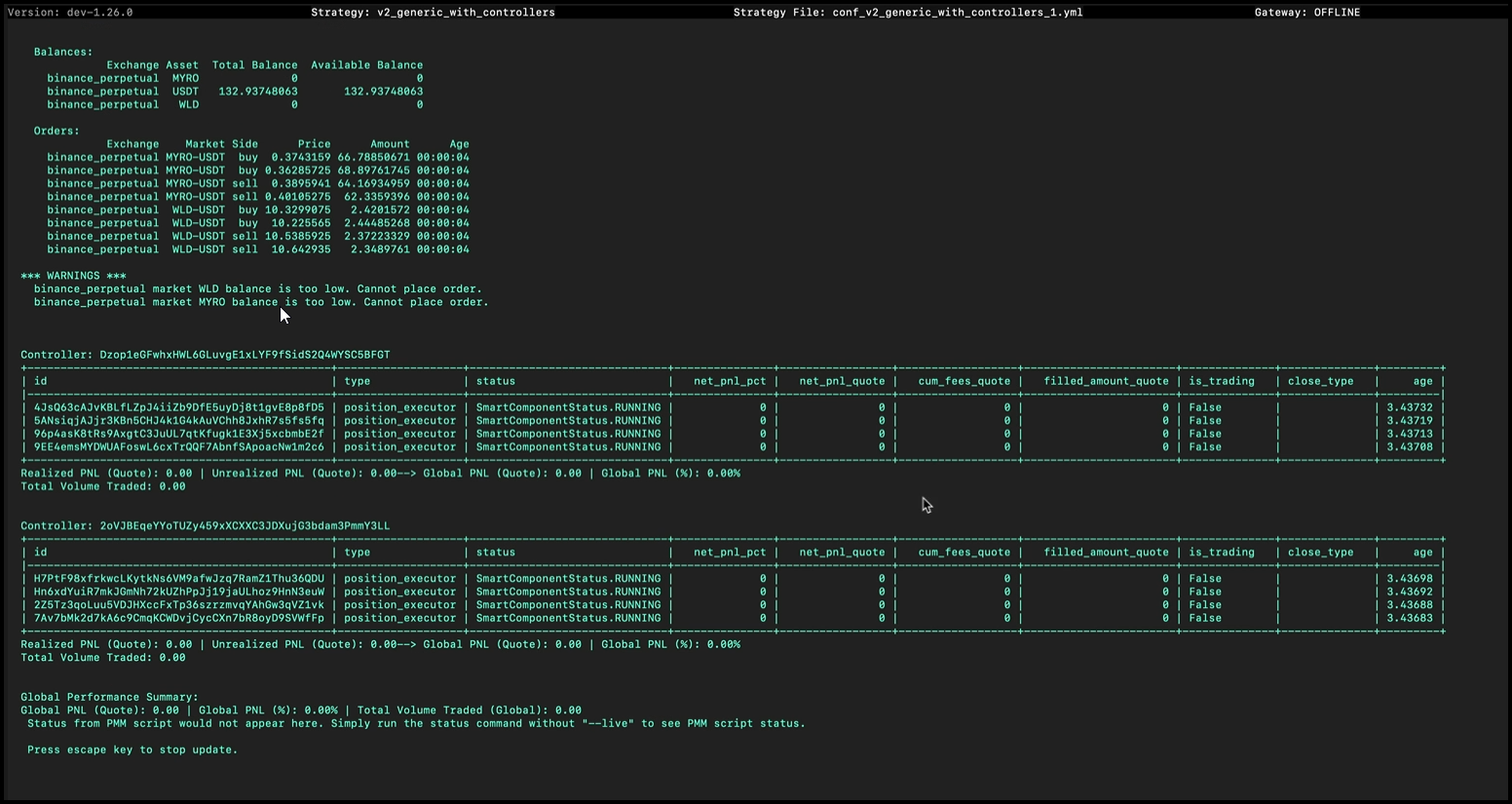
Max Order Age - Hummingbot
URL: https://hummingbot.org/strategy-configs/max-order-age/
Contents:
- Max Order Age
- How it works
- Sample configuration
- Max order age with order refresh tolerance
- Max order age with hanging orders
- Why max order age is important in liquidity mining?
Released on version 0.34.0
By default, the parameter is set to 1800 seconds.
To reconfigure, run the command config max_order_age and set the desired value in seconds.
The max_order_age parameter allows you to set a specific duration when resetting your order's age. It refreshes your orders and automatically creates an order based on the spread and movement of the market. Also, hanging orders remain as hanging orders.
We can set the maximum age of an order before it refreshes back to the set spread and amount. The example below shows that it refreshed the order's age before order_refresh_time was triggered because max_order_age was set to 20 seconds.
Setting our max_order_age at a lower time than order_refresh_time refreshes our orders based on the last spread and value.
Now try out a configuration without max order age, and let's enable order refresh tolerance.
The orders are not canceling because it is within the 0.1% order refresh tolerance percentage even though the order refresh time is 30 seconds.
Now add max order age to the config.
The max_order_age parameter tried to refresh the order but order_refresh_tolerance_pct kicked in. That's why the order was canceled, and the bot created a new order because it reached the threshold of 0.02%.
Max order age respects hanging orders and refreshes the orders but does not cancel active hanging orders. See the example below.
The hanging orders were not canceled and were only refreshed when max_order_age was triggered.
Suppose you are participating in the HARD-USDT campaign with an order refresh time of 30 minutes. Max order age refreshes depending on what you set it on as long as it is lower than the order refresh time. When participating in liquidity mining, outstanding orders that reach the 30-minute mark are not subject to rewards. Therefore, it is best to use the parameter to refresh the orders' age to be eligible for rewards.
Examples:
Example 1 (unknown):
bid_spread : 0.50
ask_spread : 0.50
max_order_age : 20.0
order_refresh_time : 60.0
Example 2 (unknown):
bid_spread : 0.50
ask_spread : 0.50
order_refresh_tolerance_pct: 0.1
order_refresh_time : 60.0
Example 3 (unknown):
bid_spread : 0.50
ask_spread : 0.50
order_refresh_tolerance_pct: 0.02
max_order_age: 15.0
order_refresh_time : 30.0
Example 4 (unknown):
ask_spread: 0.3
bid_spread: 0.3
order_refresh_time: 60
max_order_age: 30
hanging_order_enabled: True
AMM Arbitrage - Hummingbot
URL: https://hummingbot.org/strategies/amm-arbitrage
Contents:
- amm_arb
- 📁 Strategy Info
- 📝 Summary
- 🏦 Supported Exchange Types
- 🛠️ Strategy configs
- 📓 Description
- ℹ️ More Resources
This strategy monitors prices between a trading pair (market_1) on a SPOT AMM DEX versus another trading pair (market_2) on another SPOT AMM CEX or SPOT CLOB DEX in order to identify arbitrage opportunities. It executes offsetting buy and sell orders in both markets in order to capture arbitrage opportunities with profitability higher than min_profitability, net of transaction costs, which include both blockchain transaction fees (gas) and exchange fees.
See Trading logic to understand how the strategy works.
How to arbitrage AMMs like Uniswap and Balancer: Learn how you can Arbitrage AMMs with our strategy
Quickstart Guide for amm_arb (deprecated): This guide will walk you through the installation and launch of the new amm_arb strategy
Executors - Hummingbot
URL: https://hummingbot.org/v2-strategies/executors/
Contents:
- Executors
- Types of Executors
- Benefits of Executors
- Executor Orchestrator
- Key Features and Operations
Executors in Hummingbot are self-managing components that handle the execution of orders according to predefined conditions set by Controllers, which, in turn, utilize data from the MarketDataProvider (Candles, Orderbook, Trades). Executors are tasked with managing the state of orders — initiating, refreshing, and canceling orders, as well as halting their own operation when certain conditions are met.
The ExecutorOrchestrator serves as a utility class that enables trading strategies to dynamically create, stop, and manage executors, which are specialized units responsible for executing trading activities such as placing and managing orders.
Initialization: The ExecutorOrchestrator is initialized with a reference to the trading strategy (strategy) and an update interval (executors_update_interval). This setup allows it to periodically update and manage executors based on the strategy's requirements.
Executor Management: It maintains a dictionary of executors, where each executor is associated with a controller ID. This structure facilitates the organization and retrieval of executors for management purposes.
Action Execution: The orchestrator can execute various actions (ExecutorAction) such as creating, stopping, and storing executors. Actions are processed either individually or in batches, allowing for flexible execution management.
Creating Executors: Based on the CreateExecutorAction, it can instantiate different types of executors (e.g., PositionExecutor, DCAExecutor, ArbitrageExecutor) with specific configurations. This allows strategies to deploy diverse trading tactics dynamically.
Stopping Executors: Using the StopExecutorAction, it can gracefully stop executors, ensuring that any ongoing operations are properly concluded before termination.
Storing Executors: The StoreExecutorAction enables the orchestrator to store executor data, facilitating persistence and analysis of executor performance over time.
Performance Reporting: The orchestrator can generate detailed performance reports for individual controllers or globally across all controllers. These reports include metrics such as realized and unrealized P&L (Profit and Loss), trading volume, and the distribution of close types, providing insights into the effectiveness of the trading strategy and its executors.
Pure Market Making (PMM) - Hummingbot
URL: https://hummingbot.org/strategies/pure-market-making/
Contents:
- pure_market_making
- 📁 Strategy Info
- 📝 Summary
- 🏦 Supported Exchange Types
- 🛠️ Strategy configs
- 📓 Description
- Architecture
- Refreshing Orders
- Executing Order Proposals
- Example Order Flow
This strategy allows Hummingbot users to run a market making strategy on a single trading pair on a spot exchanges.
It places limit buy (bid) and limit sell (ask) orders on the order book at prices relative to the mid-price with spreads equal to bid_spread and ask_spread. Every order_refresh_time seconds, the strategy replaces existing orders with new orders with refreshed spreads and order amounts.
In addition, the strategy contains a number of parameters to enable traders to control how orders are placed relative to their inventory position, use prices from a different order book, etc.
The description below is a general approximation of this strategy. Please inspect the strategy code in Trading Logic above to understand exactly how it works.
The built-in pure market making strategy in Hummingbot periodically requests limit order proposals from configurable order pricing and sizing plugins, and also periodically refreshes the orders by cancelling existing limit orders.
Here's a high level view of the logic flow inside the built-in pure market making strategy.
The pure market making strategy operates in a tick-by-tick manner. Each tick is typically 1 second, although it can be programmatically modified to longer or shorter durations.
At each tick, the pure market making strategy would first query the order filter plugin whether to proceed or not. Assuming the answer is yes, then it'll query the order pricing and sizing plugins and calculate whether and what market making orders it should emit. At the same time, it'll also look at any existing limit orders it previously placed on the market and decide whether it should cancel those.
The process repeats over and over at each tick, causing limit orders to be periodically placed and cancelled according to the proposals made by the order pricing and sizing plugins.
For each limit order that was emitted by the pure market making strategy, an expiry timestamp would be generated for that order and the order will be tracked by the strategy. The time until expiry for new orders is configured via the order_refresh_time parameter.
After an order's expiration time is reached, the pure market making strategy will create a cancel order proposal for that order.
After collecting all the order pricing, sizing and cancel order proposals from plugins and the internal refresh order logic - the pure market making strategy logic will merge all of the proposals and execute them.
Below is a hypothetical example of how the pure market making strategy works for a few clock ticks.
This cycle of order creation and order cancellation will repeat again and again for as long as the strategy is running. If a limit order is completely filled by a market order, the strategy will simply refresh it at the next clock tick.
What is market making?: A blog post that explains the basics of market making.
How to set up a simple pure market making bot on Binance: Learn how to create pure market making bot on Binance exchange.
Trader Sharing: Pure Market Making with cgambit: Eagle Club member and top Hummingbot Miner earner cgambit shares his tips and insights on pure market making.
Pure Market Making (PMM) Strategy: Use Pure Market Making Strategy but set dynamic bid/ask orders based on TradingView indicators which trigger alerts to Telegram and change the bid/ask orders using inventory skew or spreads-adjusted.
Check out Hummingbot Academy for more resources related to this strategy and others!
Strategies - Hummingbot
URL: https://hummingbot.org/strategies
Contents:
- Strategies
- What is a Hummingbot Strategy?
- Strategies V2
- Strategies V1
- Learn Algo Trading and Market Making
Like a computer program, an algorithmic trading strategy is a set of automated processes that executes repeatedly:
A Hummingbot strategy loads market data directly from centralized and decentralized exchanges, adaptable to the unique features of each trading venue's WebSocket/REST APIs and nodes.
Each clock tick, a strategy loads real-time order book snapshots, user balances, order status and other real-time data from trading pairs on these venues and executes the logic defined in the strategy, parametrized by a pre-defined user configuration.
To run a strategy, a user selects a strategy template, defines its input parameters in a Config File, and starts it with the start command in the Hummingbot client or via the command line with Strategy Autostart.
Starting in 2023, Hummingbot Foundation began to iteratively introduce a new framework, called Strategy V2. The new framework allows you to build powerful, dynamic strategies using Lego-like components. To learn more, check out Architecture.
There are two current ways that Hummingbot strategies can be defined:
Scripts: A simple Python file that contains all strategy logic. We recommend starting with a script if you want a simple way to prototype your strategy.
Controllers: Strategy logic is abstracted into a Controller, which may use Executors and other components for greater modularization. Controllers can be backtested and deployed using Dashboard, and a single loader Script may deploy and manage multiple Controller configurations.
Controllers are designed to add another layer of abstraction and circumvent the limit of Hummingbot to only run one strategy per bot instance. You can think of that as the most powerful and advanced setup that Hummingbot currently provides.
This table may help you decide whether to use a Script or Controller for your strategy:
When it launched in 2019, Hummingbot pioneered the concept of configurable templates for algo trading strategies, such as market making strategies based on the Avellaneda & Stoikov paper.
Initially, these strategies were confined to individual bots, complicating the management and scaling across various scenarios, and they lacked the capability to use historical market data, which forced traders to rely solely on real-time data. Furthermore, technical barriers, such as a deep prerequisite knowledge of foundational classes and Cython, hindered easy access to market data, while limited backtesting tools restricted evaluations against historical data.
Users can access these strategy templates at the Strategies V1 page.
To gain a deeper understanding of Hummingbot strategies along with access to the latest Hummingbot framework updates, check out Botcamp, the official training and certification for Hummingbot.
Operated by the people behind Hummingbot Foundation, Botcamp offers bootcamps and courses that teach you how to design and deploy advanced algo trading and market making strategies using Hummingbot's Strategy V2 framework.
Start Strategies and Scripts - Hummingbot
URL: https://hummingbot.org/client/start-stop
Contents:
- Start and Stop Strategy
- Starting a strategy
- Stop a running strategy
- Strategy Autostart
- Docker Autostart
- Prerequisites
- How to Configure Docker Autostart
- Source Installation Autostart
- Prerequisites
- How to Configure Source Autostart
After creating or importing a config file, use the start command to run the strategy.
Run stop command to stop the running strategy. Doing this will also cancel all active orders.
Hummingbot can automatically start the execution of a previously configured trading strategy upon launch without needing user interaction. This feature works with both regular and headless modes.
Stop any running containers docker compose down
Modify docker-compose.yml
Edit the environment section to include:
This will start Hummingbot in detached mode (running in the background).
You should see your Hummingbot container running with the configured strategy.
When you attach, the strategy should already be running. To detach without stopping the container, use Ctrl+P followed by Ctrl+Q.
Use the following command:
Running any trading bots without manual supervision may incur additional risks. It is imperative that you thoroughly understand and test the strategy and parameters before deploying bots that can trade in an unattended manner.
Hummingbot can run in headless mode, which allows the bot to operate without the interactive CLI interface. This is particularly useful for deploying bots to cloud services or running multiple instances programmatically.
--headless: Enables headless mode
-p PASSWORD: Your Hummingbot password
-f CONFIG_FILE_NAME: Strategy config file (.yml) or script file (.py)
-c SCRIPT_CONFIG: (Optional) Configuration file for scripts
You can also use environment variables, which is especially useful for Docker deployments:
MQTT is Required: Without a CLI interface, MQTT is the only way to:
Monitor bot status and performance
View logs and error messages
Stop the bot or modify parameters
Receive alerts and notifications
Use with Hummingbot API: We strongly recommend using headless mode alongside the Hummingbot API for:
Managing multiple bot instances
Real-time monitoring and control
Automated deployment and scaling
Integration with other systems
Logging: In headless mode, logs are still written to files, but you won't see them in real-time unless you're monitoring via MQTT or viewing log files directly.
You can auto-start either:
Scripts: Python files (.py) containing all strategy logic. Hummingbot looks for these in the scripts directory
Strategies: Configurable strategy templates with YAML config files (.yml). Hummingbot looks for these in the conf/strategies directory
Test Thoroughly: Always test your strategies in paper trading mode before running them unattended
Set Appropriate Limits: Configure kill switches, balance limits, and other safety parameters
Monitor Regularly: Even in headless/autostart mode, regularly check logs and performance
Use MQTT/API: Set up proper monitoring through MQTT or Hummingbot API for real-time alerts
Secure Your System: Ensure your deployment environment is secure, especially when running with autostart
Examples:
Example 1 (unknown):
docker compose down
Example 2 (unknown):
environment:
  - CONFIG_PASSWORD=password
  - CONFIG_FILE_NAME=simple_pmm_example.py
  - SCRIPT_CONFIG=conf_simple_pmm_example_config_1.yml  # Optional for scripts
  - HEADLESS_MODE=true  # Optional: Enable headless mode
Example 3 (unknown):
docker compose up -d
Example 4 (unknown):
docker attach hummingbot
Architecture - Hummingbot
URL: https://hummingbot.org/v2-strategies
Contents:
- Architecture
- Components
- Inheritance
- Strategy Guides
The most important components to understand are:
One important information before we delve into the details of each strategy type and when to use which is to understand that they are all built on top of each other.
If we have a quick look together at the inheritance hierarchy this becomes obvious:
Please make sure to keep the inheritance structure in mind as this helps you a lot in learning how to code your own custom strategies.
Check out Walkthrough - Script and Walkthrough - Controller to learn how to create strategies.
Scripts - Hummingbot
URL: https://hummingbot.org/scripts
Contents:
- Scripts
- Script Examples
- Configuration Files
- Base Classes
- Script Architecture
- Adding Config Parameters
- on_tick Method
- format_status Method
Scripts are the entry point for Hummingbot strategies. Standalone scripts let new users automate basic trading actions and implement simple versions of Humminggbot strategies.
They also enable Hummingbot users to build customized strategies using the Strategy V2 framework, and access the full power of Hummingbot exchange connectors in a few lines of Python code.
Should your script run into an error, it's crucial that you exit Hummingbot entirely, correct or debug the faulty script, and then restart Hummingbot. The stop command won't rectify the issue in case of an error. To get back on track, a complete shutdown and subsequent relaunch of Hummingbot is required.
For more info, see the Script Walkthrough. This detailed walkthrough shows you how to run a simple directional algo trading strategy.
See Script Examples for a list of the current sample scripts in the Hummingbot codebase. These examples show you how to:
We welcome new sample script contributions from users! To submit a contribution, please follow the Contribution Guidelines.
Scripts can be created both with and without config files.
To create a configuration file for your script, execute:
This command auto-completes with scripts from the local /scripts directory that are configurable. You'll be prompted to specify strategy parameters, which are then saved in a YAML file within the conf/scripts directory. To run the script, use:
Auto-complete will suggest config files from the local /conf/scripts directory.
Scripts that use the Strategy V2 framework inherit from the StrategyV2Base class. These scripts allow the user to create a config file with parameters.
Other scripts, including simple examples and older scripts, inherit from the ScriptStrategyBase class. These scripts define their parameters in the script code and do not expose config parameters.
The entry point for StrategyV2 is a Hummingbot script that inherits from the StrategyV2Base class.
This script fetches data from the Market Data Provider and manages how each Executor behaves. Optionally, it can load a Controller to manage the stategy logic instead of defining it in within the script. Go through the Walkthrough to learn how it works.
See Sample Scripts for more examples of StrategyV2-compatible scripts.
To add user-defined parameters to a StategyV2 script, add a configuration class that extends the StrategyV2ConfigBase class in StrategyV2Base class.
This defines a set of configuration parameters that are prompted to the user when they run create to generate the config file. Only questions marked prompt_on_new are displayed.
Afterwards, these parameters are stored in a config file. The script checks this config file every config_update_interval (default: 60 seconds) and updates the parameters that it uses in-flight.
This method acts as the strategy's heartbeat, is called regularly, and allows the strategy to adapt to new market conditions in real time.
This overrides the standard status function and provides a formatted string representing the current status of the strategy, including the name, trading pair, and status of each executor.
Users can customize this function to display their custom strategy variables.
Examples:
Example 1 (unknown):
create --script-config [SCRIPT_FILE]
Example 2 (unknown):
start --script [SCRIPT_FILE] --conf [SCRIPT_CONFIG_FILE]
Example 3 (unknown):
class StrategyV2ConfigBase(BaseClientModel):
    """
    Base class for version 2 strategy configurations.
    """
    markets: Dict[str, Set[str]] = Field(
        default="binance_perpetual.JASMY-USDT,RLC-USDT",
        client_data=ClientFieldData(
            prompt_on_new=True,
            prompt=lambda mi: (
                "Enter markets in format 'exchange1.tp1,tp2:exchange2.tp1,tp2':"
            )
        )
    )
    candles_config: List[CandlesConfig] = Field(
        default="binance_perpetual.JASMY-USDT.1m.500:binance_perpetual.RLC-USDT.1m.500",
        client_data=ClientFieldData(
            prompt_on_new=True,
            prompt=lambda mi: (
                "Enter candle configs in format 'exchange1.tp1.interval1.max_records:"
                "exchange2.tp2.interval2.max_records':"
            )
        )
    )
    controllers_config: List[str] = Field(
        default=None,
        client_data=ClientFieldData(
            is_updatable=True,
            prompt_on_new=True,
            prompt=lambda mi: "Enter controller configurations (comma-separated file paths), leave it empty if none: "
        ))
    config_update_interval: int = Field(
        default=60,
        gt=0,
        client_data=ClientFieldData(
            prompt_on_new=False,
            prompt=lambda mi: "Enter the config update interval in seconds (e.g. 60): ",
        )
    )
Example 4 (python):
def on_tick(self):
    for executor_handler in self.executor_handlers.values():
        if executor_handler.status == ExecutorHandlerStatus.NOT_STARTED:
            executor_handler.start()
URL: https://hummingbot.org/assets/img/pmm_simple.png
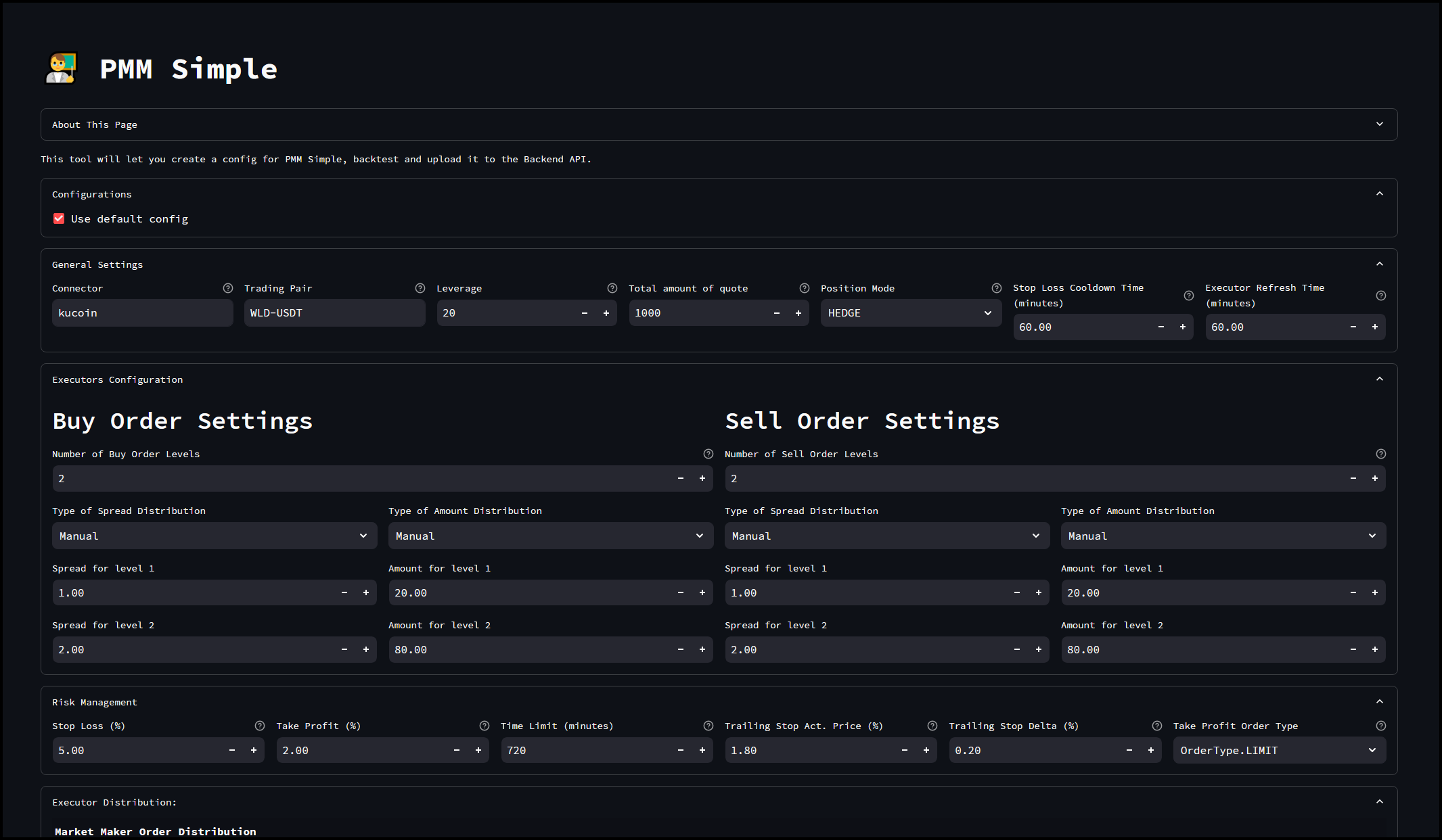
Strategies & Snippets - Hummingbot
URL: https://hummingbot.org/gateway/strategies/
Contents:
- Strategies & Snippets
- Available Scripts and Strategies
- Code Snippets
- Data Feed
- Connect Market
- Get Price
- Get Balance
- Place Order
- Get LP Position Info
- Add Liquidity
Gateway enables sophisticated trading strategies on decentralized exchanges through Hummingbot. This page lists available Gateway-compatible strategies/scripts along with commonly used code snippets.
The following table lists Gateway-compatible scripts and strategies available in the Hummingbot repository. All links point to the development branch where the latest versions are maintained.
The following code snippets demonstrate common Gateway operations in Hummingbot scripts and strategies.
Examples:
Example 1 (unknown):
amm_data_feed = AmmGatewayDataFeed(
            connector="jupiter/router",
            trading_pairs={"SOL-USDC","JUP-USDC"}
            order_amount_in_base=Decimal("1.0")
        )
Example 2 (python):
@classmethod
def init_markets(cls):
        cls.markets = {"jupiter/router": {"SOL-USDC"}}

def __init__(self, connectors: Dict[str, ConnectorBase]):
        super().__init__(connectors)
Example 3 (unknown):
current_price = await self.connectors["jupiter/router"].get_quote_price(
                    trading_pair="SOL-USDC",
                    is_buy=True,
                    amount=Decimal("1.0"),
                )
Example 4 (unknown):
connector = self.connectors["jupiter/router"]
await connector.update_balances(on_interval=False)
balance = connector.get_balance("SOL")
XEMM Executor - Hummingbot
URL: https://hummingbot.org/v2-strategies/executors/xemm-executor/
Contents:
- XEMM Executor
- Key Components:
- Key Functions:
- Conclusion:
The XEMMExecutor is an implementation of a Cross-Exchange Market Making (XEMM) execution strategy within the Hummingbot trading framework. This strategy exploits price discrepancies between different exchanges (or different markets within the same exchange) by simultaneously buying and selling equivalent assets to capture arbitrage opportunities. Below is an overview of the key components and functionalities of the XEMMExecutor class:
Class Inheritance and Initialization: The XEMMExecutor class inherits from ExecutorBase, indicating it's a specialized form of executor tailored for XEMM operations. It initializes with a strategy, configuration, update interval, and maximum retries.
Logging: Utilizes Hummingbot's logging mechanism for recording detailed information, warnings, and errors.
Configuration and Validation: Accepts a XEMMExecutorConfig object as configuration, which outlines the parameters for the XEMM strategy such as buying and selling markets, trading pairs, and the side of the market making (maker). It validates whether the trading pairs across the exchanges are interchangeable for arbitrage purposes.
Order Management: - Validates sufficient balance before initiating trades. - Dynamically manages and updates maker and taker orders based on profitability and market conditions. - Responds to order lifecycle events like creation, completion, and failure, ensuring robust handling and recovery from unexpected market movements.
Control Task: An asynchronous control task (control_task) that manages order creation, price updates, and the shutdown process, ensuring that operations adhere to the strategy’s parameters.
Arbitrage Validation: Ensures that the configured trading pairs are suitable for arbitrage, checking token interchangeability and market conditions.
Profitability Calculations: Computes and updates transaction costs, target prices, and profitability thresholds to make real-time trading decisions.
_are_tokens_interchangeable: Checks if two tokens can be considered equivalent for trading, which is crucial for identifying valid arbitrage opportunities.
validate_sufficient_balance: Ensures there is enough balance to place the initial orders.
control_task: Oversees the entire trading operation, including updating prices, managing orders, and handling executor shutdown.
create_maker_order and control_update_maker_order: Manage the lifecycle of the maker order based on current market prices and order status.
Event Handling Methods: Includes process_order_created_event, process_order_failed_event, and process_order_completed_event to manage responses to specific order-related events.
The XEMMExecutor class is crafted to facilitate automated trading that capitalizes on price inefficiencies across different trading venues. It incorporates sophisticated logic for real-time decision-making, order management, and profitability calculation, making it a vital component of the Hummingbot framework for advanced arbitrage strategies.
DCA Executor - Hummingbot
URL: https://hummingbot.org/v2-strategies/executors/dcaexecutor/
Contents:
- DCA Executor
- Initialization
- Spot vs Perpetual Behavior
- Configuration
- Execution Flow
- Conclusion
DCAExecutor: Manages the execution of Dollar Cost Averaging (DCA) strategies, allowing users to spread their investment across multiple orders over time to reduce the impact of volatility. It's designed for use in both spot and perpetual markets.
The DCAExecutor class implements a Dollar Cost Averaging strategy, which is a popular method for mitigating the impact of volatility by spreading purchases or sales over time.
The DCA strategy is simple yet effective, involving the execution of orders at regular intervals regardless of the asset's price. This approach can lead to a lower average cost per share or unit over time, making it a favored strategy for long-term investors.
The DCAExecutor class is versatile, designed to operate on both spot and perpetual exchanges. This allows for the implementation of DCA strategies across different market types:
The DCAExecutor engages with the market by executing orders based on the DCAExecutorConfig. It applies the DCA strategy as follows:
Here's a simplified flow of how the DCAExecutor operates:
The DCAExecutor is an essential component within Hummingbot for traders and investors looking to implement Dollar Cost Averaging strategies. By automating the execution of DCA orders, it simplifies the process of spreading out investments over time, which can help in managing the risks associated with market volatility. Whether for accumulating a position in a bullish market or distributing assets in a bearish scenario, the DCAExecutor provides a disciplined approach to market entry and exit.
Examples:
Example 1 (python):
def create_dca_order(self, level: int):
        """
        This method is responsible for creating a new DCA order
        """
        price = self.config.prices[level]
        amount = self.config.amounts_quote[level] / price
        order_id = self.place_order(connector_name=self.config.exchange,
                                    trading_pair=self.config.trading_pair, order_type=self.open_order_type,
                                    side=self.config.side, amount=amount, price=price,
                                    position_action=PositionAction.OPEN)
        if order_id:
            self._open_orders.append(TrackedOrder(order_id=order_id))
Example 2 (unknown):
type = "dca_executor"
    exchange: str
    trading_pair: str
    side: TradeType
    leverage: int = 1
    amounts_quote: List[Decimal]
    prices: List[Decimal]
    take_profit: Optional[Decimal] = None
    stop_loss: Optional[Decimal] = None
    trailing_stop: Optional[TrailingStop] = None
    time_limit: Optional[int] = None
    mode: DCAMode = DCAMode.MAKER
    activation_bounds: Optional[List[Decimal]] = None
1.26.0 - Hummingbot
URL: https://hummingbot.org/release-notes/1.26.0/
Contents:
- Hummingbot v1.26.0 Release Notes
- Introduction
- How to Update
- Docker
- Source
- Monthly Community Call
- Improvements to Strategy V2 Framework
- New TWAPExecutor Component
- New CEX Connectors: OKX Perpetual, Kraken, Bitrue
- New DEX/Chain Connector: Osmosis
Released on March 26, 2024
We're delighted to unveil Hummingbot version 1.26.0! This release features a huge refactor to the Strategies V2 framework. We've significantly streamlined and simplified the architecture, updated the documentation and strategy examples, and added a new TWAPExecutor component that helps users execute trades while minimizing market impact.
Also New in This Release
Clone the latest hummingbot/deploy-examples repository and use the hummingbot-update.sh script under the /bash_scripts folder.
Alternatively, run the following command to pull the latest Docker image:
Update your Hummingbot branch to this release by running:
Join the next community call on Discord to learn about the new features in this release and other Hummingbot news:
For more community events, check out the Hummingbot Events Calendar.
We refactored the new Strategy V2 framework to make it simpler and more scalable.
Now, the new Market Data Provider provides a single, unified point of access to a market's data, including historical candles, trades, and real-time order book data. Multiple controllers running individual sub-strategies can share this data and use it to control sophisticated, automated Executors.
Check out the new Strategy V2 docs for detailed walkthroughs, sample strategies, and more!
This component is still in beta and there may be some issues when using it. For more information on the reported issues or if you want to report a bug please submit them to our Github - Issues page
TWAPExecutor is a new Strategy V2 component that can be used by itself or combined with other components. It programmatically executes orders at regular time intervals, helping you achieve a time-weighted average price for rebalancing and other purposes.
We're excited to introduce three connectors to the codebase. All were built by community developers with funding provided by approved Hummingbot Improvement Proposals:
OKX Perpetual: New connector to OKX perpetual futures markets. See pull request #6848 and thanks to tomasgaudino for this contribution! 🙏
Kraken: Updated connector to Kraken spot markets. See pull request #6840 and thanks to yancong001 for this contribution! 🙏
Bitrue: New connector to Bitrue spot markets. See pull request #6843 and thanks to CoinAlpha for this contribution! 🙏
Osmosis is a decentralized exchange (DEX) built on the Cosmos blockchain, emphasizing interoperability and user sovereignty. It stands out for its advanced features, such as superfluid staking and liquidity pools with customizable parameters, allowing users to tailor their trading and staking strategies. Osmosis facilitates cross-chain transactions through the Inter-Blockchain Communication (IBC) protocol, enabling seamless swaps across a growing ecosystem of interconnected blockchains.
For more information, see the Osmosis and Chain Connectors - Osmosis for the respective DEX and chain documentation pages.
Snapshot Proposal: https://snapshot.org/#/hbot-ncp.eth/proposal/0x2e159b270c17ac68f47774a7dc6741aab48b638274cfc6519d38b1847351901a
Thanks to nkhrs and chasevoorhees for their significant contribution to this integration! 🙏
In the last release, we introduced Connector Guides, step-by-step instructions that show users how to generate credentials on various centralized and decentralized exchanges and how to use them with Hummingbot.
This release introduces three new guides:
We encourage community members to contribute more connector guides to https://github.com/hummingbot/hummingbot-site!
Examples:
Example 1 (unknown):
docker pull hummingbot/hummingbot:latest
Example 2 (unknown):
git pull origin master
Tutorial - Hummingbot
URL: https://hummingbot.org/developers/strategies/tutorial/
Contents:
- Tutorial
- What you'll learn
- Getting started
- Create a strategy
- Strategy files
- init.py
- limit_order_config_map.py
- start.py
- limit_order.py
- conf_limit_order_strategy_TEMPLATE.yml
This tutorial is intended to get you familiarized with the basic concepts of creating a basic Hummingbot strategy that executes a simple limit order.
By the end of this tutorial, you should:
Follow the instructions in Installation and install Hummingbot from source. If the installation was successful, you should see the Hummingbot welcome screen afterwards:
Let’s create a simple LimitOrder strategy that places a limit order!
For the purposes of this article, we assume that you have installed Hummingbot in a directory ~/hummingbot-instance. From that directory, navigate to the strategy directory that contains all the strategies. Each sub-folder is a different strategy. cd ~/hummingbot-instance cd hummingbot/strategy In this directory, create a limit_order folder which will contain the files for our strategy: mkdir limit_order cd limit_order
Next, go into the folder and create the four files that we need for our strategy: touch init.py limit_order_config_map.py limit_order.py start.py
Each of these files has a specific purpose and naming convention. See the Developer Tutorial to learn more about the file structure and naming conventions for different strategies.
Lastly, we also need to create a strategy configuration template, which defines the user-configurable parameters defined by the strategy. Like the strategy files and folders, the template file name also follows a convention.
Let’s look at these files individually.
The init file exposes your strategy. Paste the following code into the file using a code editor: # Initializing the project from .limit_order import LimitOrder all = [limit_order]
Here, the all field is used to expose the public module LimitOrder for use.
The config map file sets the user prompts to set the strategy parameters. The naming convention for this file is {strategy_name}_config_map.py.
Use the following code in your config map file: from hummingbot.client.config.config_var import ConfigVar # Returns a market prompt that incorporates the connector value set by the user def market_prompt() -> str: connector = limit_order_config_map.get("connector").value return f'Enter the token trading pair on {connector} >>> ' # List of parameters defined by the strategy limit_order_config_map ={ "strategy": ConfigVar(key="strategy", prompt="", default="limit_order", ), "connector": ConfigVar(key="connector", prompt="Enter the name of the exchange >>> ", prompt_on_new=True, ), "market": ConfigVar( key="market", prompt=market_prompt, prompt_on_new=True, ), } The parameters in this file are mapped as key-value pairs. Each field uses a ConfigVar method to accept parameters. ConfigVar is a variable that you can use to control the trading behavior of the bot.
The key parameter identifies the field, while the prompt parameter lets you choose the prompt message. If you include prompt_on_new, the prompt will be asked each time the user creates a new strategy. Otherwise, it will only be displayed when the user configures the parameter with config.
In the above example, the strategy field identifies the trading strategy: LimitOrder. Similarly, we use connector field to prompt for the name of the exchange, and the market field to prompt for trading pair that you want to trade. Note that the prompt for market uses a function which uses the value for connector set by the user in the previous question.
Additionally, you can supply validators as parameters to ensure only accepted values are entered, and you can use the default parameter to supply a default value to the parameters. See the ConfigVar file for all the ways that you can set strategy parameters.
The start file initializes the configuration for a strategy. Paste the following code into the file:
In the above code, the connector variable stores the exchange name, whereas the market variable stores the trading pair. These variables fetch the required values from the config map file, which we defined in the previous step.
Similarly, the MarketTradingPairTuple object accepts the exchange name, trading pair, base asset and quote asset for as its parameters.
This information allows us to initialize the LimitOrder object.
The strategy file defines its behavior. Paste the following code into the file:
Check out the MarketTradingPairTuple class for more methods to add to your bot.
Both StrategyPyBase class and buy_with_specific_market method derive from the strategy base class. To learn more about other methods you can use using the class, visit Strategy_base.
Lastly, we also need an additional file inside the templates folder, which acts as a placeholder for the strategy parameters. First, let’s navigate to the templates folder and create the file. Run the following commands. cd ~/hummingbot-instance cd hummingbot/templates touch conf_limit_order_strategy_TEMPLATE.yml
Add the following code to this file: template_version: 1 strategy: null connector: null market: null
The template filename convention is conf_{strategy_name}_strategy_TEMPLATE.yml.
Now that we have created a new trading strategy let’s run it in paper trading mode!
First, let’s recompile the code. It's good practice to recompile the code every time you make changes to rebuild any altered Cython code. cd ~/hummingbot-instance ./compile Now, start Hummingbot: ./start
Your Hummingbot UI comprises three sections:
Follow the steps below to use the strategy we have created.
Run start to run your bot in paper trading mode. You should see the following log messages:
You can also run the history command to see the results of the trade:
Congratulations - you have just created your first trading bot! This bot is very simple but should provide the foundation for you to experiment further. Can you prompt the user to change the order amount or trade type, or chain a series of trades?
Before you know it, you will be creating complex trading strategies combining different exchanges with Hummingbot! To learn more about creating Hummingbot strategies, check out our Developer Tutorial.
Examples:
Example 1 (unknown):
cd ~/hummingbot-instance
cd hummingbot/strategy
Example 2 (unknown):
mkdir limit_order
cd limit_order
Example 3 (unknown):
touch __init__.py limit_order_config_map.py limit_order.py start.py
Example 4 (python):
# Initializing the project
from .limit_order import LimitOrder
__all__ = [limit_order]
URL: https://hummingbot.org/v2-strategies/diagrams/15.png
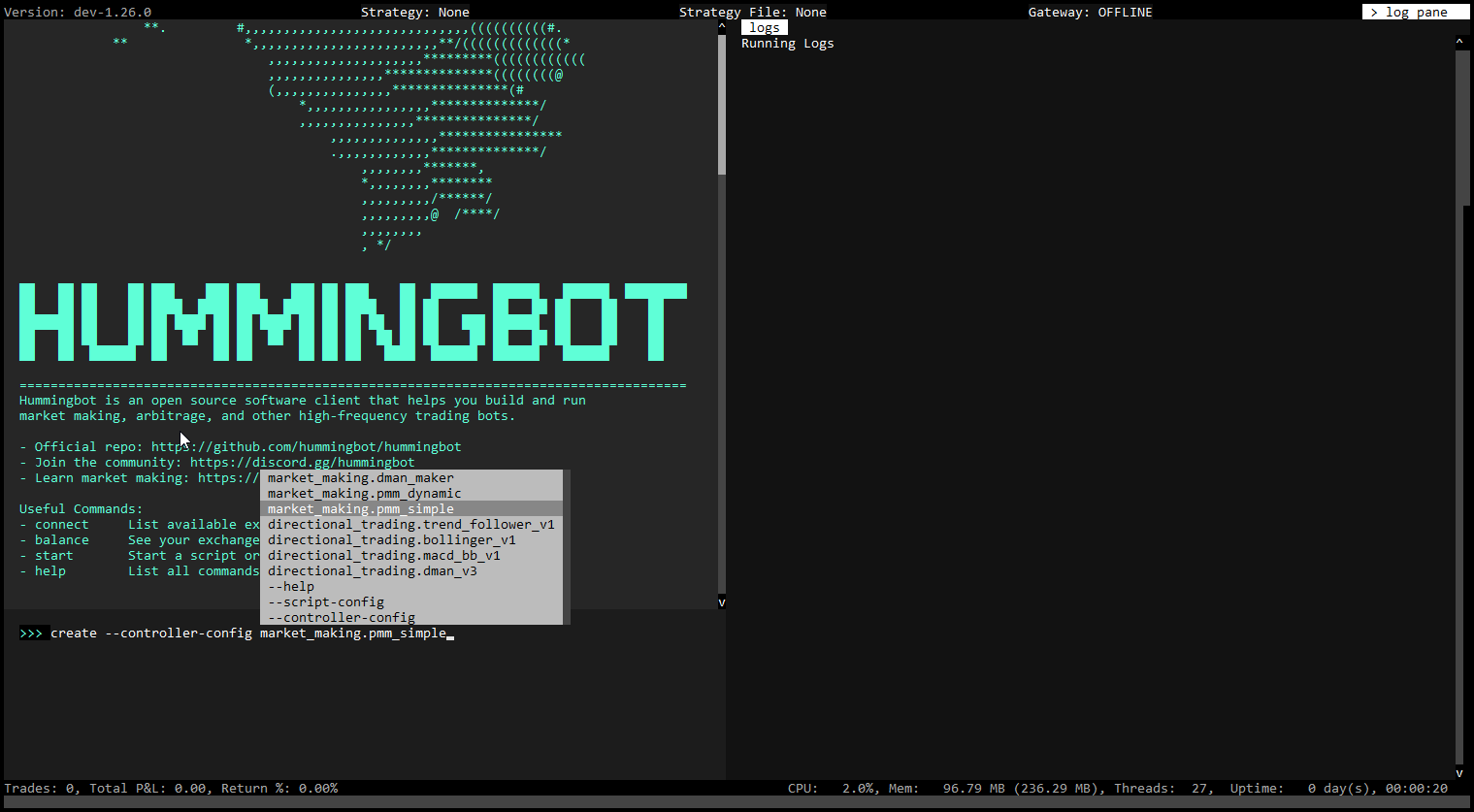
Hedge - Hummingbot
URL: https://hummingbot.org/strategies/hedge
Contents:
- hedge
- 📁 Strategy Info
- 📝 Summary
- 🏦 Exchanges supported
- 🛠️ Strategy configs
- 📓 Description
- ℹ️ More Resources
This strategy allows you to hedge a market making strategy by automatically opening an opposite positions on another perp exchange or spot exchange. Configs like hedge_ratio allow you to customize how much to hedge. Users are expected to run this strategy alongside another market making strategy.
This strategy was the winning submission in the dYdX hackathon.
The description below is a general approximation of this strategy. Please inspect the strategy code in Trading Logic above to understand exactly how it works.
By leastchaos - see original pull request
This strategy contains 2 mode of hedging.
The strategy will hedge by amount by calculating the amount to hedge by each asset. The amount of asset to hedge is calculated by the following formula: for each asset in the hedge market pair, amount_to_hedge = sum of asset amount with the same base asset * hedge_ratio + hedge asset amount The amount of asset to hedge must be greater than the minimum trade size to be traded.
The strategy will hedge by value by calculating the amount of asset to hedge. The amount of asset to hedge is calculated by the following formula: amount_to_hedge = sum of asset value of all market pairs * hedge_ratio + hedge asset value The amount of asset to hedge must be greater than the minimum trade size to be traded.
On every hedge_interval seconds,
Sample Use Case Examples
For E.g, there might be some correlation for some basket of tokens (FEAR, ODDZ, DAFI (random examples only)) with ETH prices. So you can choose to hedge the value of this basket token you hold with a short position on ETH to reduce the inventory risk on the basket of tokens. So when you are market making with this position, it will help you to automatically short a defined ratio on the perpetual market so that if the overall market goes down, part of the loss can be mitigated by the short position in ETH.
You can set a fixed offset value/amount and the bot will maintain the amount of asset/position you hold at the offset level at every interval.
The videos below may be obsolete since they are based on the v0.45.0 version of the strategy
Hedge in Market Making | Trader Strategies | Part 01
Hedge & Risk Management | Trader Strategies | Part 02
Hedge in Market Making using dYdX Perpetuals | Trader Strategies | Part 03
Candles - Hummingbot
URL: https://hummingbot.org/v2-strategies/candles/
Contents:
- Candles
- Supported Exchanges
- Key Configuration Parameters
- Downloading Candles
- Adding Technical Indicators
- Multiple Candles
- Displaying Candles in status
- Logging Candles Periodically
- Additional Key Methods and Properties
Candles allow user to compose a trailing window of real-time market data in OHLCV (Open, High, Low, Close, Volume) form from certain supported exchanges.
It combines historical and real-time data to generate and maintain this window, allowing users to create custom technical indicators, leveraging pandas_ta.
See Candles Feed for a list of the currently supported exchanges.
A common practice is to execute bots on decentralized exchanges or smaller exchanges using candles data from other exchanges.
Candles provide a concise way to access historical exchange data. See the download_candles script.
Incorporate technical indicators to candle data for enhanced strategy insights:
For strategies requiring multiple candle intervals or trading pairs, initialize separate instances:
Modify the format_status method to display candlestick data:
To log candle data in the on_tick method:
Examples:
Example 1 (python):
def format_status(self) -> str:
    # Ensure market connectors are ready
    if not self.ready_to_trade:
        return "Market connectors are not ready."
    lines = []
    if self.all_candles_ready:
        # Loop through each candle set
        for candles in [self.eth_1w_candles, self.eth_1m_candles, self.eth_1h_candles]:
            candles_df = candles.candles_df
            # Add RSI, BBANDS, and EMA indicators
            candles_df.ta.rsi(length=14, append=True)
            candles_df.ta.bbands(length=20, std=2, append=True)
            candles_df.ta.ema(length=14, offset=None, append=True)
            # Format and display candle data
            lines.extend([f"Candles: {candles.name} | Interval: {candles.interval}"])
            lines.extend(["    " + line for line in candles_df.tail().to_string(index=False).split("\n")])
    else:
        lines.append("  No data collected.")

    return "\n".join(lines)
Example 2 (python):
from hummingbot.data_feed.candles_feed.candles_factory import CandlesFactory, CandlesConfig

class InitializingCandlesExample(ScriptStrategyBase):
    # Configure two different sets of candles
    candles_config_1 = CandlesConfig(connector="binance", trading_pair="BTC-USDT", interval="3m")
    candles_config_2 = CandlesConfig(connector="binance_perpetual", trading_pair="ETH-USDT", interval="1m")

    # Initialize candles using the configurations
    candles_1 = CandlesFactory.get_candle(candles_config_1)
    candles_2 = CandlesFactory.get_candle(candles_config_2)
Example 3 (python):
def format_status(self) -> str:
    # Check if trading is ready
    if not self.ready_to_trade:
        return "Market connectors are not ready."

    lines = ["\n############################################ Market Data ############################################\n"]
    # Check if the candle data is ready
    if self.eth_1h_candles.is_ready:
        # Format and display the last few candle records
        candles_df = self.eth_1h_candles.candles_df
        candles_df["timestamp"] = pd.to_datetime(candles_df["timestamp"], unit="ms").dt.strftime('%Y-%m-%d %H:%M:%S')
        display_columns = ["timestamp", "open", "high", "low", "close"]
        formatted_df = candles_df[display_columns].tail()
        lines.append("One-hour Candles for ETH-USDT:")
        lines.append(formatted_df.to_string(index=False))
    else:
        lines.append("  One-hour candle data is not ready.")

    return "\n".join(lines)
Example 4 (python):
def on_tick(self):
    self.logger().info(self.candles.candles_df)
Index - Hummingbot
URL: https://hummingbot.org/developers/strategies/
Contents:
- Index
- What is a strategy?
- Tutorial
- Guides
An algorithmic trading strategy, or "bot", is an automated process that creates/cancels orders, executes trades, and manages positions on crypto exchanges. Like a computer program, a strategy enables traders to respond automatically and continually to market conditions.
We will start by building simple strategies that build upon one another. This should expose you to different parts of the Hummingbot codebase, help you understand some core classes that are frequently referred to when building strategies, and provide a starting point for developing custom strategies.
The tutorial teaches you how to create a Hummingbot strategy that executes a simple limit order.
Cross-Exchange Market Making (XEMM) - Hummingbot
URL: https://hummingbot.org/strategies/cross-exchange-market-making/
Contents:
- cross_exchange_market_making
- 📁 Strategy Info
- 📝 Summary
- 🏦 Supported Exchange Types
- 🛠️ Strategy configs
- 📓 Description
- Architecture
- Live Configuration
- Order Creation and Adjustment
- Cancel Order Flow
Also referred to as liquidity mirroring or exchange remarketing, this strategy allows you to make a market (creates buy and sell orders) on the maker exchange, while hedging any filled trades on a second, taker exchange. The strategy attempts places maker orders at spreads that are wider than taker orders by a spread equal to min_profitability.
The description below is a general approximation of this strategy. Please inspect the strategy code in Trading Logic above to understand exactly how it works.
The cross exchange market making strategy performs market making trades between two markets: it emits limit orders to a less liquid, larger spread market; and emits market orders on a more liquid, smaller spread market whenever the limit orders were hit. This, in effect, sends the liquidity from the more liquid market to the less liquid market.
In Hummingbot code and documentation, we usually refer to the less liquid market as the "maker side" - since the cross exchange market making strategy is providing liquidity there. We then refer to the more liquid market as the "taker side" - since the strategy is taking liquidity there.
The startegy currently supports centralized exchanges on the maker side and centralized and decentralized exchanges on the taker side. Decentralized exchanges are accessed through the hummingbot gateway.
The cross exchange market making strategy's code is divided into two major parts:
Order creation and adjustment
Periodically creates and adjusts limit orders on the maker side.
Performs the opposite, hedging trade on the taker side, whenever a maker order has been filled.
The strategy now supports live configuration. That means any changes in configuration by the user are immediately taken into account by the strategy without a need for it to be restarted.
Here's a high-level view of the logical flow of the order creation and adjustment part. The overall logic of order creation and adjustment is pretty involved, but it can be roughly divided to the Cancel Order Flow and the Create Order Flow.
The cross exchange market making strategy regularly refreshes the limit orders it has on the maker side market by regularly cancelling old orders (or waiting for existing order to expire), and creating new limit orders. This process ensures the limit orders it has on the maker side are always of the correct and profitable prices.
The entry point of this logic flow is the c_process_market_pair() function in cross_exchange_market_making.pyx.
The cancel order flow regularly monitors all active limit orders on the maker side, to ensure they are all valid and profitable over time. If any active limit order becomes invalid (e.g. because the asset balance changed) or becomes unprofitable (due to market price changes), then it should cancel such orders.
The active_order_canceling setting changes how the cancel order flow operates. active_order_canceling should be enabled when the maker side is a centralized exchange (e.g. Binance, Coinbase Pro), and it should be disabled when the maker side is a decentralized exchange.
When active_order_canceling is enabled, the cross exchange market making strategy would refresh orders by actively cancelling them regularly. This is optimal for centralized exchanges because it allows the strategy to respond quickly when, for example, market prices have significantly changed. This should not be chosen for decentralized exchanges that charge gas for cancelling orders (such as Radar Relay).
When active_order_canceling is disabled, the cross exchange market making strategy would emit limit orders that automatically expire after a predefined time period. This means the strategy can just wait for them to expire to refresh the maker orders, rather than having to cancel them actively. This is useful for decentralized exchanges because it avoids the potentially very long cancellation delays there, and it also does not cost any gas to wait for order expiration.
It is still possible for the strategy to actively cancel orders with active_order_canceling disabled, via the cancel_order_threshold setting. For example, you can set it to -0.05 such that the strategy would still cancel a limit order on a DEX when it's profitability dropped below -5%. This can be used as a safety switch to guard against sudden and large price changes on decentralized exchanges.
Assuming active order canceling is enabled, the first check the strategy does with each active maker order is whether it is still profitable or not. The current profitability of an order is calculated assuming the order is filled and hedged on the taker market immediately.
If the profit ratio calculated for the maker order is less than the min_profitability setting, then the order is canceled.
The logic of this check can be found in the function c_check_if_still_profitable() in cross_exchange_market_making.pyx.
Otherwise, the strategy will go onto the next check.
The next check afterwards checks whether there's enough asset balance left to satisfy the maker order. If there is not enough balance left on the exchange, the order would be cancelled.
The logic of this check can be found in the function c_check_if_sufficient_balance() in cross_exchange_market_making.pyx.
Otherwise, the strategy will go onto the next check.
Asset prices on both the maker side and taker side are always changing, and thus the optimal prices for the limit orders on the maker side would change over time as well.
The cross exchange market making strategy calculates the optimal pricing from the following factors:
If the price of the active order is different from the optimal price calculated, then the order would be cancelled. Otherwise, the strategy would allow the order to stay.
The logic of this check can be found in the function c_check_if_price_correct() in cross_exchange_market_making.pyx.
After all the active orders on make side have been checked, the strategy will proceed to the create order flow.
After going through the cancel order flow, the cross exchange market making strategy would check and re-create any missing limit orders on the maker side.
The logic inside the create order flow is relatively straightforward. It checks whether there are existing bid and ask orders on the maker side. If any of the orders are missing, it will check whether it is profitable to create one at the moment. If it's profitable to create the missing orders, it will calculate the optimal pricing and size and create those orders.
The logic of the create order flow can be found in the function c_check_and_create_new_orders() in cross_exchange_market_making.pyx.
The cross exchange market making strategy would always immediately hedge any order fills from the maker side, regardless of how profitable the hedge is at the moment. The rationale is, it is more useful to minimize unnecessary exposure to further market risks for the users, than to wait speculatively for a profitable moment to hedge the maker order fill - which may never come.
The logic of the hedging order fill flow can be found in the function c_did_fill_order() and c_check_and_hedge_orders() in cross_exchange_market_making.py.
Decentralized exchanges have several peculiarities compared to centralized exchanges, which must be accounted for if selected on the taker side. For starters, in general interaction with them is less reliable. Unlike in case of centralized exchanges, for example obtaining an asset price from a DEX may occasionally fail. For this reason many operations on a DEX may have to be repeated until they're executed successfully.
Another difference is dependence of transaction fees on currrent gas fees. Therefore taker transaction fees may vary and therefore also position profitability checks performed in the method check_if_still_profitable() may return different results at different times for the same maker positions.
What is cross exchange market making?
Cross Exchange Market Making with Jelle
Use cross-exchange market making (XEMM) strategy to lower risk: The XMM strategy effectively reduces inventory risk. This article talks about how to proceed with XEMM in place.
Cross Exchange Market Making Strategy | Hummingbot Live: In this video, Paulo shows how to optimize a Cross Exchange Market-Making strategy using the Hummingbot app.
Check out Hummingbot Academy for more resources related to this strategy and others!
Backtesting Strategies - Hummingbot
URL: https://hummingbot.org/dashboard/backtest/
Contents:
- Backtesting Strategies
- Strategy Configuration
- Run Backtesting
- Upload Config to Backend API
The Backtesting section in the Hummingbot Dashboard is a powerful tool available on all controller pages, allowing users to evaluate the performance of their trading strategies using historical market data.
This feature provides crucial insights into how a strategy would have performed in the past, helping users refine and optimize their configurations before deploying them in a live trading environment.
Select Connector: Choose the exchange (e.g., Binance).
Select Trading Pair: Specify the pair to trade (e.g., BTC-USDT).
Set Parameters: Configure leverage, total quote amount, position mode, and other relevant parameters.
Order Settings: Define buy and sell order levels, spread, and amount distribution.
Graphical Representation:
PNL Quote Chart: Shows the profit and loss over time.
You can return to the configuration page to make adjustments and re-run the backtesting as needed. Once satisfied with the results, you can upload the configuration for deployment.
Create a name for the current config
The Config Tag is similar to a version number which allows you to track changes made to the strategy config later on.
Click the Upload button to save the configuration. This makes it available on the Deploy V2 page, where you can create instances based on the saved configuration.
URL: https://hummingbot.org/v2-strategies/examples/status-trend-follower.png

Cross-Exchange Mining - Hummingbot
URL: https://hummingbot.org/strategies/cross-exchange-mining
Contents:
- cross-exchange-mining
- 📁 Strategy Info
- 📝 Summary
- 🏦 Exchanges supported
- 🛠️ Strategy configs
- 📓 Description
The Cross Exchange Mining strategy creates buy or sell limit orders on a maker exchange at a spread wider than that of the taker exchange. Filling of the order on the maker exchange triggers a balancing of the portfolio on the taker exchange at an advantageous spread (The difference between the two spreads being equal to the min_profitability) thereby creating profit.
The strategy tracks the amount of base asset across the taker and maker exchanges for order_amount and continually seeks to rebalance and maintain assets, thereby reducing any exposure risk whereby the user has too much quote or base asset in falling or rising markets.
The strategy operates by maintaining the 'order amount' base balance across the taker and maker exchanges. The strategy sets buy or sell limit orders on the maker exchanges, these orders are set when sufficient quote or base balance exists on the taker exchange in order to be able to complete or balance the trade on the taker exchange when a limit order on the maker exchange is filled.
The strategy can balance trades immediately when an imbalance in base asset is detected and although the taker trade will be acted upon immediately after an imbalance is detected subsequent balances will be spaced by at least the balance_adjustment_duration variable, just to ensure the balances are updated and recorded before the balance is retried erroneously. In this way the strategy will exactly maintain the 'order amount' in terms of base currency across the exchanges selling base currency when a surplus exists or buying base currency if short.
The strategy seeks to make profit in a similar way that cross exchange market making operates. by placing a wide spread on the maker exchange that when filled will allow the user to buy back base currency at a lower price on the taker exchange (In case of a sell order fill on the maker exchange) or sell base currency at a higher price on the taker exchange in case of buy order filled on the maker exchange. The difference in price between these two transactions should be the min_profitability variable. Setting this variable to a higher value will result in less trade fills due to a larger spread on the maker exchange but also a greater profitability per transaction and vise versa.
When an order is set with a spread that meets the min_profitability variable at that time it is then monitored each tick. The theoretical profitability of the trade will vary over time as orders on the taker orderbook changes meaning the cost of balancing the filled trade will constantly change. The order is cancelled and reset back at the min_profitability amount when the profitability either drops below the `min_profitability minus min_prof_tol_low point or rises above the min_profitability plus min_prof_tol_high point.
In addition to this basic logic a leading and lagging adjustment to the min profitability figure is made during the strategy run.
Short term, Leading adjustment:
The strategy looks at the current volatility in the maker market to adjust the min profitability figure described above. The function looks at the standard deviation of the currency pair prices across a time window equal to volatility_buffer_size. The standard deviation figure is then converted by taking the three sigma percentage away from the mid price over that range and adding it to the min profitability. In this way a higher volatility or standard deviation figure would increase the min profitbaility creating a larger spread and reducing risk during periods of volatility. The adjustment is set for a time period equal to the volatility_buffer_size unless a higher volatility adjustment is calculated in which case its set at the higher adjustment rate and timer reset.
Long term, Lagging adjustment:
The strategy looks at the previous trades completed and balancing trades in order to understand the success of the strategy at producing profit. The strategy will again adjust the 'min_profitability' figure by widening the spread if the user is losing money and tightening the spread if the trades are too profitable. This is due to the strategy aiming to essentially provide a break even portfolio to maximise mining rewards, hence the name cross_exchange_mining.
The previous trades in the users hummingbot/data file are read by the strategy at intervals equal to the min_prof_adj_timer when this function is called it looks at trades recorded within the last 24 hours in the file and based on timestamp seeks to match the filled maker and taker orders that make up a full balanced trade.
The strategy uses the trade_fee variable in this calculation to take into account the amount of money paid to the both exchanges during these trades, the calculation returns the average profitability of the trades and balance pairs completed in the previous 24 hours. This figure is then converted into an adjustment. a 0% profitability (Based on order amount) would lead to 0 adjustment.
Positive or negative percentages made are converted into an adjutsment using the relationship (Percentage * rate_curve)**3 + min_profitability. The cubed figure exponentially penalises large profit or loss percentages gained thereby greatly reducing the min_profitability (In case of large gains) or greatly increasing the min_profitability figure (In case of large losses). The rate_curve variable acts to provide a multiplier for this adjustment it is reccomended to keep this in the 0.5-1.5 range with the higher it is set the more the min_profitability adjustment is affected by previous trades.
From a personal perspective I have used the XEMM strategy for a number of years and my motivation for this strategy comes not from improving how effective the strategy is at making money but it is to increase the reliability of the strategy in maintaining a hedged position of base assets even during wild market swings. The code is entirely rewritten from the XEMM strategy aimed at making a more logical progression and removing elements that I find add complexity, reducing reliability without benefitting the user.
The strategy is intended for use with the same pairs on both taker and maker centralised exchanges. The strategy utilises market trades to fill on taker side.
Clock Tick Size - Hummingbot
URL: https://hummingbot.org/global-configs/clock-tick/
Contents:
- Clock tick size
- How it works
- How to configure Tick Size
- More Resources
Starting with version 1.8.0, the tick_size is now added as a variable in the ClientConfigMap, this means that you will be able to change the value of the tick size in the conf_client.yml file or by running config tick_size from within Hummingbot.
All the major components of Hummingbot, like the connectors and the strategies inherit from the TimeIterator class. The Clock notifies all the components involved in the strategy by calling the method c_tick() of the time iterators every tick_size.
By default, the tick_size (or how long it takes Hummingbot to loop through a strategy iteration) is currently set to 1 second.
There are two ways to configure the tick size
Due to connector limitations, the tick size cannot be set lower than 0.1 seconds
To check what the current tick_size is, you can run the config command and check the tick_size value under the Global Configurations section
Here's a short video where Foundation developer Federico shows how the tick_size works: https://www.loom.com/share/138d49d3ceb34da9943f114d848dbe77
Controllers - Hummingbot
URL: https://hummingbot.org/v2-strategies/controllers
Contents:
- Controllers
- Base Classes
- Directional Trading Controllers
- Market Making Controllers
- Other Controllers
The Controller plays a crucial role within Hummingbot's Strategy V2 framework, serving as the orchestrator of the strategy's overall behavior. It interfaces with the MarketDataProvider, which includes OrderBook, Trades, and Candles, and forwards a series of ExecutorActions to the main strategy. The strategy then evaluates these actions, deciding to execute them based on its overarching rules and guidelines.
Users can now use controllers as sub-strategies allowing them to use multiple controllers in a single script or trade multiple pairs / configs in a single bot.
Currently, the controller base classes available are:
These strategies aim to profit from predicting the market's direction (up or down) and takes positions based on signals indicating the future price movement.
Suitable for strategies that rely on market trends, momentum, or other indicators predicting price movements.
Customizing signal generation (get_signal) allows users to change various analytical models to generate trade signals and determine the conditions under which trades should be executed or stopped.
These strategies provide liquidity by placing buy and sell orders near the current market price, aiming to profit from the spread between these orders.
Customization involves defining how price levels are selected (get_levels_to_execute), how orders are priced and sized (get_price_and_amount), and when orders should be refreshed or stopped early.
User may also adjust the strategy based on market depth, volatility, and other market conditions to optimize spread and order placement.
Index - Hummingbot
URL: https://hummingbot.org/v2-strategies/examples
Contents:
- Index
- Running V2 Strategies
- Directional Strategies
- Bollinger V1
- MACD-BB
- Trend Follower
- Market Making Strategies
- DmanV1
- DmanV2
- DmanV3
The main logic in a V2 strategy is contained in the Controller, which inherits from a base class like Directional or Market Making, that orchestrates various smart components like Candles and Executors to implement the strategy logic.
For users, their primary interface is the V2 Script, a file that defines the configuration parameters and serves as the bridge between the user and the strategy.
To generate a configuration file for a script, run:
The auto-complete for [SCRIPT_FILE] will only display the scripts in the local /scripts directory that are configurable.
You will be prompted to define the strategy parameters, which are saved in a YAML file in the conf/scripts directory. Afterwards, you can run the script by specifying this config file:
The auto-complete for [SCRIPT_CONFIG_FILE] will display config files in the local /conf/scripts directory.
Directional strategies inherit from the DirectionalTrading strategy base class.
In their controller's get_processed_data function, a directional strategy uses technical indicators derived from Candles to define thresholds which trigger long and short conditions using the signal parameter:
Here are the current V2 directional strategies:
A simple directional strategy using Bollinger Band Percent (BBP). BBP measures an asset's price relative to its upper and lower Bollinger Bands, and this strategy uses the current BBP to construct long/short signals.
Creating a Config File:
User Defined Parameters
Below are the user-defined parameters when the create command is run:
In addition, the script may define other parameters that don't have the prompt_on_new flag.
The screenshot below show what is displayed when the status command is run:
A directional strategy that combines MACD and Bollinger Bands to generate long/short signals. This strategy uses MACD for trend identification and Bollinger Bands for volatility and price level analysis.
Creating a Config File:
User Defined Parameters
Below are the user-defined parameters when the create command is run:
In addition, the script may define other parameters that don't have the prompt_on_new flag.
The screenshot below show what is displayed when the status command is run:
A simple trend-following strategy that uses Simple Moving Average (SMA) and Bollinger Bands to construct long/short signals.
Creating a Config File:
User Defined Parameters
Below are the user-defined parameters when the create command is run:
Market making strategies create and manage a set of Position Executors that place orders around a fixed mid price. They inherit from the MarketMaking strategy base class.
Customized market-making script which uses the DMAN v1 controller
Creating a Config File:
User Defined Parameters
Below are the user-defined parameters when the create command is run:
A simple market making strategy that uses Natural Average True Range (NATR) to set spreads dynamically.
Creating a Config File:
User Defined Parameters
Below are the user-defined parameters when the create command is run:
Mean reversion strategy with Grid execution using Bollinger Bands indicator to make spreads dynamic and shift the mid-price.
Creating a Config File:
User Defined Parameters
Below are the user-defined parameters when the create command is run:
In addition, the script may define other advanced parameters that don't have the prompt_on_new flag.
Directional Market Making Strategy utilizing the NATR indicator to dynamically set spreads and shift the mid-price, enhanced with various advanced configurations for more nuanced control.
Creating a Config File:
User Defined Parameters
Below are the user-defined parameters when the create command is run:
In addition, the script may define other advanced parameters that don't have the prompt_on_new flag.
Examples:
Example 1 (unknown):
create --script-config [SCRIPT_FILE]
Example 2 (unknown):
start --script [SCRIPT_FILE] --conf [SCRIPT_CONFIG_FILE]
Example 3 (unknown):
create --script-config v2_bollinger_v1_config
Example 4 (unknown):
start --script v2_bollinger_v1_config.py --conf [SCRIPT_CONFIG_FILE]
Rate Oracle - Hummingbot
URL: https://hummingbot.org/strategy-configs/rate-oracle/
Contents:
- Rate Oracle
- Parameters
- rate_oracle_source
- global_token.global_token_name
- global_token.global_token.global_token_symbol
- How it works
This new feature provides real time, most up-to-date exchange rate on any given token or currency from a reliable and trustworthy data source.
Use rate oracle with the cross exchange market making and arbitrage strategies.
The source where you want to pull data from, it can either be Binance, Coingecko, Kucoin or Ascendex. Please take note that using Coingecko will have a 30-second delay due to their API rate limit.
This is a token which you can display other tokens' value in. Set the global_token.global_token_name according to your preferred token value.
The symbol for the global token.
If you happen to start the bot and produce the error Oracle rate is not available, or ff the rate_oracle_source fails to show any price reference on your pair, you may change the oracle_source by running config rate_oracle_source and switch between Binance, Coingecko, Kucoin or Ascendex.
If you need to view the rate oracle conversion after the balance, pnl, open_orders, trades, and status command, set it manually in the conf_client.yml.
In past versions of Hummingbot (1.5.0 and below), the conf_client.yml file is named conf_global.yml
To set the parameters for rate_oracle_source, global_token.global_token_name and global_token.global_token_symbol, run the config command.
Refer to the example below:
Change the default setting in conf_client.yml to GBP (Great Britain Pound). The conversion will show up when you run balance command.
The conversion also shows up during the status command for the liquidity_mining strategy. Under the Miner section.
The conversion shows up when using the pnl command.
The conversion also shows up when running the trades command.
The conversion also works with the open_orders command.
Examples:
Example 1 (unknown):
What source do you want rate oracle to pull data from? (binance, coingecko, kucoin, ascend_ex)"
>>>
Example 2 (unknown):
What is your default display token? (e.g. USDT,USD,EUR)
>>>
Example 3 (unknown):
What is your default display token symbol? (e.g. $, €)
>>>
Index - Hummingbot
URL: https://hummingbot.org/developers/strategies
Contents:
- Index
- What is a strategy?
- Tutorial
- Guides
An algorithmic trading strategy, or "bot", is an automated process that creates/cancels orders, executes trades, and manages positions on crypto exchanges. Like a computer program, a strategy enables traders to respond automatically and continually to market conditions.
We will start by building simple strategies that build upon one another. This should expose you to different parts of the Hummingbot codebase, help you understand some core classes that are frequently referred to when building strategies, and provide a starting point for developing custom strategies.
The tutorial teaches you how to create a Hummingbot strategy that executes a simple limit order.
URL: https://hummingbot.org/v2-strategies/diagrams/22.png
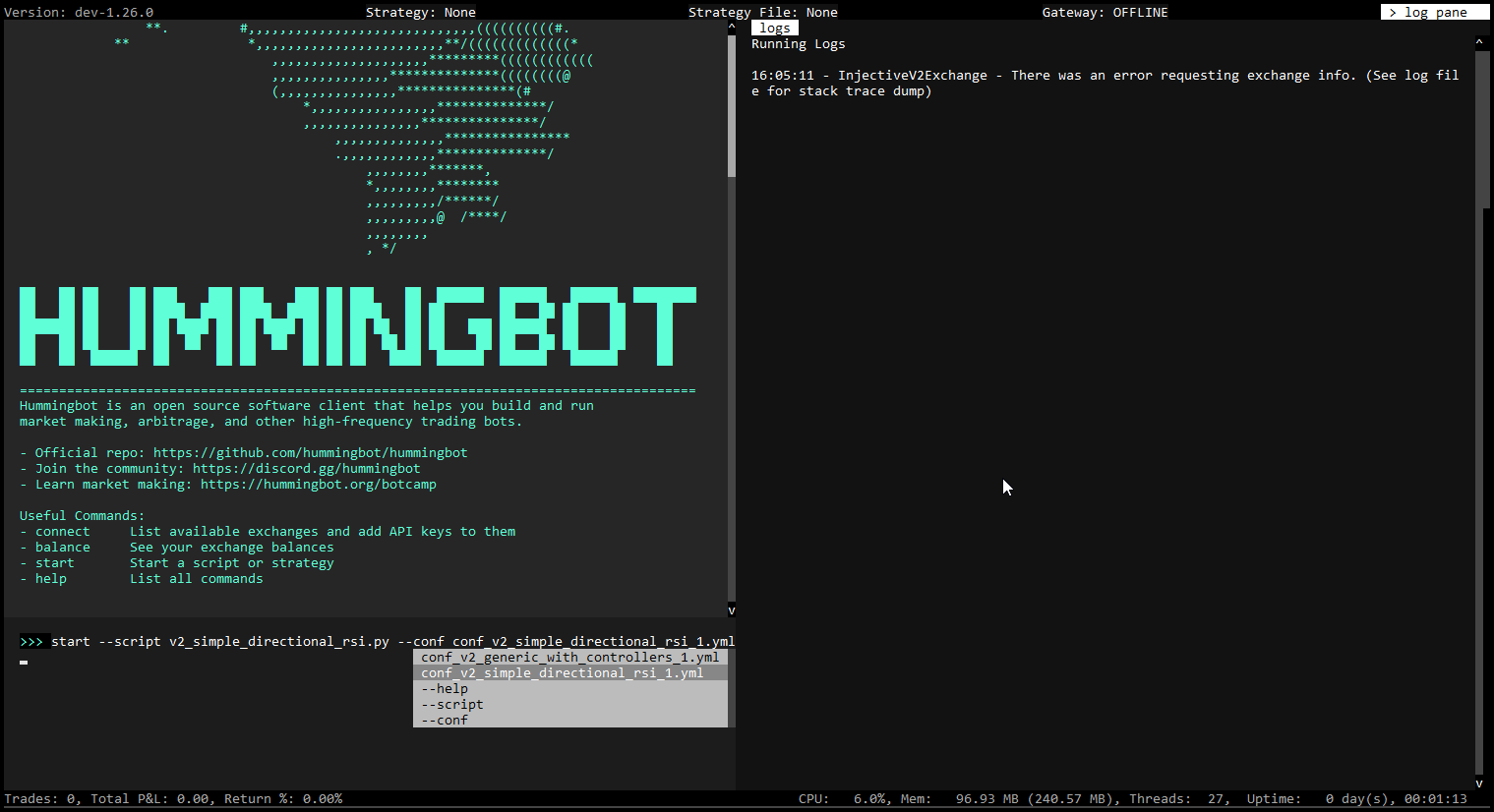
Spot Perpetual Arbitrage - Hummingbot
URL: https://hummingbot.org/strategies/spot-perpetual-arbitrage
Contents:
- spot_perpetual_arbitrage
- 📁 Strategy Info
- 📝 Summary
- 🏦 Exchanges supported
- 🛠️ Strategy configs
- 📓 Description
- ℹ️ More Resources
This strategy looks at the price on the spot connector and the price on the derivative connector. Then it calculates the spread between the two connectors. The key features for this strategy are min_divergence and min_convergence.
When the spread between spot and derivative markets reaches a value above min_divergence, the first part of the operation will be executed, creating a buy/sell order on the spot connector, while opening an opposing long/short position on the derivative connector.
With the position open, the bot will scan the prices on both connectors, and once the price spread between them reaches a value below min_convergence, the bot will close both positions.
How to Use the New Spot-perpetual Arbitrage Strategy: Learn how the spot-perpetual arbitrage strategy works and how you can make use of it.
Spot-Perpetual Arbitrage Strategy Demo | Hummingbot Live: A live demo on how you can set parameters to run the spot-perpetual arbitrage strategy
Check out Hummingbot Academy for more resources related to this strategy and others!
Configuring Strategies - Hummingbot
URL: https://hummingbot.org/dashboard/config/
Contents:
- Config Generator
- PMM Simple
- PMM Dynamic
- D-Man Maker V2
- Bollinger V1
- MACD BB V1
- SuperTrend V1
- XEMM Controller
Here's a detailed explanation of the different controllers available for configuration in the Hummingbot Dashboard:
The PMM Simple controller in Hummingbot Dashboard implements a basic Pure Market Making strategy. It allows users to provide liquidity by placing both buy and sell orders around the mid-market price. Key features include:
The PMM Dynamic controller in Hummingbot Dashboard implements a superset of the A+S strategy. Features include:
The D-Man Maker V2 controller is designed for more advanced market making strategies, integrating various technical indicators and risk management tools. Key features include:
The Bollinger V1 controller utilizes Bollinger Bands for its trading strategy. Bollinger Bands are a type of statistical chart characterizing the prices and volatility over time of a financial instrument. Key features include:
The MACD BB V1 controller combines the Moving Average Convergence Divergence (MACD) indicator with Bollinger Bands. This strategy aims to leverage the strengths of both indicators for more robust trading signals. Key features include:
The SuperTrend V1 controller uses the SuperTrend indicator to guide its trading decisions. The SuperTrend indicator is a trend-following tool that helps identify the prevailing direction of the market. Key features include:
The XEMM Controller (Cross-Exchange Market Making) in Hummingbot Dashboard is designed to exploit price discrepancies across different exchanges. Key features include:
Start Strategies and Scripts - Hummingbot
URL: https://hummingbot.org/client/start-stop/
Contents:
- Start and Stop Strategy
- Starting a strategy
- Stop a running strategy
- Strategy Autostart
- Docker Autostart
- Prerequisites
- How to Configure Docker Autostart
- Source Installation Autostart
- Prerequisites
- How to Configure Source Autostart
After creating or importing a config file, use the start command to run the strategy.
Run stop command to stop the running strategy. Doing this will also cancel all active orders.
Hummingbot can automatically start the execution of a previously configured trading strategy upon launch without needing user interaction. This feature works with both regular and headless modes.
Stop any running containers docker compose down
Modify docker-compose.yml
Edit the environment section to include:
This will start Hummingbot in detached mode (running in the background).
You should see your Hummingbot container running with the configured strategy.
When you attach, the strategy should already be running. To detach without stopping the container, use Ctrl+P followed by Ctrl+Q.
Use the following command:
Running any trading bots without manual supervision may incur additional risks. It is imperative that you thoroughly understand and test the strategy and parameters before deploying bots that can trade in an unattended manner.
Hummingbot can run in headless mode, which allows the bot to operate without the interactive CLI interface. This is particularly useful for deploying bots to cloud services or running multiple instances programmatically.
--headless: Enables headless mode
-p PASSWORD: Your Hummingbot password
-f CONFIG_FILE_NAME: Strategy config file (.yml) or script file (.py)
-c SCRIPT_CONFIG: (Optional) Configuration file for scripts
You can also use environment variables, which is especially useful for Docker deployments:
MQTT is Required: Without a CLI interface, MQTT is the only way to:
Monitor bot status and performance
View logs and error messages
Stop the bot or modify parameters
Receive alerts and notifications
Use with Hummingbot API: We strongly recommend using headless mode alongside the Hummingbot API for:
Managing multiple bot instances
Real-time monitoring and control
Automated deployment and scaling
Integration with other systems
Logging: In headless mode, logs are still written to files, but you won't see them in real-time unless you're monitoring via MQTT or viewing log files directly.
You can auto-start either:
Scripts: Python files (.py) containing all strategy logic. Hummingbot looks for these in the scripts directory
Strategies: Configurable strategy templates with YAML config files (.yml). Hummingbot looks for these in the conf/strategies directory
Test Thoroughly: Always test your strategies in paper trading mode before running them unattended
Set Appropriate Limits: Configure kill switches, balance limits, and other safety parameters
Monitor Regularly: Even in headless/autostart mode, regularly check logs and performance
Use MQTT/API: Set up proper monitoring through MQTT or Hummingbot API for real-time alerts
Secure Your System: Ensure your deployment environment is secure, especially when running with autostart
Examples:
Example 1 (unknown):
docker compose down
Example 2 (unknown):
environment:
  - CONFIG_PASSWORD=password
  - CONFIG_FILE_NAME=simple_pmm_example.py
  - SCRIPT_CONFIG=conf_simple_pmm_example_config_1.yml  # Optional for scripts
  - HEADLESS_MODE=true  # Optional: Enable headless mode
Example 3 (unknown):
docker compose up -d
Example 4 (unknown):
docker attach hummingbot
URL: https://hummingbot.org/v2-strategies/diagrams/17.png

Strategies V1 - Hummingbot
URL: https://hummingbot.org/v1-strategies/
Contents:
- Strategies V1
- What are V1 Strategies?
- List of V1 Strategies
- Contributing Strategies
Since the Foundation is focused on building out the Strategy V2 framework which offers greater customization and extensibility, we are no longer actively maintaining the V1 strategy templates below.
V1 Strategies are templates for an algorithmic trading strategy that users can configure, extend, and run. The trading strategy itself is a continual process that monitors trading pairs on one or more exchanges in order to make trading decisions.
Strategies separate trading logic, open source code that defines how the strategy behaves, versus parameters, user-defined variables like spread and order amount that control how the strategy is deployed against live market conditions. Strategy parameters are stored in a local config file that is not exposed externally.
Strategies utilize the standardized trading interfaces exposed by exchange and protocol connectors, enabling developers to write code that can be used across many exchanges. Each V1 strategy is a sub-folder in the /hummingbot/strategy folder.
Strategies have passed the Minimum Voting Power Threshold in the latest Poll and are included in each monthly release. They are not maintained by Hummingbot Foundation but may be maintained by a community member.
We encourage users to create and extend strategies for their own purposes, and if they so desire, share them with the community.
Developers may submit strategies for review. Please note the Contribution Guidelines. For developers interested to create or customize their own strategies, please see Building V1 Strategies.
TWAP - Hummingbot
URL: https://hummingbot.org/strategies/twap
Contents:
- twap
- 📁 Strategy Info
- 📝 Summary
- 🏦 Exchanges supported
- 🛠️ Strategy configs
- 📓 Description
- Overview
- Config
- Strategy
- 📺 Demo
This strategy is a simple bot that places a series of limit orders on an exchange, while allowing users to control order size, price, and duration.
We recommend this strategy as a starting point for developers looking to build their own strategies, and it is used as reference for articles in Developer Reference: Strategies.
The description below is a general approximation of this strategy. Please inspect the strategy code in Trading Logic above to understand exactly how it works.
The TWAP strategy is a common algorithmic execution strategy used for splitting up large orders over time. Specifically, the TWAP strategy helps traders minimize slippage when buying or selling large orders. These features make the strategy more useful to traders and will help when creating future, more complex strategies:
The TWAP strategy divides a large user order into chunks according to the following user configurations:
The orders are then split into tradable (quantized) amounts and executed sequentially with the indicated time delay in between orders. There is no time delay before the first order. Because only one order is placed in a clock tick, a state machine is needed to emit multiple orders over different clock ticks. To see the executed orders, type history into the command prompt.
Here are the additional user configurable parameters for the TWAP strategy (fields are added to config_map file):
The TWAP strategy logic is trying to split a large order into smaller ones over time, and it does that by maintaining important information about the state when processing orders by adding state variables.
Custom state variables can be added to the strategy by setting variables in the init function.
TWAP processes orders when there is a remaining order quantity & the specified time_delay has passed. Specifically, some of the key elements in utilizing the remaining order quantity and time_delay are detailed below:
This demo is for instructional and educational purposes only. Any parameters used are purely for demo purposes only. We are not giving any legal, tax, financial, or investment advice. Every user is responsible for their use and configuration of Hummingbot.
Strategy coding for dummies: This article is a blog post submission from our of our users. It is not directly related to TWAP strategy, but it demos how you can write a custom script for cross exchange market making strategy
Check out Hummingbot Academy for more resources related to this strategy and others!
Strategies V1 - Hummingbot
URL: https://hummingbot.org/v1-strategies
Contents:
- Strategies V1
- What are V1 Strategies?
- List of V1 Strategies
- Contributing Strategies
Since the Foundation is focused on building out the Strategy V2 framework which offers greater customization and extensibility, we are no longer actively maintaining the V1 strategy templates below.
V1 Strategies are templates for an algorithmic trading strategy that users can configure, extend, and run. The trading strategy itself is a continual process that monitors trading pairs on one or more exchanges in order to make trading decisions.
Strategies separate trading logic, open source code that defines how the strategy behaves, versus parameters, user-defined variables like spread and order amount that control how the strategy is deployed against live market conditions. Strategy parameters are stored in a local config file that is not exposed externally.
Strategies utilize the standardized trading interfaces exposed by exchange and protocol connectors, enabling developers to write code that can be used across many exchanges. Each V1 strategy is a sub-folder in the /hummingbot/strategy folder.
Strategies have passed the Minimum Voting Power Threshold in the latest Poll and are included in each monthly release. They are not maintained by Hummingbot Foundation but may be maintained by a community member.
We encourage users to create and extend strategies for their own purposes, and if they so desire, share them with the community.
Developers may submit strategies for review. Please note the Contribution Guidelines. For developers interested to create or customize their own strategies, please see Building V1 Strategies.
URL: https://hummingbot.org/v2-strategies/diagrams/21.png
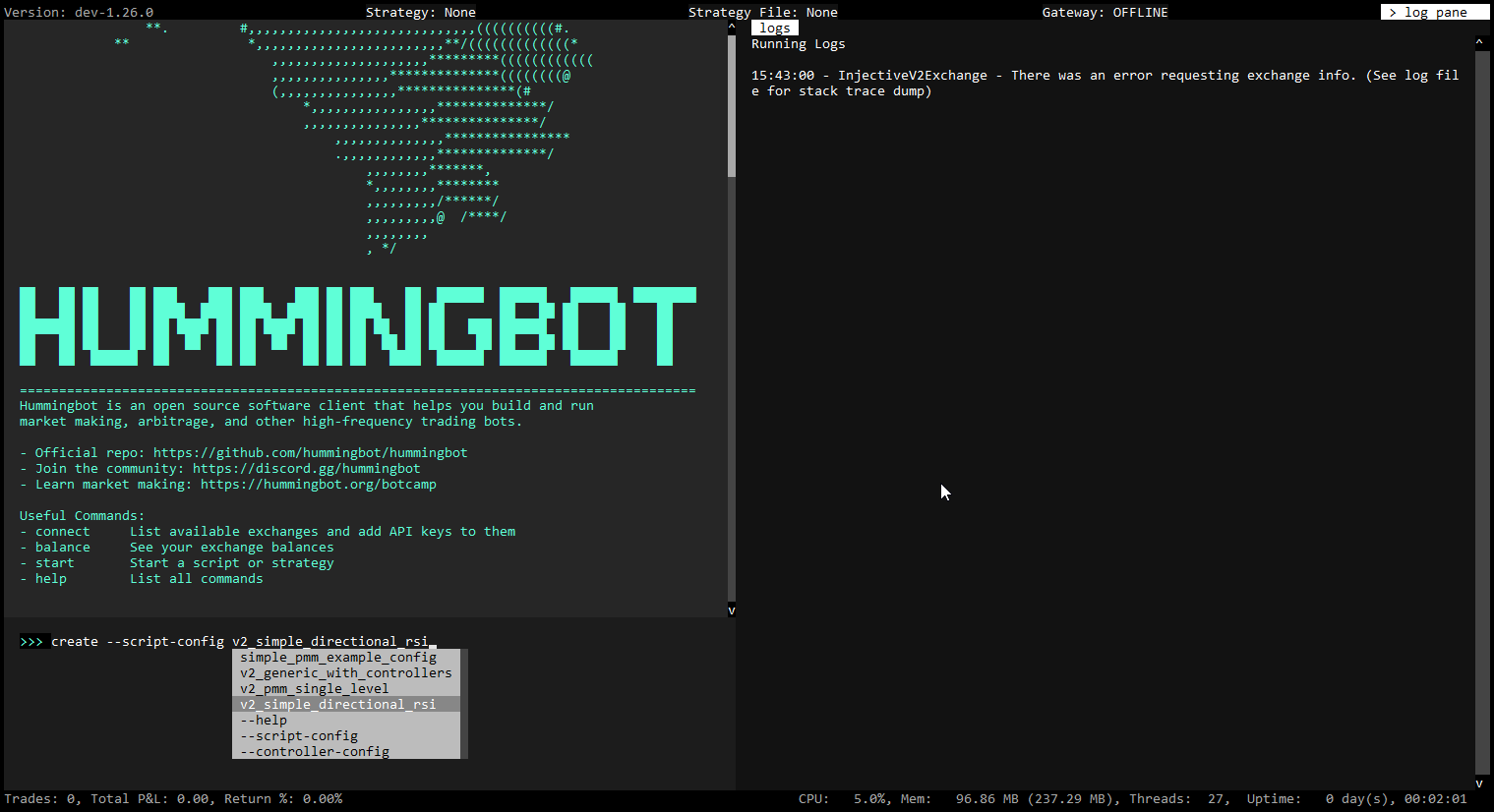
Perpetual Market Making - Hummingbot
URL: https://hummingbot.org/strategies/perpetual-market-making
Contents:
- perpetual_market_making
- 📁 Strategy Info
- 📝 Summary
- 🏦 Exchanges supported
- 🛠️ Strategy configs
- 📓 Description
- Architecture
- Order Placement
- Position Management
- ℹ️ More Resources
This strategy allows Hummingbot users to run a market making strategy on a single trading pair on a perpetuals swap (perp) order book exchange.
Similar to the pure_market_making_strategy, the perpetual_market_making strategy keeps placing limit buy and sell orders on the order book and waits for other participants (takers) to fill its orders. But unlike market making on spot markets, where assets are being exchanged, market making on perpetual markets creates and closes positions. Since outstanding perpetual swap positions are created after fills, the strategy has a number of parameters to determine when positions are closed to take profits and prevent losses.
The description below is a general approximation of this strategy. Please inspect the strategy code in Trading Logic above to understand exactly how it works.
The perpetual_market_making strategy works in a similar fashion as the pure_market_making_strategy, except adapted to trading perpetual swaps. Trading perpetual swaps creates positions, and doesn't just exchage assets like trading on spot markets.
On every tick the strategy creates new opening orders and existing orders are being cancelled. If an outstanding order is filled, the strategy then has to manage the position.
The strategy places long and short orders to open perpetual swap positions at predefined distances from a mid price. These distances are given by the parameters bid_spread and ask_spread.
On every tick, outstanding open orders are being evaluated. If they're too far from the proposal orders, as defined by the order_refresh_tolerance_pct parameter, they will be cancelled and replaced by new orders. If an active order finds itself below a min_spread threshold from the mid price, it will also be cancelled.
It's also possible to place multiple orders on each side in price layers as defined by the parameters order_levels, order_level_amount and order_level_spread. The closest to the mid price will be always orders at distances bid_spread and ask_spread.
The strategy can be restricted to trade only within a specific price band, defined by the price_ceiling and price_floor parameters. If the mid price is outside of this interval, no orders will be created, only cancelled.
New opening orders are not being placed if one or more of existing opening orders were filled and the strategy holds a position. In that case, the position(s) is being evaluated on every tick whether to close it or not, and whether to either take a profit or a loss. These decisions are controlled by parameters long_profit_taking_spread, short_profit_taking_spread and stop_loss_spread.
Perpetual Market Making Demo | Hummingbot Live: Demo of the Perpetual Market Making strategy
Check out Hummingbot Academy for more resources related to this strategy and others!
Script Walkthrough - Hummingbot
URL: https://hummingbot.org/v2-strategies/walkthrough/
Contents:
- Script Walkthrough
- What we'll cover
- Create script config
- Run the script
- Check status and performance
- Next steps
Below, we provide a walkthrough to illustrate the StrategyV2 framework, which we recommend for new users who want to understand how the framework works.
In this example, we'll show you how to configure and run a simple directional trading strategy using the v2_directional_rsi.py starter script.
This strategy executes trades on a spot or perpetual exchange based on the RSI signals from the Market Data Provider, creating buy actions when the RSI is below a low threshold (indicating oversold conditions) and sell actions when the RSI is above a high threshold (indicating overbought conditions).
After each trade, the strategy utilizes the Position Executor component, which uses a triple barrier configuration to manage the P&L of the position or filled order.
First, let's create a script config file that defines the key strategy parameters.
Launch Hummingbot and execute the command below to generate your script configuration:
This command auto-completes with the subset of configurable scripts from the local /scripts directory.
You'll be prompted to specify the strategy parameters, which are then saved in a YAML file within the conf/scripts directory:
Execute the command below to start the script:
The strategy makes a series of market checks and initializes the market data provider. Afterwards, it should start placing orders for both pairs.
Run the Status command to see the status (asset balances, active orders and positions) of the running strategy:
After there have been trades, you can use the History to see your bot's performance.
We encourage you check out Dashboard, the new entry point for Hummingbot users that will be officially launched at the Hummingbot 2.0 launch event.
Also, see Walkthrough - Controller to learn how to run scripts that deploy strategies as Controllers.
Examples:
Example 1 (unknown):
create --script-config v2_directional_rsi
Example 2 (unknown):
Exchange where the bot will trade >> hyperliquid_perpetual
Trading pair where the bot will trade >> ETH-USD
Candles exchange used to calculate RSI >> binance_perpetual
Candles trading pair used to calculate RSI >> ETH-USDT
Candle interval (e.g. 1m for 1 minute) >> 1m
Number of candles used to calculate RSI (e.g. 60) >> 60
RSI lower bound to enter long position (e.g. 30) >> 30
RSI upper bound to enter short position (e.g. 70) >> 70
Order amount in quote asset >> 30
Leverage (e.g. 10 for 10x) >> 10
Position mode (HEDGE/ONEWAY) >> ONEWAY
Enter a new file name for your configuration >> conf_v2_directional_rsi_1.yml
Example 3 (unknown):
start --script v2_directional_rsi.py --conf conf_v2_directional_rsi_1.yml
Scripts - Hummingbot
URL: https://hummingbot.org/scripts/
Contents:
- Scripts
- Script Examples
- Configuration Files
- Base Classes
- Script Architecture
- Adding Config Parameters
- on_tick Method
- format_status Method
Scripts are the entry point for Hummingbot strategies. Standalone scripts let new users automate basic trading actions and implement simple versions of Humminggbot strategies.
They also enable Hummingbot users to build customized strategies using the Strategy V2 framework, and access the full power of Hummingbot exchange connectors in a few lines of Python code.
Should your script run into an error, it's crucial that you exit Hummingbot entirely, correct or debug the faulty script, and then restart Hummingbot. The stop command won't rectify the issue in case of an error. To get back on track, a complete shutdown and subsequent relaunch of Hummingbot is required.
For more info, see the Script Walkthrough. This detailed walkthrough shows you how to run a simple directional algo trading strategy.
See Script Examples for a list of the current sample scripts in the Hummingbot codebase. These examples show you how to:
We welcome new sample script contributions from users! To submit a contribution, please follow the Contribution Guidelines.
Scripts can be created both with and without config files.
To create a configuration file for your script, execute:
This command auto-completes with scripts from the local /scripts directory that are configurable. You'll be prompted to specify strategy parameters, which are then saved in a YAML file within the conf/scripts directory. To run the script, use:
Auto-complete will suggest config files from the local /conf/scripts directory.
Scripts that use the Strategy V2 framework inherit from the StrategyV2Base class. These scripts allow the user to create a config file with parameters.
Other scripts, including simple examples and older scripts, inherit from the ScriptStrategyBase class. These scripts define their parameters in the script code and do not expose config parameters.
The entry point for StrategyV2 is a Hummingbot script that inherits from the StrategyV2Base class.
This script fetches data from the Market Data Provider and manages how each Executor behaves. Optionally, it can load a Controller to manage the stategy logic instead of defining it in within the script. Go through the Walkthrough to learn how it works.
See Sample Scripts for more examples of StrategyV2-compatible scripts.
To add user-defined parameters to a StategyV2 script, add a configuration class that extends the StrategyV2ConfigBase class in StrategyV2Base class.
This defines a set of configuration parameters that are prompted to the user when they run create to generate the config file. Only questions marked prompt_on_new are displayed.
Afterwards, these parameters are stored in a config file. The script checks this config file every config_update_interval (default: 60 seconds) and updates the parameters that it uses in-flight.
This method acts as the strategy's heartbeat, is called regularly, and allows the strategy to adapt to new market conditions in real time.
This overrides the standard status function and provides a formatted string representing the current status of the strategy, including the name, trading pair, and status of each executor.
Users can customize this function to display their custom strategy variables.
Examples:
Example 1 (unknown):
create --script-config [SCRIPT_FILE]
Example 2 (unknown):
start --script [SCRIPT_FILE] --conf [SCRIPT_CONFIG_FILE]
Example 3 (unknown):
class StrategyV2ConfigBase(BaseClientModel):
    """
    Base class for version 2 strategy configurations.
    """
    markets: Dict[str, Set[str]] = Field(
        default="binance_perpetual.JASMY-USDT,RLC-USDT",
        client_data=ClientFieldData(
            prompt_on_new=True,
            prompt=lambda mi: (
                "Enter markets in format 'exchange1.tp1,tp2:exchange2.tp1,tp2':"
            )
        )
    )
    candles_config: List[CandlesConfig] = Field(
        default="binance_perpetual.JASMY-USDT.1m.500:binance_perpetual.RLC-USDT.1m.500",
        client_data=ClientFieldData(
            prompt_on_new=True,
            prompt=lambda mi: (
                "Enter candle configs in format 'exchange1.tp1.interval1.max_records:"
                "exchange2.tp2.interval2.max_records':"
            )
        )
    )
    controllers_config: List[str] = Field(
        default=None,
        client_data=ClientFieldData(
            is_updatable=True,
            prompt_on_new=True,
            prompt=lambda mi: "Enter controller configurations (comma-separated file paths), leave it empty if none: "
        ))
    config_update_interval: int = Field(
        default=60,
        gt=0,
        client_data=ClientFieldData(
            prompt_on_new=False,
            prompt=lambda mi: "Enter the config update interval in seconds (e.g. 60): ",
        )
    )
Example 4 (python):
def on_tick(self):
    for executor_handler in self.executor_handlers.values():
        if executor_handler.status == ExecutorHandlerStatus.NOT_STARTED:
            executor_handler.start()
URL: https://hummingbot.org/v2-strategies/diagrams/14.png
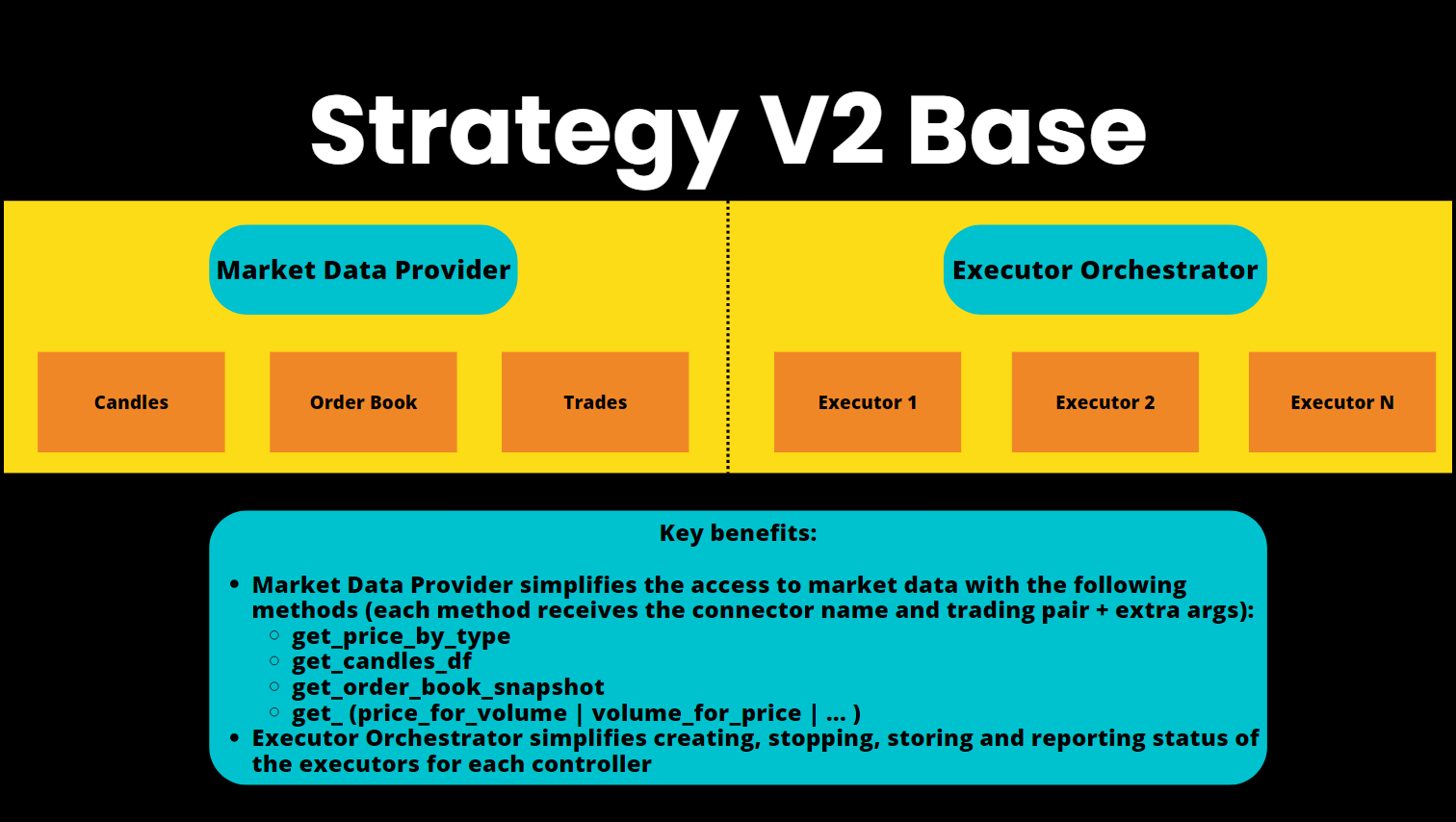
Walkthrough controller - Hummingbot
URL: https://hummingbot.org/v2-strategies/walkthrough-controller/
Contents:
- Walkthrough controller
- What we'll cover
- Create the controller configs
- Create the generic script config
- Start the script
- Changing configs
Starting with Hummingbot 2.0, you will be able to configure and deploy controllers using Dashboard, the new entry point for Hummingbot users launching in June 2024!
In this more complex example, the strategy logic is housed in a Controller, and the user generates a controller configuration that is run with a generic script, which acts as a controller loader.
This allows users to run multiple configurations, as well as multiple controllers, in a single script.
Let's say we want to create a single bot that provides liquidity to two distinct trading pairs on Binance Futures, each configured with unique buy and sell spreads, order amounts, and other pair-specific parameters. In the past, users had to run separate Hummingbot instances for each configuration, each running a separate strategy or script.
Now, this can be handled in a single strategy using the pmm_simple.py controller.
First, we will generate pair-specific configurations. Then, we can run these configurations all at once with the v2_with_controllers.py generic script.
The initial step involves generating a separate controller configuration for each trading pair.
Execute the command below to generate the controller config:
This will create the conf_market_making.pmm_simple_1.yml controller config file under the /conf/controllers folder
Now, repeat the steps above to create a new controller config.
This time, use a different trading pair, and different buy and sell spreads. Save this modified configuration under the file name conf_market_making.pmm_simple_2.yml.
Afterwards, you should now have two controller config files under the /conf/controllers/ folder:
Execute the command below to generate the script config file:
Enter the file names of your controller configs, separated by commas:
Once you create the initial generic script config, it might be easier to edit this file and replace it with new controller names rather than having to re-generate it each time.
Execute the command below to start the script:
The bot should now be running and start placing orders for both pairs. Run the status command to see the bot status.
Users often need to modify the strategy configuration as it is running. In the Strategies V2 framework, the configs are dynamic, so you just need to save changes to the config files
Let's say we want to adjust the order spreads or refresh time for the first pair above.
The controller config files are under the /conf/controllers/ folder within your instance. Browse to the Hummingbot folder then enter the command below: nano conf/controllers/conf_market_making.pmm_simple_1.yml
This will open up Nano - a Linux text editor. You can also use Visual Studio Code or any other text editor you prefer.
Make the necessary changes you want here then press CTRL + O to save, then CTRL + X to exit.
If you edit and save changes to the controller config file, you'll see the spreads change on the next refresh, which is set by the config_update_interval parameter (default: 60 seconds).
Examples:
Example 1 (unknown):
create --controller-config market.making.pmm_simple
Example 2 (unknown):
Enter the name of the exchange to trade on >> binance_perpetual
Enter the name of the trading pair to trade on >> WLD-USDT
Enter the total amount in quote asset to use for trading >> 100
Enter a comma-separated list of buy spreads >> 0.01, 0.02
Enter a comma-separated list of sell spreads >> 0.01, 0.02
Enter the refresh time in seconds for executors >> 20
Set the leverage to use for trading >> 20
Enter the stop loss >> 0.03
Enter the take profit >> 0.02
Enter the time limit in seconds >> 2700
Enter the order type for taking profit >> LIMIT
Enter the trailing stop as activation_price, trailing_delta >> 0.013, 0.003
Enter a file name for your configuration >> conf_market_making.pmm_simple_1.yml
Example 3 (unknown):
conf_market_making.pmm_simple_1.yml
conf_market_making.pmm_simple_2.yml
Example 4 (unknown):
create --script-config v2_with_controllers
URL: https://hummingbot.org/v2-strategies/diagrams/23.png
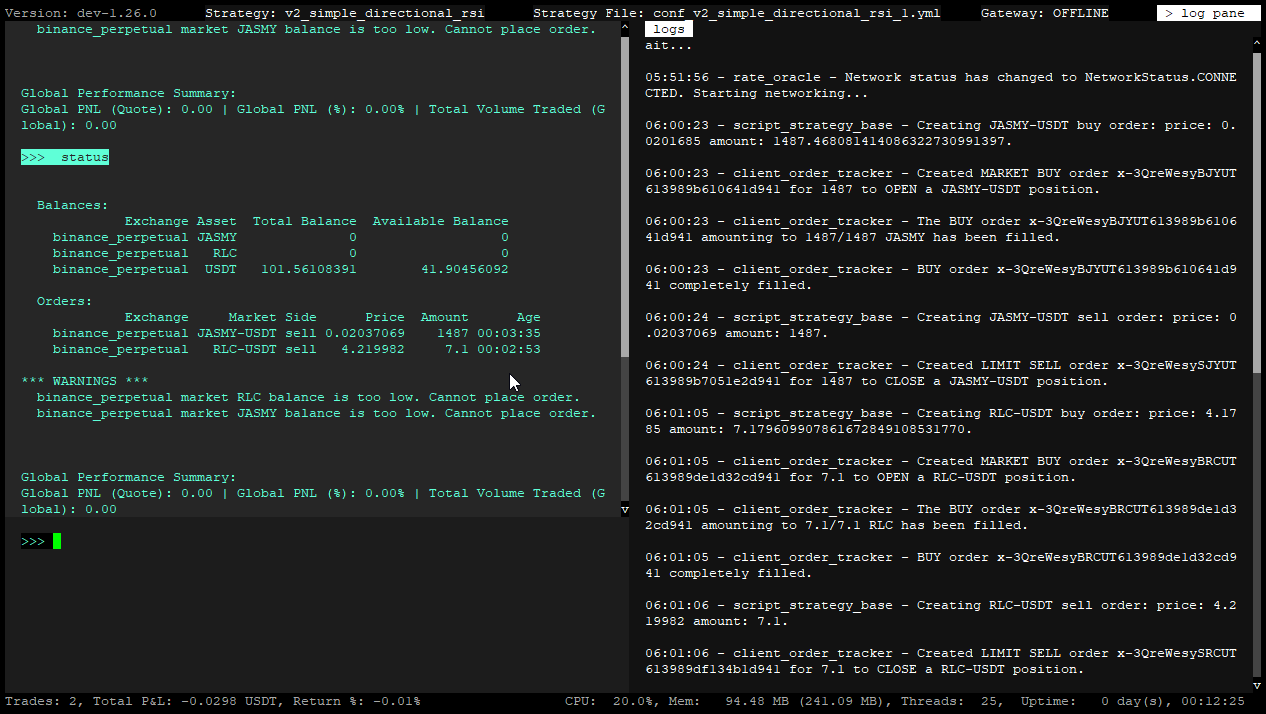
Avellaneda Market Making - Hummingbot
URL: https://hummingbot.org/strategies/avellaneda-market-making
Contents:
- avellaneda_market_making
- 📁 Strategy Info
- 📝 Summary
- 🏦 Exchanges supported
- 🛠️ Strategy configs
- 📓 Description
- Overview
- Reservation Price
- Optimal Spreads
- Risk Factor
This strategy implements a market making strategy described in the classic paper High-frequency Trading in a Limit Order Book written by Marco Avellaneda and Sasha Stoikov. It allows users to directly adjust the risk_factor (gamma) parameter described in the paper. It also features an order book liquidity estimator calculating the trading intensity parameters (alpha and kappa) automatically. Additionally, the strategy implements an order size adjustment algorithm and its order_amount_shape_factor (eta) parameter as described in Optimal High-Frequency Market Making. The strategy is implemented to be used either in fixed timeframes or to be ran indefinitely.
The description below is a general approximation of this strategy. Please inspect the strategy code in Trading Logic above to understand exactly how it works.
The strategy continuously calculates optimal positioning of a market maker's buy and sell limit orders within an order book, based on the following information:
There is two main values that are calculated by the model, based on the factors mentioned above:
Compared to the previous version these parameters were removed:
Parameter min_spread has a different meaning, parameter risk_factor is being used differently in the calculations and therefore attains a different range of values.
The farther the current inventory is from the desired asset allocation (as defined by the inventory_target_base_pct parameter), the greater the distance between reservation price and the market mid price. The strategy skews the probability of either buy or sell orders being filled, depending on the difference between the current inventory and the inventory_target_base_pct.
For example, If the strategy needs an asset to be sold to reach the inventory_target_base_pct value, sell orders will be placed closer to the mid price than buy orders.
The Optimal spread values (which defines at what price each order will be created) is a function of the order book liquidity, asset price volatility and trading session timeframe. Each factor have an influence on the value calculated:
The final piece of information that influence both Reservation price and Optimal Spread values is the risk_factor (gamma).
This value is defined by the user, and it represents how much inventory risk he is willing to take.
The closer the risk_factor is to zero, the more symmetrical will be orders will be created, and the Reservation price will be pretty much equal to the market mid price.
In that case, the user is taking more inventory risk, because there will be no skew on the orders positions aiming to reach the inventory_target_base_pct.
The higher the value, the more aggressive the strategy will be to reach the inventory_target_base_pct, increasing the distance between the Reservation price and the market mid price.
It's a unit-less parameter, that can be set to any non-zero value as necessary, depending on the inventory risk the user is willing to take.
NOTE: The risk_factor is defined relative to the instant volatility of the asset given in absolute price values. For all assets the values risk_factor can attain should be roughly within the same range, however there can be a few exceptions where the parameter would require a significantly different value to start having an effect on the Reservation price and on the Optimal Spread As an example, for asset A, a risk_factor = 1 can already have a noticeable effect, while for asset B, the risk_factor must be at least around 10 to have any noticeable effect. The only way to find a value for the risk_factor is to experiment with different values and see it's effects on the Reservation price and the Optimal spread. Based on our experience common values of this parameter are between 1 and 20, however it is unrestricted on the upper side, therefore if necessary its value can be even 100 or 1000, although it's not very common.
Given the right market conditions and the right risk_factor, it's possible that the optimal spread will be wider than the absolute price of the asset, or that the reservation price will by far away from the mid price, in both cases resulting in the optimal bid price to be lower than or equal to 0. If this happens neiher buy or sell will be placed. To prevent it from happening, users can set the risk_factor to a lower value.
In setting the risk_factor it's important to observe the reservation price in regards to the mid price. If the user wishes the spread between these two prices to be wider, the risk factor should be set to a higher value. The further away the reservation price is from the mid price, the more aggressive the strategy is in pursuing its target portfolio allocation, because orders on one side will be far more likely to be filled than on the other.
If users choose to set the eta parameter, order sizes will be adjusted to further optimize the strategy behavior in regards to the current and desired portfolio allocation.
With a value of eta = 1, buy and sell orders will have the same size. A different value will create assymetrical order sizes, with the goal to reach the inventory_target_pct faster.
Users have an option to layer orders on both sides. If more than 1 order_levels are chosen, multiple buy and sell limit orders will be created on both sides, with predefined price distances from each other, with the levels closest to the reservation price being set to the optimal bid and ask prices. This price distance between levels is defined as a percentage of the optimal spread calculated by the strategy. The percentage is given as the level_distances parameter. Given that optimal spreads tend to be tight, the level_distances values should be in general in tens or hundreds of percents.
The original Avellaneda-Stoikov model was designed to be used for market making on stock markets, which have defined trading hours. The assumption was that the market maker wants to end the trading day with the same inventory he started.
Since cryptocurrency markets are open 24/7, there is no "closing time", and the strategy should also be able run indefinitely, based on an infinite timeframe.
NOTE: Avellaneda-Stoikov also considered the possibility of running the model on an infinite timeframe
The strategy allows three possible timeframes to be used:
For the infinite timeframe the equations used to calculate the reservation price and the optimal spread are slightly different, because the strategy doesn't have to take into account the time left until the end of a trading session.
Both the start_time and the end_time parameters are defined to be in the local time of the computer on which the client is running. For the infinite timeframe these two parameters have no effect.
The strategy calculates the reservation price and the optimal spread based on measurements of the current asset volatility and the order book liquidity. The asset volatility estimator is implemented as the instant_volatility indicator, the order book liquidity estimator is implemented as the trading_intensity indicator.
Before any estimates can be given, both estimators need to have their buffers filled. By default the lengths of these buffers are set to be 200 ticks. In case of the trading_intensity estimator only order book snapshots different from preceding snapshots count as valid ticks. Therefore the strategy may take longer than 200 seconds (in case of the default length of the buffer) to start placing orders.
The trading_intensity estimator is designed to be consistent with ideas outlined in the Avellaneda-Stoikov paper. The instant_volatility estimator defines volatility as a deviation of prices from one tick to another in regards to a zero-change price action.
The minimum_spread parameter is optional, it has no effect on the calculated reservation price and the optimal spread. It serves as a hard limit below which orders won't be placed, if users choose to ensure that buy and sell orders won't be placed too close to each other, which may be detrimental to the market maker's earned fees. The minimum spread is given by the minimum_spread parameter as a percentage of the mid price. By default its value is 0, therefore the strategy places orders at optimal bid and ask prices.
A comprehensive guide to Avellaneda & Stoikov’s market-making strategy: A comprehensive walkthrough of the classic avellaneda market making strategy that is based on a famous classic academic paper.
Avellaneda strategy: A technical deep dive: We explain how we modified the original Avellaneda-Stoikov model for the cryptocurrency industry, as well as how we simplified the calculation of key parameters (Greeks).
Tutorial - Hummingbot
URL: https://hummingbot.org/developers/strategies/tutorial
Contents:
- Tutorial
- What you'll learn
- Getting started
- Create a strategy
- Strategy files
- init.py
- limit_order_config_map.py
- start.py
- limit_order.py
- conf_limit_order_strategy_TEMPLATE.yml
This tutorial is intended to get you familiarized with the basic concepts of creating a basic Hummingbot strategy that executes a simple limit order.
By the end of this tutorial, you should:
Follow the instructions in Installation and install Hummingbot from source. If the installation was successful, you should see the Hummingbot welcome screen afterwards:
Let’s create a simple LimitOrder strategy that places a limit order!
For the purposes of this article, we assume that you have installed Hummingbot in a directory ~/hummingbot-instance. From that directory, navigate to the strategy directory that contains all the strategies. Each sub-folder is a different strategy. cd ~/hummingbot-instance cd hummingbot/strategy In this directory, create a limit_order folder which will contain the files for our strategy: mkdir limit_order cd limit_order
Next, go into the folder and create the four files that we need for our strategy: touch init.py limit_order_config_map.py limit_order.py start.py
Each of these files has a specific purpose and naming convention. See the Developer Tutorial to learn more about the file structure and naming conventions for different strategies.
Lastly, we also need to create a strategy configuration template, which defines the user-configurable parameters defined by the strategy. Like the strategy files and folders, the template file name also follows a convention.
Let’s look at these files individually.
The init file exposes your strategy. Paste the following code into the file using a code editor: # Initializing the project from .limit_order import LimitOrder all = [limit_order]
Here, the all field is used to expose the public module LimitOrder for use.
The config map file sets the user prompts to set the strategy parameters. The naming convention for this file is {strategy_name}_config_map.py.
Use the following code in your config map file: from hummingbot.client.config.config_var import ConfigVar # Returns a market prompt that incorporates the connector value set by the user def market_prompt() -> str: connector = limit_order_config_map.get("connector").value return f'Enter the token trading pair on {connector} >>> ' # List of parameters defined by the strategy limit_order_config_map ={ "strategy": ConfigVar(key="strategy", prompt="", default="limit_order", ), "connector": ConfigVar(key="connector", prompt="Enter the name of the exchange >>> ", prompt_on_new=True, ), "market": ConfigVar( key="market", prompt=market_prompt, prompt_on_new=True, ), } The parameters in this file are mapped as key-value pairs. Each field uses a ConfigVar method to accept parameters. ConfigVar is a variable that you can use to control the trading behavior of the bot.
The key parameter identifies the field, while the prompt parameter lets you choose the prompt message. If you include prompt_on_new, the prompt will be asked each time the user creates a new strategy. Otherwise, it will only be displayed when the user configures the parameter with config.
In the above example, the strategy field identifies the trading strategy: LimitOrder. Similarly, we use connector field to prompt for the name of the exchange, and the market field to prompt for trading pair that you want to trade. Note that the prompt for market uses a function which uses the value for connector set by the user in the previous question.
Additionally, you can supply validators as parameters to ensure only accepted values are entered, and you can use the default parameter to supply a default value to the parameters. See the ConfigVar file for all the ways that you can set strategy parameters.
The start file initializes the configuration for a strategy. Paste the following code into the file:
In the above code, the connector variable stores the exchange name, whereas the market variable stores the trading pair. These variables fetch the required values from the config map file, which we defined in the previous step.
Similarly, the MarketTradingPairTuple object accepts the exchange name, trading pair, base asset and quote asset for as its parameters.
This information allows us to initialize the LimitOrder object.
The strategy file defines its behavior. Paste the following code into the file:
Check out the MarketTradingPairTuple class for more methods to add to your bot.
Both StrategyPyBase class and buy_with_specific_market method derive from the strategy base class. To learn more about other methods you can use using the class, visit Strategy_base.
Lastly, we also need an additional file inside the templates folder, which acts as a placeholder for the strategy parameters. First, let’s navigate to the templates folder and create the file. Run the following commands. cd ~/hummingbot-instance cd hummingbot/templates touch conf_limit_order_strategy_TEMPLATE.yml
Add the following code to this file: template_version: 1 strategy: null connector: null market: null
The template filename convention is conf_{strategy_name}_strategy_TEMPLATE.yml.
Now that we have created a new trading strategy let’s run it in paper trading mode!
First, let’s recompile the code. It's good practice to recompile the code every time you make changes to rebuild any altered Cython code. cd ~/hummingbot-instance ./compile Now, start Hummingbot: ./start
Your Hummingbot UI comprises three sections:
Follow the steps below to use the strategy we have created.
Run start to run your bot in paper trading mode. You should see the following log messages:
You can also run the history command to see the results of the trade:
Congratulations - you have just created your first trading bot! This bot is very simple but should provide the foundation for you to experiment further. Can you prompt the user to change the order amount or trade type, or chain a series of trades?
Before you know it, you will be creating complex trading strategies combining different exchanges with Hummingbot! To learn more about creating Hummingbot strategies, check out our Developer Tutorial.
Examples:
Example 1 (unknown):
cd ~/hummingbot-instance
cd hummingbot/strategy
Example 2 (unknown):
mkdir limit_order
cd limit_order
Example 3 (unknown):
touch __init__.py limit_order_config_map.py limit_order.py start.py
Example 4 (python):
# Initializing the project
from .limit_order import LimitOrder
__all__ = [limit_order]
Position Executor - Hummingbot
URL: https://hummingbot.org/v2-strategies/executors/positionexecutor/
Contents:
- Position Executor
- Spot vs Perpetual Behavior
- Configuration
- Stop Loss
- Take Profit
- Time Limit
- Trailing Stop
- Execution Flow
- Conclusion
PositionExecutor: Manages opening and closing positions of equal amounts, ensuring the portfolio remains balanced ± the position's profit or loss. It's applicable in both perpetual and spot markets, requiring pre-ownership of the asset for spot markets.
The PositionExecutor uses a configuration object, PositionExecutorConfig, to manage an order after it is placed, following the Triple Barrier Method. This configuration sets pre-defined stop loss, take profit, time limit, and trailing stop parameters.
The PositionExecutor class implements the Triple Barrier Method popularized in Martin Prado's famous book Advances in Financial Machine Learning.
The triple barrier method is a structured approach to position management, where three "barriers" determine the outcome of a trade:
Additionally, PositionExecutor also contains a Trailing Stop mechanism, which dynamically adjusts the stop loss level as favorable price movements occur.
The PositionExecutor class is designed to work on both spot and perpetual exchanges, allowing you to write strategies that be used on either type:
The PositionExecutor engages with the market by executing orders based on the PositionConfig. It applies the triple barrier method as follows:
Activated when the price moves against the position beyond a specified threshold.
Triggered when the price reaches a pre-set level that represents a desired profit.
When the time limit is reached, the position will be closed or an opposing trade will be executed.
The trailing stop evaluates the position after a certain time has passed and may close it to avoid market shifts or decay.
Here's a simplified flow of how the PositionExecutor operates in conjunction with the triple barrier method:
The PositionExecutor is a powerful tool within Hummingbot for implementing strategies that require precise entry and exit conditions. By leveraging the triple barrier method, it provides a structured and disciplined approach to trade management, vital for both market making and directional trading strategies.
Examples:
Example 1 (unknown):
class TripleBarrierConf(BaseModel):
    # Configure the parameters for the position
    stop_loss: Optional[Decimal]
    take_profit: Optional[Decimal]
    time_limit: Optional[int]
    trailing_stop_activation_price_delta: Optional[Decimal]
    trailing_stop_trailing_delta: Optional[Decimal]
    # Configure the parameters for the order
    open_order_type: OrderType = OrderType.LIMIT
    take_profit_order_type: OrderType = OrderType.MARKET
    stop_loss_order_type: OrderType = OrderType.MARKET
    time_limit_order_type: OrderType = OrderType.MARKET
Example 2 (unknown):
triple_barrier_confs = TripleBarrierConf(
    stop_loss=stop_loss,
    take_profit=take_profit,
    time_limit=time_limit,
    trailing_stop_activation_price_delta=trailing_stop_activation_price_delta,
    trailing_stop_trailing_delta=trailing_stop_trailing_delta,
)
URL: https://hummingbot.org/v2-strategies/examples/status-bollinger.png
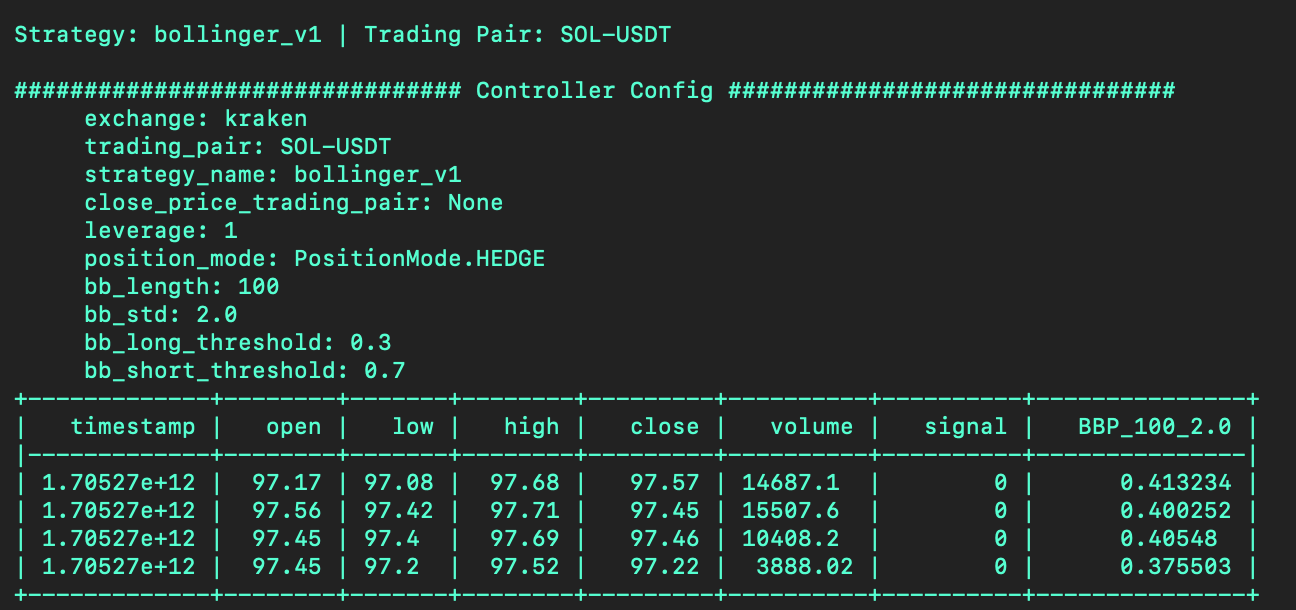
URL: https://hummingbot.org/v2-strategies/examples/status-macdbb.png